2-94
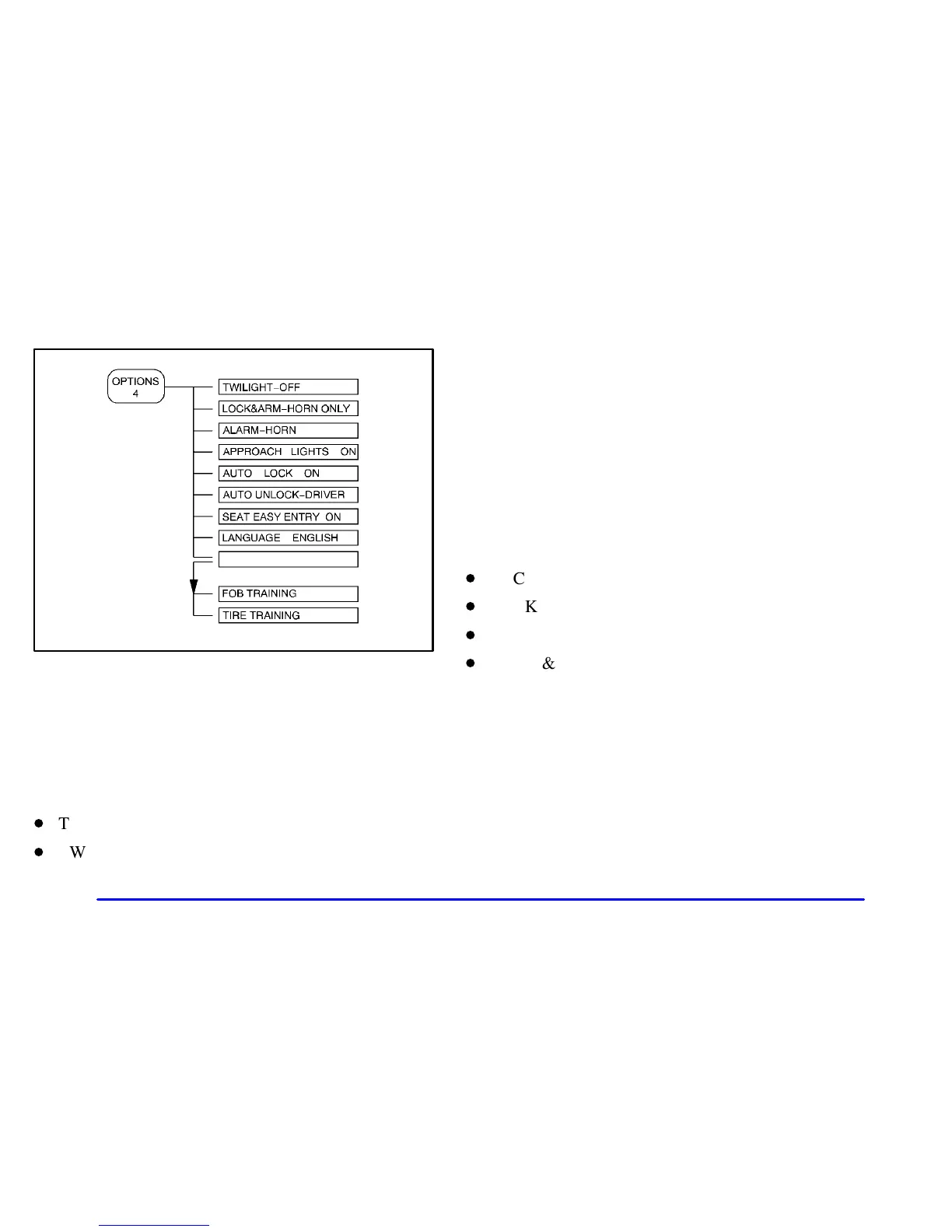
The following are the options listed under the
OPTIONS button:
Twilight
Press the OPTIONS button until TWILIGHT
- OFF
appears on the display, then use the RESET button to
page through the following selections:
D
TWILIGHT
- ON
D
TWILIGHT
- OFF
If you choose TWILIGHT
- ON, press the OPTIONS
button again to display DELAY TIME 1 2 in the DIC.
Use the OPTIONS button to switch between delay time
1 and 2. You can increase the delay time by pressing
button 1 (1 FUEL) or decrease the time by pressing
button 2 (2 GAGES). Each bar is equal to 12 seconds.
Lock and Arm
Press the OPTIONS button until LOCK & ARM
appears on the display, then use the RESET button to
page through the following selections:
D
LOCK & ARM - OFF
D
LOCK & ARM
- HORN ONLY
D
LOCK & ARM
- LIGHTS ONLY
D
LOCK & ARM
- HORN & LIGHTS
If you choose LOCK & ARM - OFF, you will receive
no security feedback when locking or unlocking
your vehicle.
If you choose LOCK & ARM
- HORN ONLY, only the
horn will chirp to let you know when your alarm system
has armed when locking your vehicle.





 To Next Page