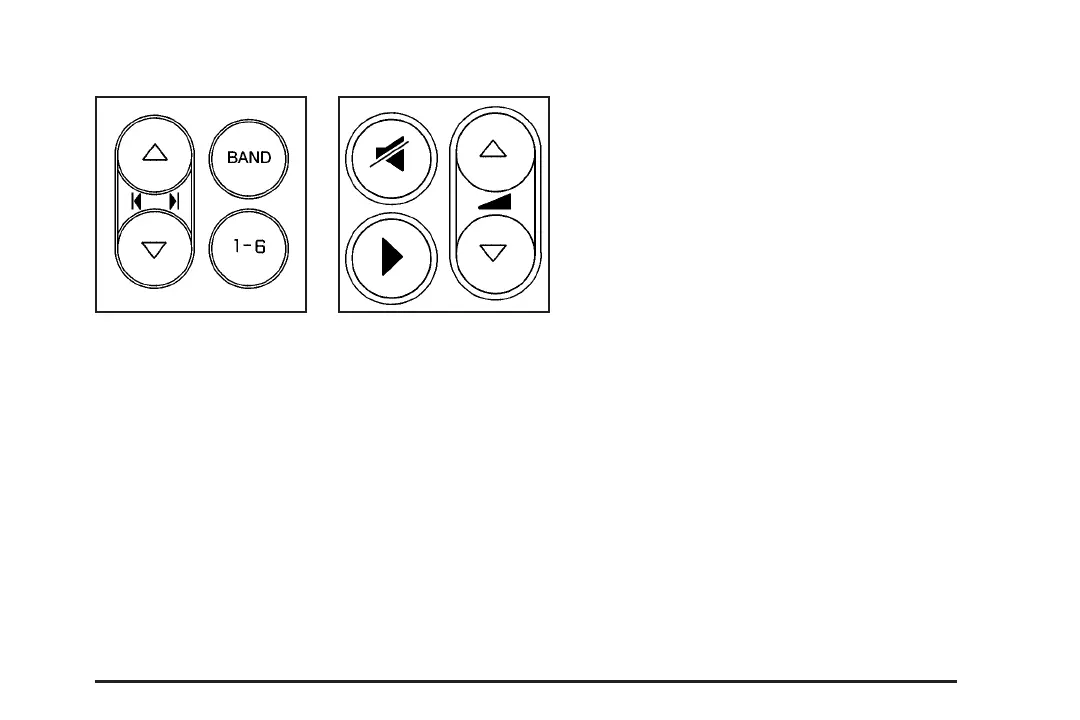
Audio Steering Wheel Controls
For vehicles with steering wheel controls, some audio
controls can be adjusted at the steering wheel.
w tux (Seek/Scan): Press to seek or scan radio
stations while the radio is playing, or to select tracks
while a CD is playing.
• To seek stations, press and release w t or u x
to go to the next or to the previous radio station
and stay there. The radio only seeks stations that
have a strong signal in the selected band.
• To scan stations, press and hold w t or u x for
two seconds until FREQUENCY SCAN displays.
The radio goes to a station, plays for a few seconds,
then goes to the next station. Press
w t or u x
again to stop scanning. The radio only scans stations
that have a strong signal in the selected band.
• To go to the previous or next track on a CD,
press and release
w t or u x if more than
eight seconds have played. If
w t or u x is held
or pressed more than once, the player continues
moving backward or forward through the CD.
BAND: Press to switch between FM1, FM2, AM, or
XM1orXM2.
1–6 (Preset Pushbuttons): Press to play stations that
are programmed on the radio presets.
$ (Mute//OnStar
®
): Press to silence the system.
Press again, to turn the sound on.
For vehicles with OnStar
®
, press and hold to interact
with the OnStar
®
system. See the OnStar
®
System
on page 2-47 in this manual for more information.
r (Play): When listening to the radio, press this button
to play a CD.
w u x (Volume): Press to increase or decrease the
volume.
3-111














 To Next Page