When a cassette tape is playing, press this button to
go to the other side of the tape. This function is inactive if
the front seat passengers are listening to a cassette tape.
When a CD is playing, press this button to go to the
beginning of the CD. This function is inactive if the front
seat passengers are listening to a CD.
When a CD is playing in the six-disc CD changer, press
this button to select the next CD, if multiple CDs are
loaded. This function is inactive if the front seat
passengers are listening to a CD.
Theft-Deterrent Feature
THEFTLOCK
®
is designed to discourage theft of your
vehicle’s radio. The feature works automatically by
learning a portion of the Vehicle Identification Number
(VIN). If the radio is moved to a different vehicle, it
will not operate and LOCKED will appear on the display.
When the radio and vehicle are turned off, the blinking
red light indicates that THEFTLOCK
®
is armed.
With THEFTLOCK
®
activated, the radio will not operate
if stolen.
Audio Steering Wheel Controls
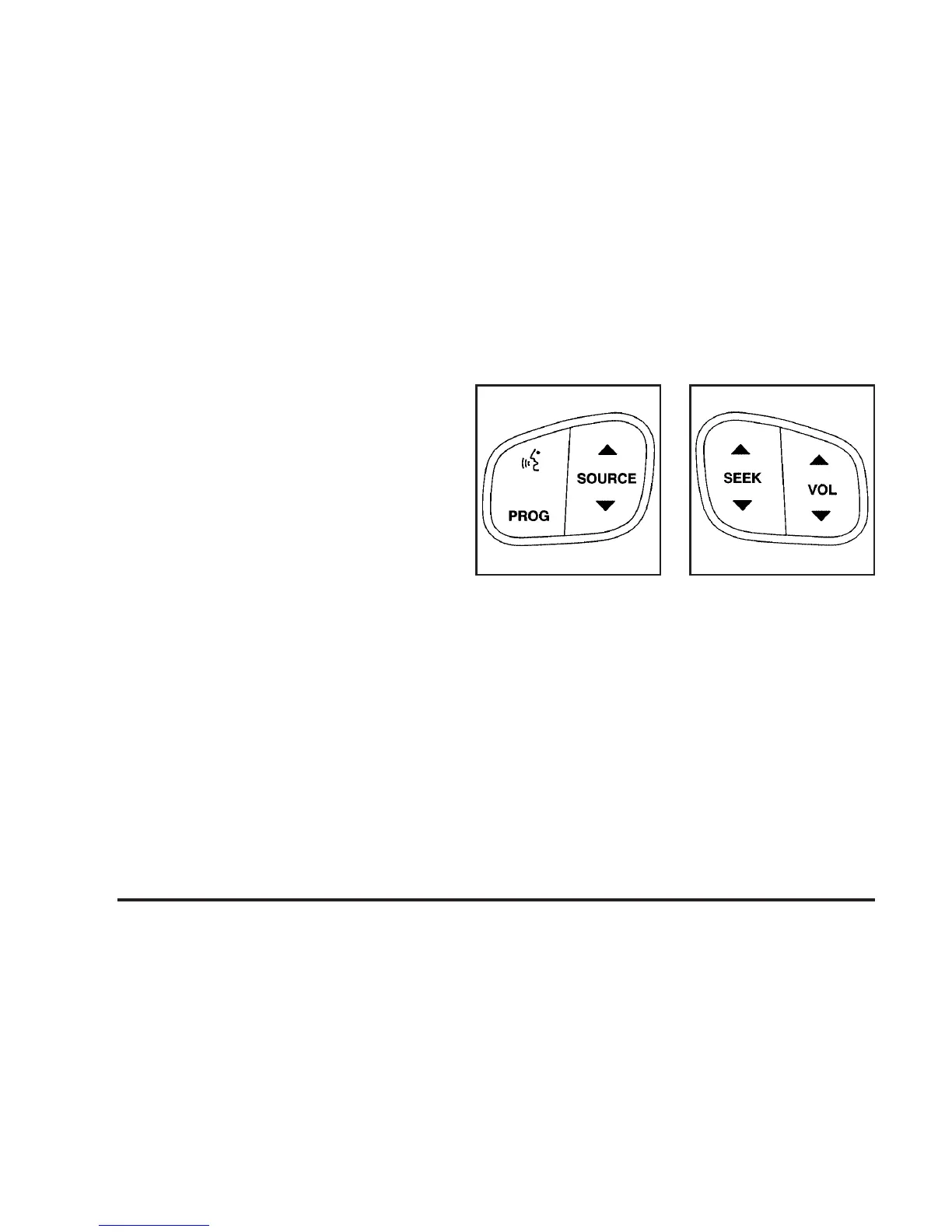
Some audio controls can be adjusted at the steering
wheel. They include the following:
g (OnStar/Voice Recognition): If your vehicle has
OnStar
®
, press this button to interact with the OnStar
®
system. See the OnStar
®
manual provided with your
vehicle for more information.
If your vehicle does not have OnStar
®
, press this button
to silence the system. Press it again, or any other
radio button, to turn on the sound.
PROG (Program): Press this button to play a station
you have programmed on the radio preset pushbuttons.
The radio will only seek preset stations with a strong
signal that are in the selected band.
3-102












 To Next Page