Instrument Panel . . . . . . . . . . . . . . . . . . . . . . . . . . .2
Instrument Panel Cluster . . . . . . . . . . . . . . . . . . . .3
Driver Personal Fit Features . . . . . . . . . . . . . . . . .4
Remote Keyless Entry System Operation . . . . . . .5
Unlatching the MAXX Decklid . . . . . . . . . . . . . . . . .5
Remote Vehicle Start System . . . . . . . . . . . . . . . . .6
Audio System with Integral Driver Information
Center (DIC) . . . . . . . . . . . . . . . . . . . . . . . . . . . . . . .7
Exterior Lighting Controls . . . . . . . . . . . . . . . . . .10
Cruise Control . . . . . . . . . . . . . . . . . . . . . . . . . . . .10
Seating and Cargo Versatility . . . . . . . . . . . . . . . .11
Functional and Convenience Features . . . . . . . .12
Storage Features . . . . . . . . . . . . . . . . . . . . . . . . . .13
Cleaning the Ultra Lux Upholstery . . . . . . . . . . . .14
MAXX Features . . . . . . . . . . . . . . . . . . . . . . . . . . . .14
Roadside Assistance Program . . . . . . . . . . . . . . .16
My GMLink . . . . . . . . . . . . . . . . . . . . . . . . . . . . . . .16
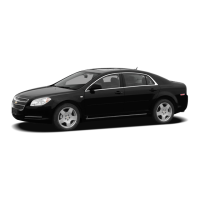
Congratulations on your purchase of a Chevrolet Malibu or Malibu MAXX. Please read this
information and your Owner Manual to ensure an outstanding ownership experience. Note that
your vehicle may not include all the features described in this booklet. Place this booklet in your
Owner Manual portfolio for easy reference.
Malibu-MAXX2004 r5a 7/28/03 5:29 PM Page 1

 Need help?
 General








 To Next Page