100 Infotainment system
■ The disc on which MP3/WMA files
and audio data (CDDA) are written
may not be played if it is a CD-extra
or mixed-mode CD.
■ The file/folder names that can be
used per disc storage type are as
follows, including the four-digit file
name extensions (mp3).
◆ ISO 9660 Level 1: Maximum of
12 characters.
◆ ISO 9660 Level 2: Maximum of
31 characters.
◆ Joliet: Maximum of 64 characters
(one byte).
◆ Windows long file name:
Maximum of 28 Characters (one
byte).
Caution for using MP3/WMA music
files
■ This product can play MP3/WMA
files with .mp3, .wma (lower case
letters) or .MP3 and .WMA (capital
letters) file name extensions.
■ MP3 files that can be played by this
product are the following:
◆ Bit rate: 8 kbps ~ 320 kbps.
◆ Sampling frequency: 48 kHz,
44.1 kHz, 32 kHz (for MPEG-1),
24 kHz, 22.05 kHz, 16 kHz (for
MPEG-2).
■ While this product can play files
with a 8kbps ~ 320kbps bit rate,
files with a bit rate above 128 kbps
will result in high quality sound.
■ This product can display ID3 Tag
(Version 1.0, 1.1, 2.2, 2.3 or 2.4)
information for MP3 files, such as
the album name and the artist.
■ To display album (disc title), track
(track title), and artist (track artist)
information, the file should be
compatible with the ID3 Tag V1 and
V2 formats.
■ This product can play MP3 files
using VBR. When playing an MP3
file of this VBR type, the remaining
time displayed may be different
from the real time.
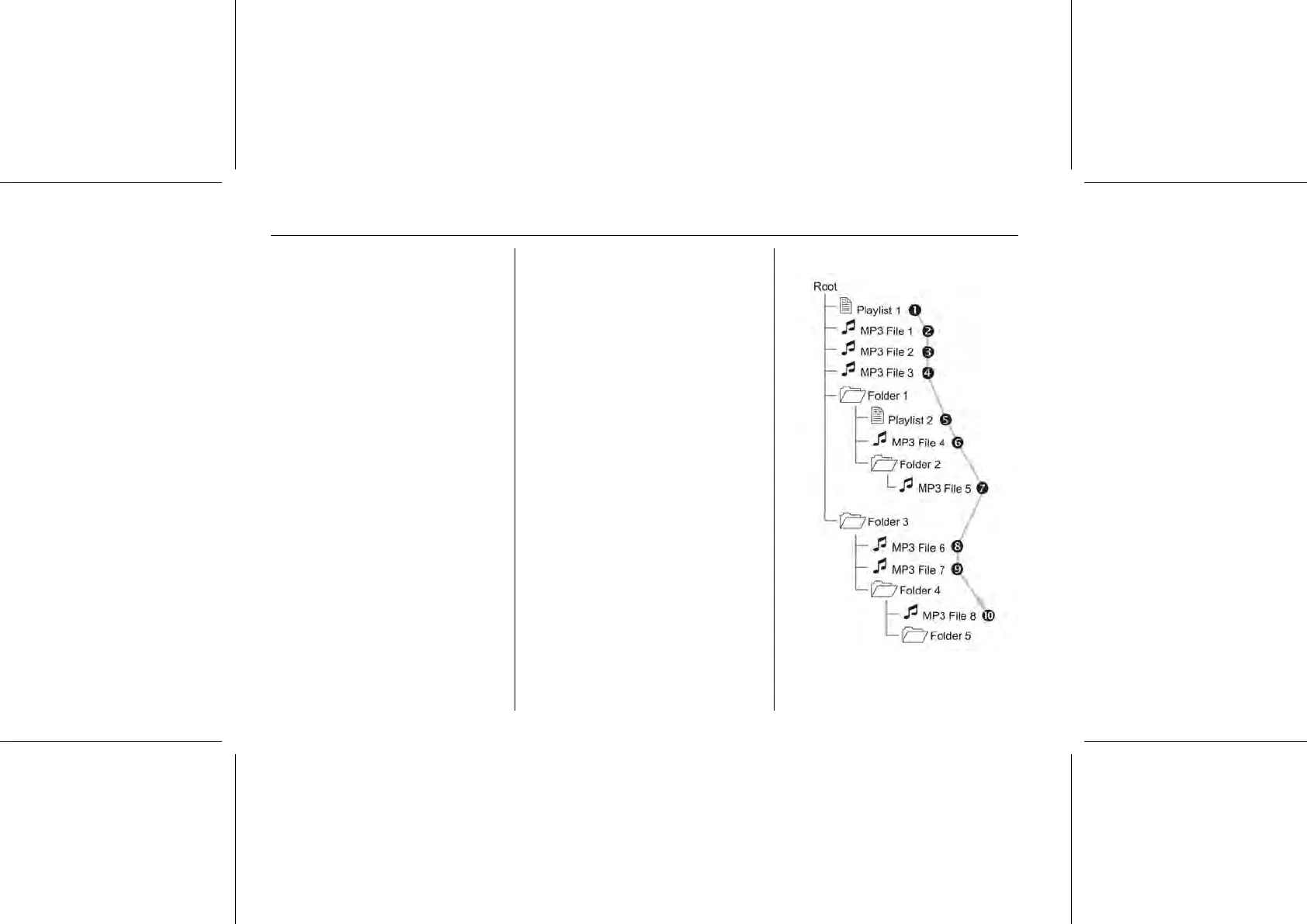
Order of playing music files















 To Next Page