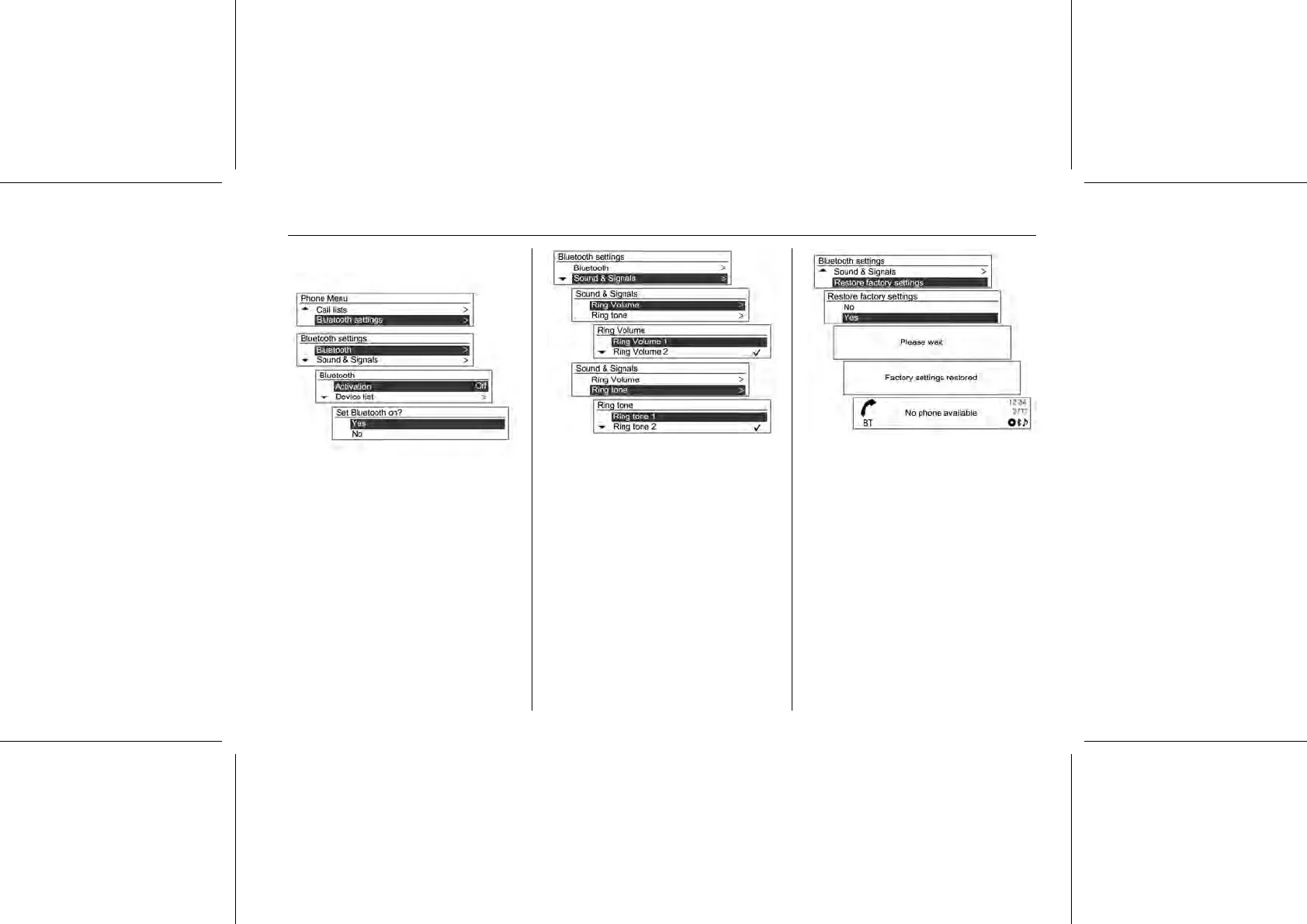
Setup Bluetooth® function: Press the
MENU-TUNE button to select the
Phone Menu.
Turn the MENU-TUNE knob to
Bluetooth® Settings, and then press
the MENU-TUNE button to confirm.
To activate the Bluetooth® function,
register/connect/delete the
Bluetooth® device or change the
Bluetooth® code, turn the MENU-
TUNE knob to the desired item and
press the MENU-TUNE button to
confirm the operation.
To set up the ring tone and its volume
used by the Bluetooth function, use
the MENU-TUNE button with control
knob to select Sound & Signal, and
then set up the desired items with the
button/control knob.
To reinitialise the Bluetooth® settings
to their default values, turn the
MENU-TUNE knob to Return to
Factory Settings and press the
MENU-TUNE button to select the
initial setup restoration item.
Select Yes and confirm with the
MENU-TUNE button.
■ It is possible the ringtones you
already have are transferred to the
Infotainment System depending on















 To Next Page