In Brief 1-17
page of favorites can contain any
combination of AM, FM, or SiriusXM
stations.
See AM-FM Radio (Radio without
Touchscreen) on page 7-11 or
AM-FM Radio (Radio with
Touchscreen) on page 7-12.
Setting the Clock
To set the time and date:
1. Turn the ignition key to ACC/
ACCESSORY or ON/RUN, then
press
O to turn the radio on.
2. Press
H to display HR, MIN,
MM, DD, YYYY (hour, minute,
month, day, and year).
3. Press the pushbutton located
under any one of the labels to be
changed.
4. To increase or decrease the time
or date, turn
f clockwise or
counterclockwise.
See Clock (Radio with Touchscreen)
on page 5-7 or Clock (Radio without
Touchscreen) on page 5-7.
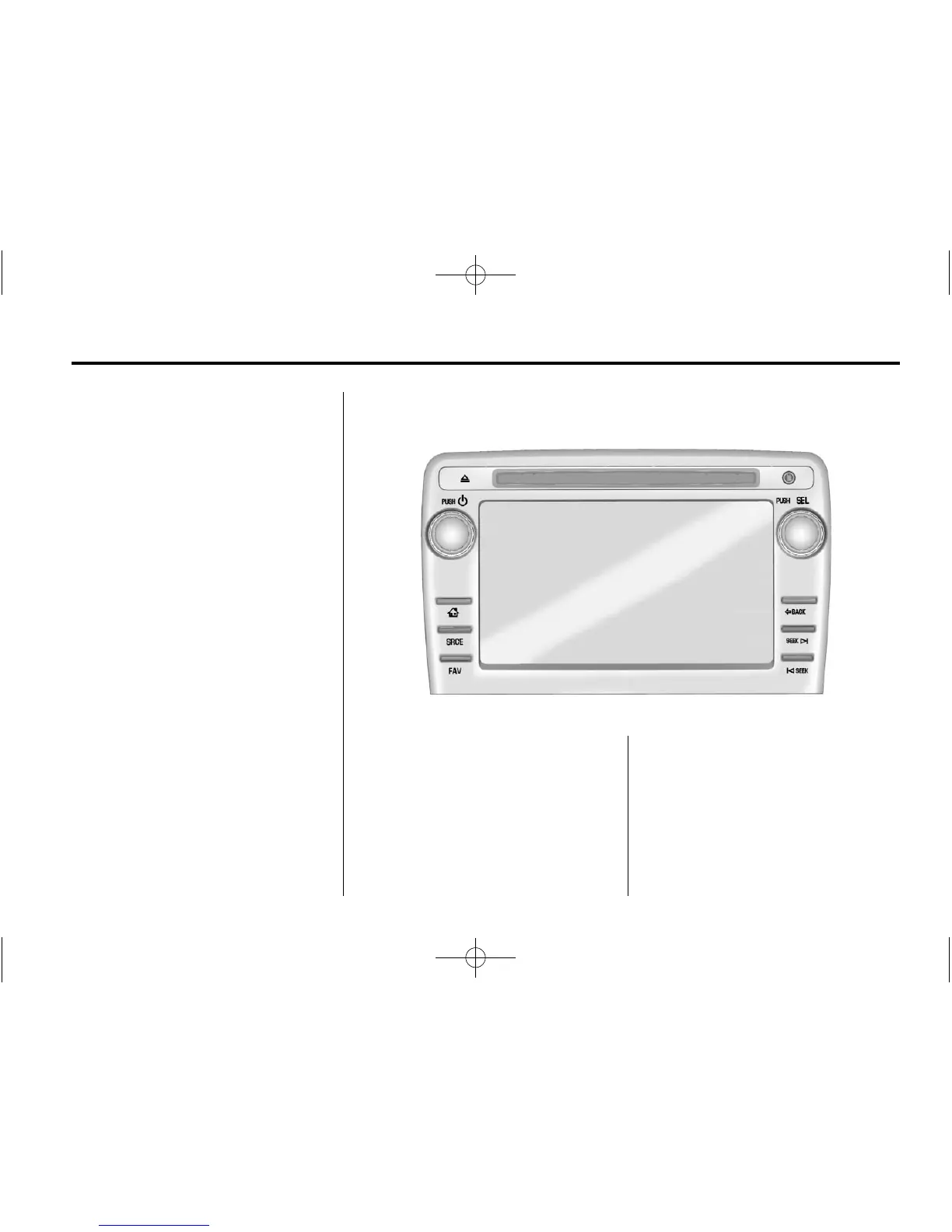
Radio with Touchscreen
PUSH/O : Press to turn the system
on and off. Turn to adjust the
volume.
Z : Press to eject a disc from the
CD. See CD Player (Radio with
Touchscreen) on page 7-23 or CD
Player (Radio without Touchscreen)
on page 7-21.
AUX Port: 3.5 mm (1/8 in)
connection for external audio
devices.
PUSH/SEL: Turn to manually find a
station or highlight a menu
selection. Press to select a
highlighted selection.















 To Next Page