5-14 Instruments and Controls
Instrument Cluster Display
Configurations
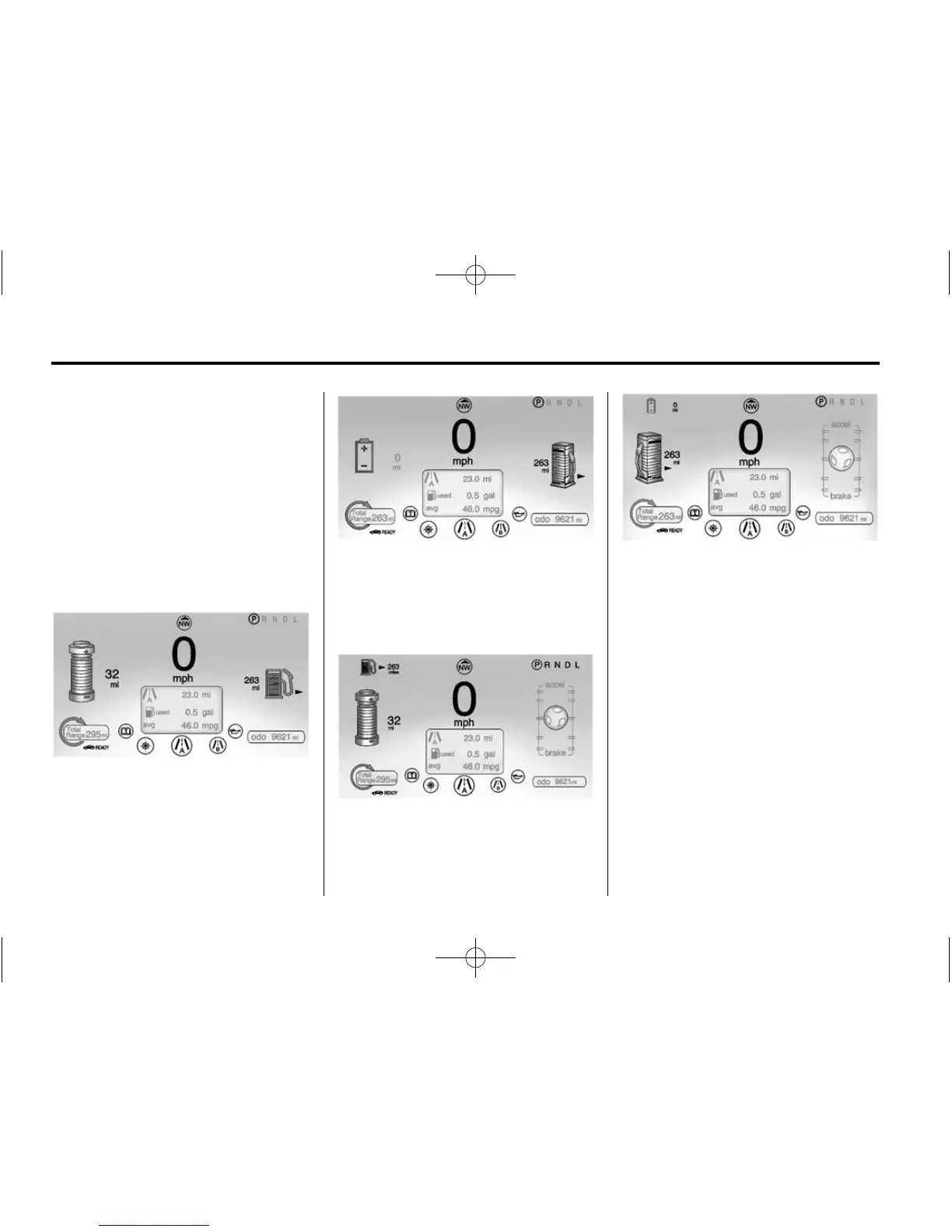
There are two instrument cluster
display configurations to choose
from. Press CONFIG to the left
of the steering wheel to change
the configuration. See Driver
Information Center (DIC) on
page 5‑43 for more information.
Choose either the Simple or
Enhanced Configuration display.
Simple Configuration
in Electric Mode
Simple Configuration in Extended
Range Mode
The Enhanced Configuration
displays the Driver Efficiency
Gauge.
Enhanced Configuration
in Electric Mode
Enhanced Configuration
in Extended Range Mode
Speedometer
The speedometer shows the vehicle
speed in both kilometers per hour
(km/h) and miles per hour (mph).
The DIC menu can be used to
change the units.
See Driver Information Center (DIC)
on page 5‑43.
Odometer
The odometer shows how far the
vehicle has been driven, in either
kilometers or miles.













 To Next Page