Instruments and Controls 5-39
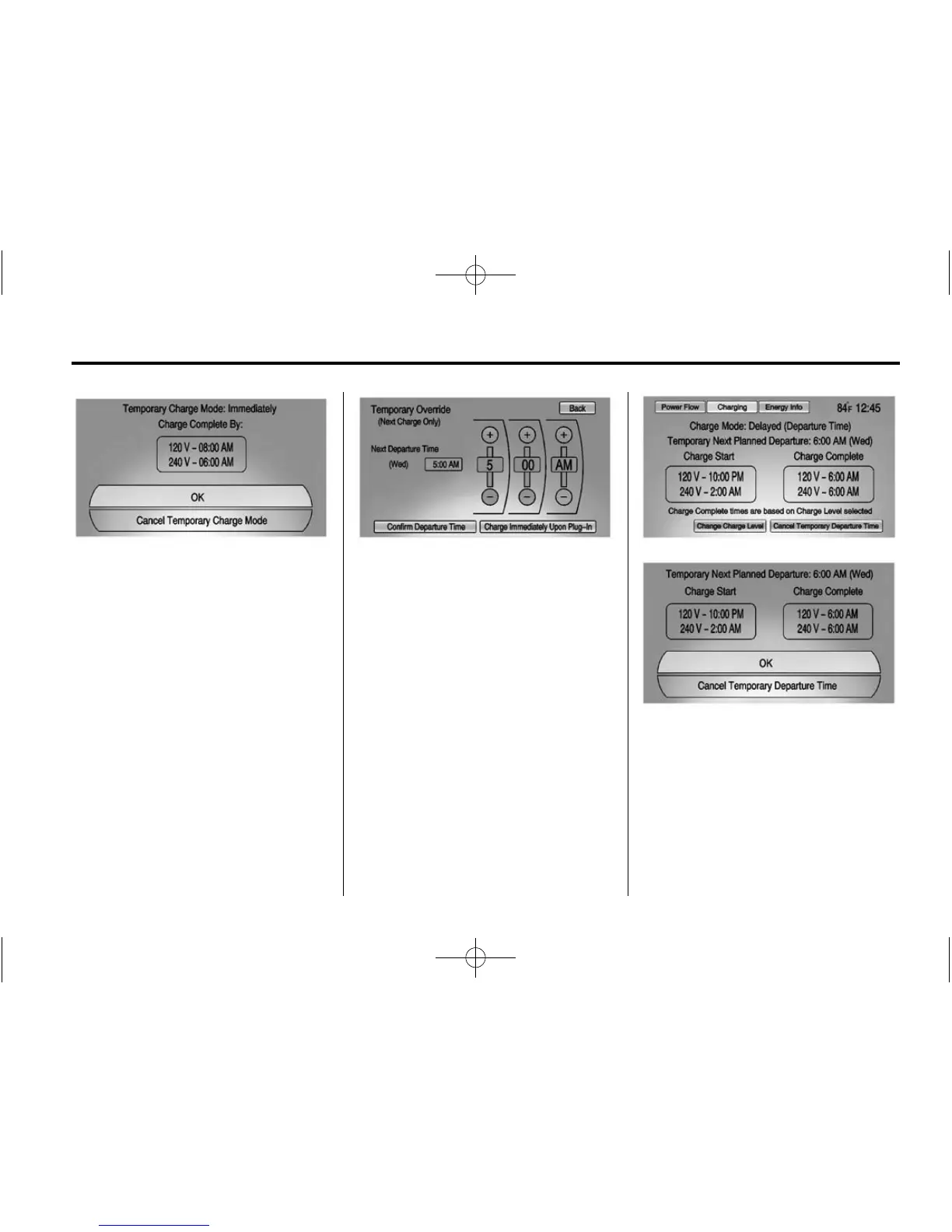
To cancel the temporary override to
Immediate, from the Temporary
Charge Mode Status screen or
pop-up, press Cancel Temporary
Charge Mode on the bottom of the
touch screen.
Temporary Override of the Next
Planned Departure Time
To temporarily override the Next
Planned Departure Time from inside
the vehicle:
1. Press the charge port door
release button on the driver door
to view the Charge Mode Status
pop-up in the center stack
display.
2. Press Temporary Override.
3. Press the + or – button to
change the Next
Departure Time.
4. Press Confirm Departure Time to
temporarily override the Next
Planned Departure Time.
The Temporary Charge Mode Status
screen will automatically display the
revised charge complete time.
The Temporary Departure time can
only be updated for the same day
as the original Next Planned
Departure Time. Also, the vehicle
will not accept a Temporary
Departure Time that is before the
present time of day.
To cancel the temporary override of
the Next Planned Departure Time,
from the Temporary Charge Mode
Status screen or pop-up, press
Cancel Temporary Departure Time
on the bottom of the touch screen.














 To Next Page