Driving and Operating 9-23
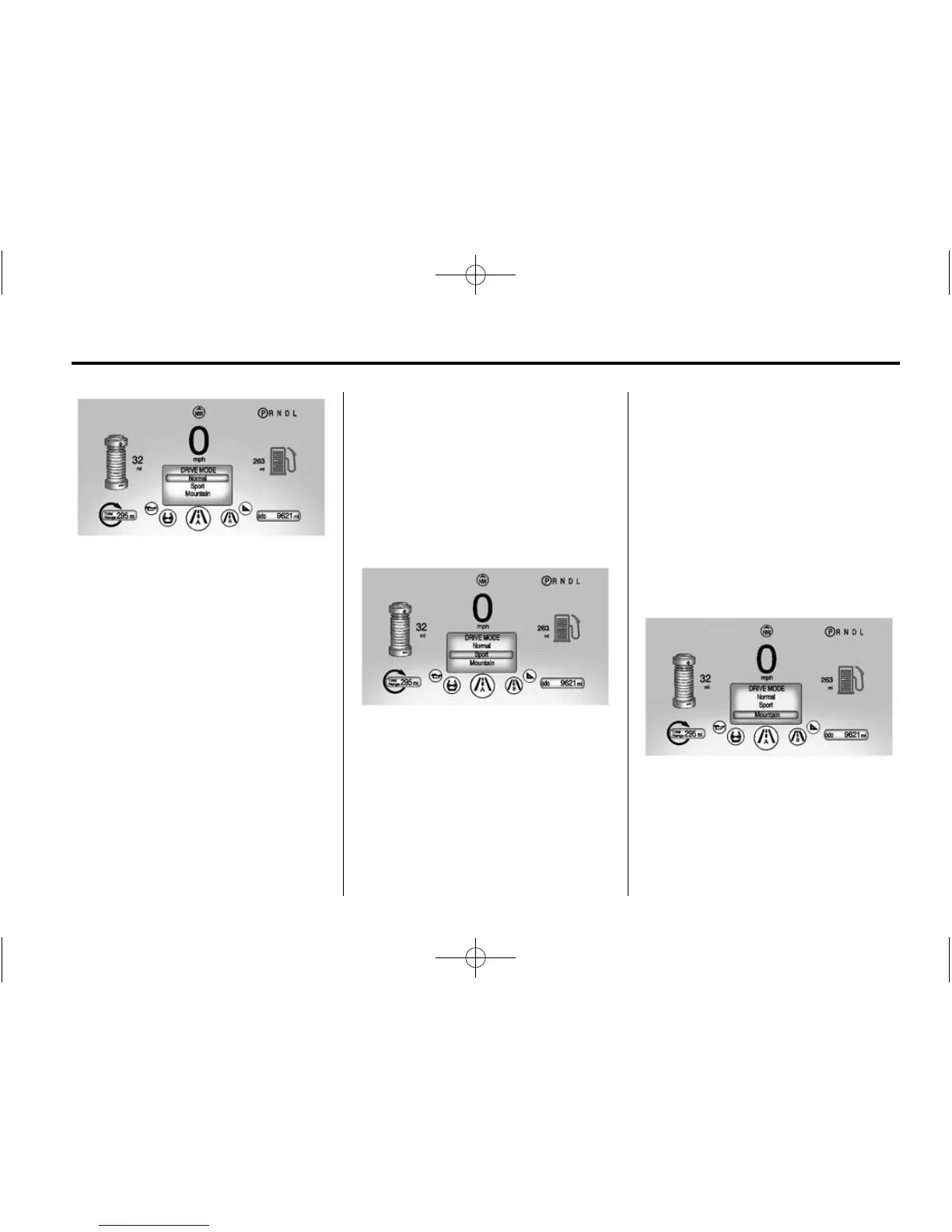
Highlight either the Mountain or
Sport Mode, then release the
DRIVE MODE button. After
three seconds, the new drive mode
will become active.
Pressing the DRIVE MODE button
again will return to Normal Mode,
and become active after
three seconds.
At next start, the vehicle will default
to Normal Mode. Drive modes can
then be selected again as desired.
During some conditions, certain
drive modes may be unavailable.
The unavailable mode is grayed out
in the DIC menu and cannot be
selected.
If in Sport or Mountain Mode, either
may become unavailable and the
vehicle will return to Normal Mode.
The indicator light goes off and a
DIC message displays. See
Propulsion Power Messages on
page 5‑50.
Sport Mode
Sport Mode provides more
responsive acceleration than
Normal Mode, but can reduce
efficiency. Use Normal Mode
whenever possible.
Press the DRIVE MODE button to
select Sport Mode.
Press the DRIVE MODE button
again to return to Normal Mode
and it becomes active after
three seconds.
The Sport light comes on when
Sport Mode is selected. See Sport
Mode Light on page 5‑23.
Each time the vehicle is started, it
will return to Normal Mode.
Mountain Mode
Mountain Mode should be selected
at the beginning of a trip before
climbing steep, uphill grades
and when expecting to drive in
very hilly or mountainous terrain.













 To Next Page