Keys, Doors, and Windows 2-11
To unlock all doors from the
passenger door, press the lock/
unlock button on the door handle.
To lock the doors, press the lock/
unlock button if:
.
The lock/unlock button was used
to unlock all doors.
.
All doors are closed.
The Keyless Access can be
programmed to unlock all doors on
the first lock/unlock press from the
driver door. See Vehicle
Personalization on page 5‑53.
Remote Keyless Entry (RKE):
The RKE transmitter must be within
60 m (195 ft) of the vehicle.
K : Press to unlock.
Q : Press to lock.
See Remote Keyless Entry (RKE)
System Operation on page 2‑2.
Key: To unlock or lock the door,
turn the key left or right.
Inside the vehicle: Pull up or push
down on the door lock knob. Pull
once on the door handle to unlock
the door and a second time to open
the door. Push the power door lock
switch. See Power Door Locks on
page 2‑11.
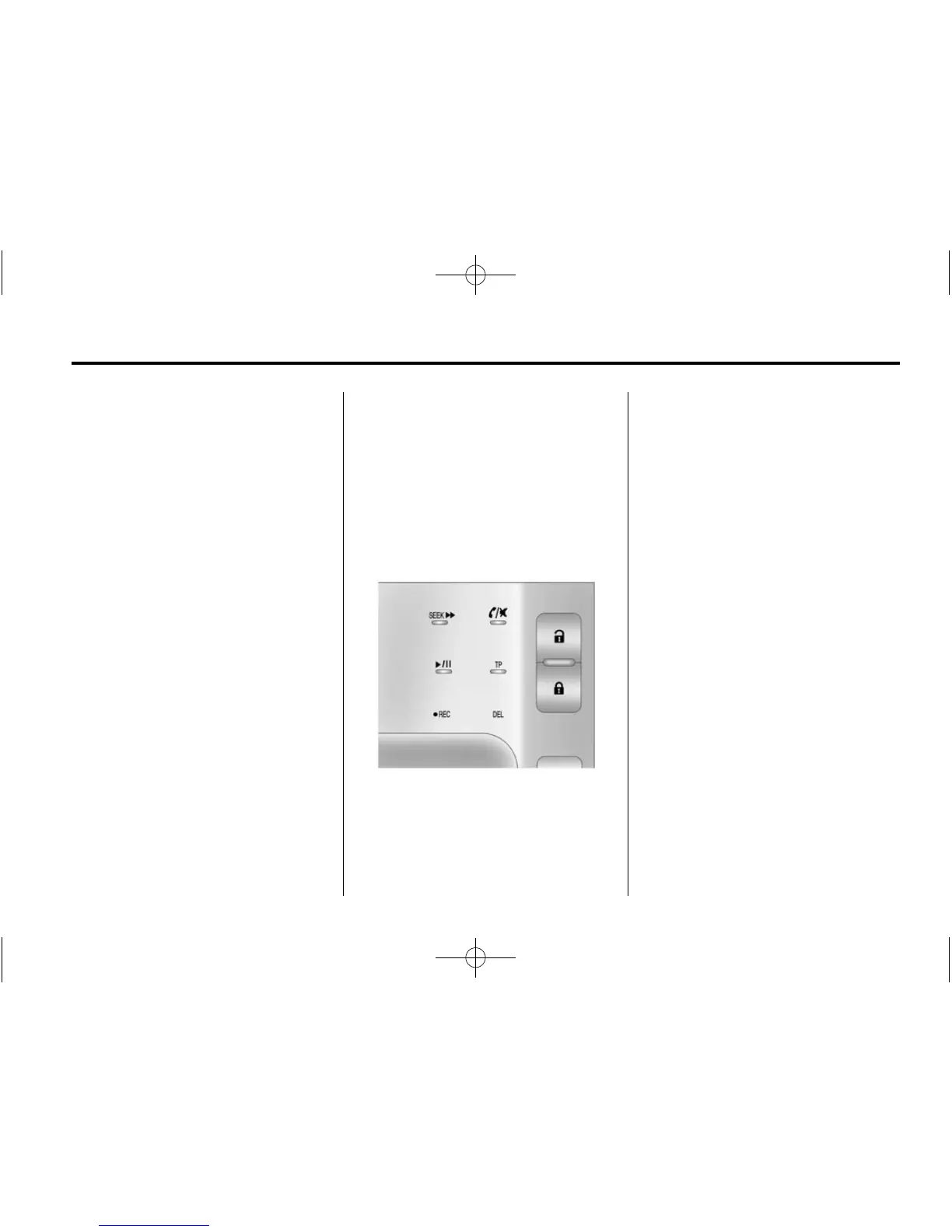
Power Door Locks
The power door lock switches are
on the center stack.
K (Unlock): Press to unlock the
doors.
Q (Lock): Press to lock the doors.
Delayed Locking
This vehicle may have a delayed
locking feature. If delayed locking is
enabled, a chime will sound to
indicate a door or hatch is open
when the doors are locked with the
power door lock switch. The doors
will automatically lock and the
theft-deterrent system will arm
after all doors are closed and
five seconds have passed. Press
the lock button again to make the
doors lock immediately. Press the
unlock switch to cancel the delayed
lock operation. To enable this
feature, see “Power Door Locks”
in Vehicle Personalization on
page 5‑53. To arm and disarm the
theft-deterrent system, see Anti-theft
Alarm System on page 2‑14.













 To Next Page