Instruments and Controls 117
To view the Power Flow, Charging,
and Energy Information, touch
Energy on the infotainment display.
Power Flows
To view the Power Flow screens,
touch Energy on the infotainment
display and then touch Power Flow
at the bottom of the touch screen.
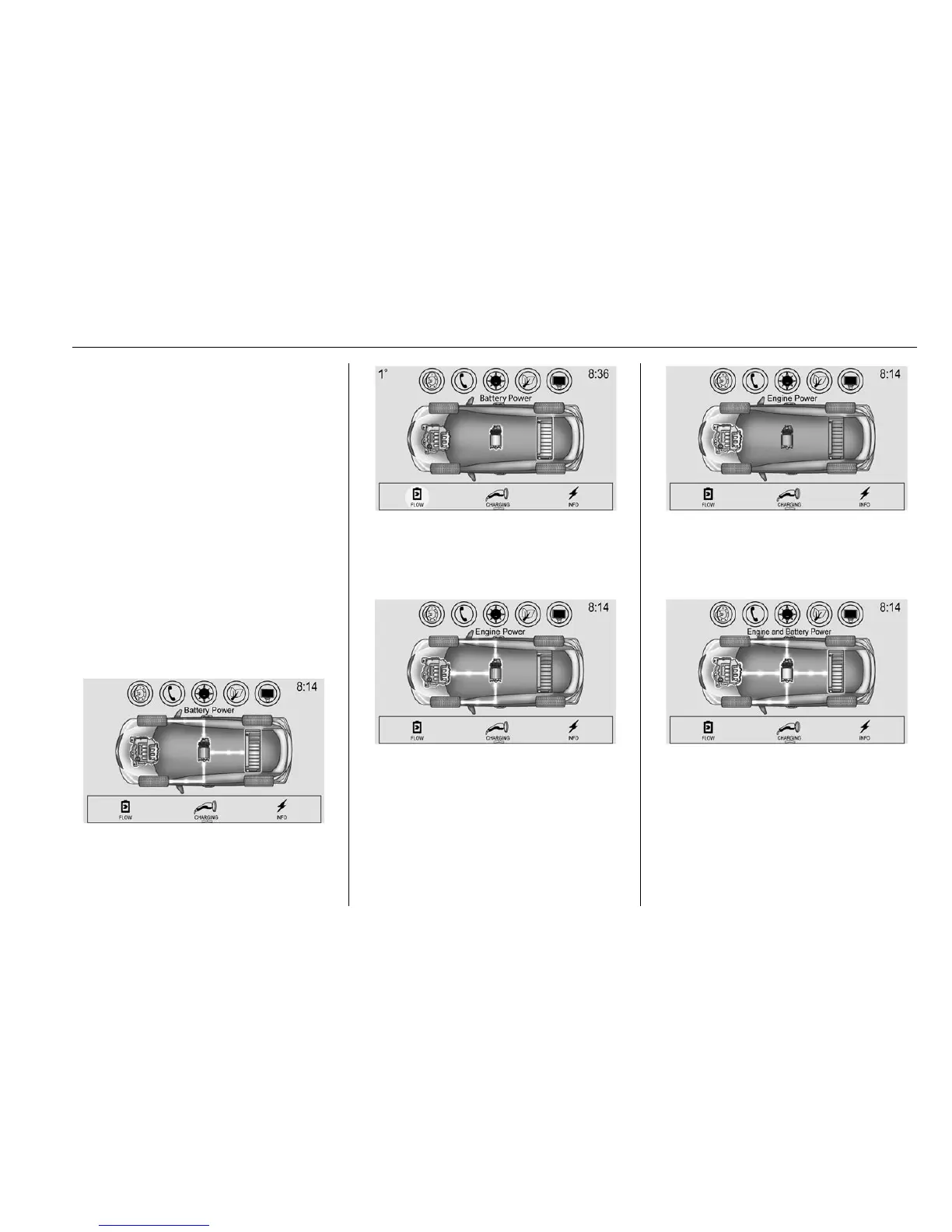
The Power Flow screens indicate
the current system operating
condition. The screens show the
energy flow between the engine,
electric drive unit, and high voltage
battery. These components will be
highlighted when they are active.
Battery Power - Battery is active
with energy flowing to the wheels.
Battery Power - Vehicle is stationary
in electric mode and no power is
flowing to the wheels.
Engine Power - Engine is active
with energy flowing to the wheels.
Engine Power - Vehicle is stationary
in Extended Range Mode and no
power is flowing to the wheels.
Engine and Battery Power - Both
the engine and battery are active
with energy flowing to the wheels.



 To Next Page