5. Play music from your phone
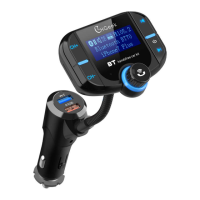
(1) It can play music from your phone, when connecting your phone with
your device via Bluetooth as the device wirelessly transmit signal to the car
stereo;
(2) You can operate it either on the phone or on the device;
(3) The machine can support TF card, or you can use Bluetooth to
connect the phone, if both exist, the device defaults to the last connection
to play music.
6. Making a call
(1) You can make or receive calls via this device after finishing
connecting;
(2) Double click to redial the last number;
(3) Long press for about 3 seconds to reject a call.
7. AUX import / output
(1) AUX import: This device supports external import, through the AUX
connector to receive music sources, such as MP4\CD\etc and then the
music source will be converted to FM signal by radio;
(2) AUX output: The device supports music internal output, which can be
accepted by combining sound, car audio and portable phone.
8. Turn off the FM transmitter
Long press for 5 seconds, will turn off the FM and Bluetooth functions, the
screen will be dark and keep charging function.


 To Next Page