3. Using the Code Reader
3.1 Tool Description
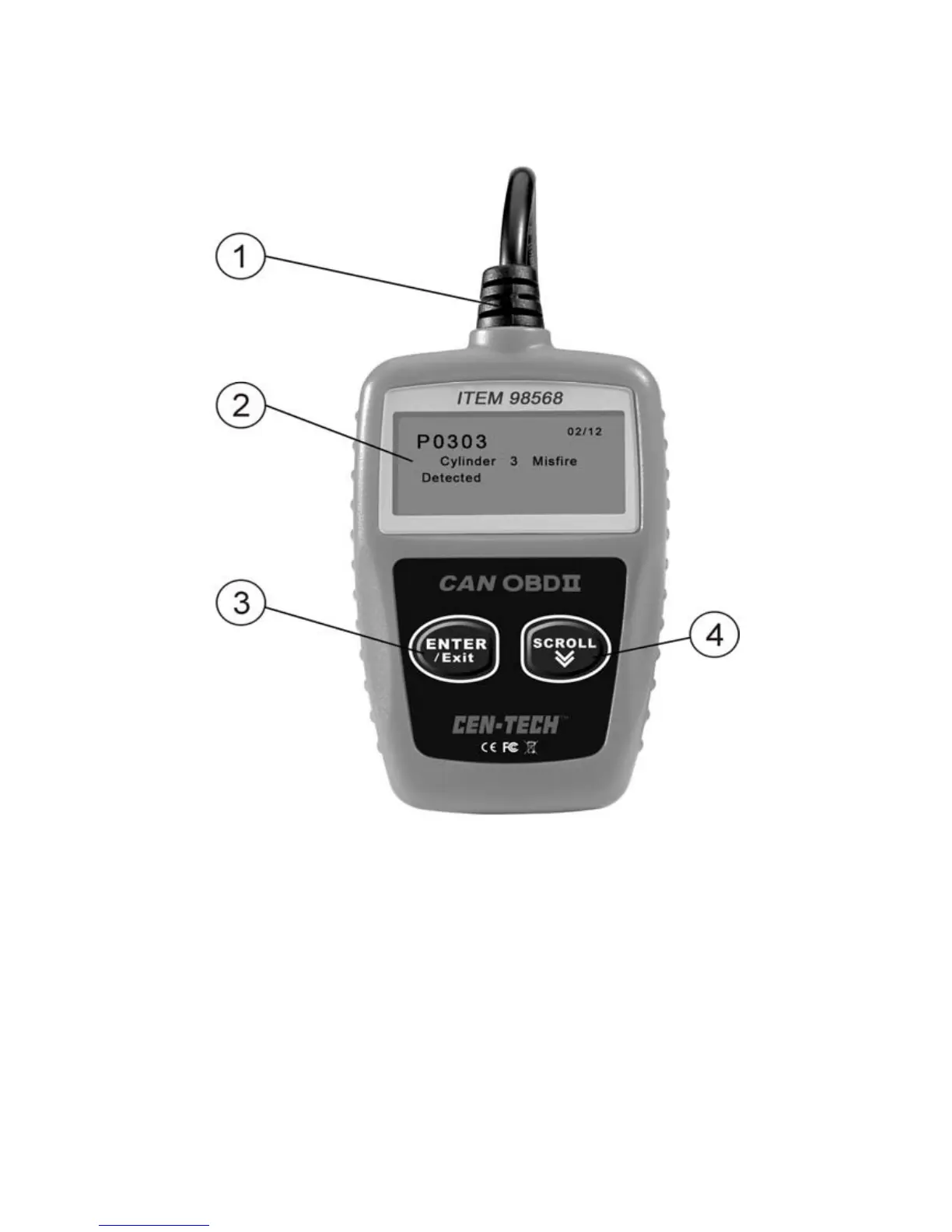
① OBD II CONNECTOR -- Connects the code reader to the
vehicle’s Data Link Connector (DLC).
② LCD DISPLAY -- Indicates test results.
③ ENTER/EXIT BUTTON -- Confirms a selection (or action)
from a menu list, or returns to previous menu.
④ SCROLL BUTTON -- Scrolls through menu items. It is also used
to enter system setup menu when pressed.
8



 To Next Page