EasyManua.ls Logo

Chicco Baby Control Audio Digital Compact - User Manual

Chicco Baby Control Audio Digital Compact
148 pages
Go to English
Print Icon
To Next Page IconTo Next Page
Loading...
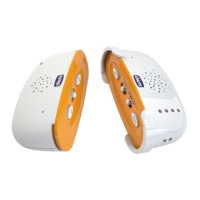
Baby Control
Audio Digital Compact

Questions and Answers

  • N
    normananthonyAug 6, 2025
    What to do if there is no sound from Chicco Baby Control Audio Digital Compact Baby Monitor parent unit?
    • M
      Michelle ClarkAug 6, 2025
      If you're not hearing any sound from the parent unit of your Chicco Baby Monitor, here's what to check: 1. Ensure the parent unit is switched ON. 2. Verify that the volume isn't set too low; increase it to the maximum level (3) until you hear sounds. 3. The voice activation mode could be enabled. To test, have someone speak into the transmitter in the child’s room to see if you receive the sound properly. Also check the voice activated mode ON/OFF switch on the parent unit. 4. The batteries in either unit might be spent. Replace the alkaline batteries in the child unit and/or the rechargeable batteries in the parent unit.
  • B
    Brian GonzalesAug 14, 2025
    Why is my Chicco Baby Control Audio Digital Compact Baby Monitor having interference?
    • S
      Steven FletcherAug 14, 2025
      If you are experiencing interference with your Chicco Baby Monitor, it might be due to a similar device transmitting nearby or electromagnetic pollution from things like radio aerials or high-voltage cables. Try moving the device away from other similar devices or away from the current location to resolve the issue.
  • F
    feliciabenderAug 26, 2025
    How to turn on Chicco Baby Monitor?
    • M
      Mark CarterAug 26, 2025
      To turn on the Chicco Baby Monitor parent (receiver) or child (transmitter) unit, simply use the ON/OFF switch on each unit.

Summary

Instructions in Multiple Languages

Italian Instructions

Instructions in Italian.

English Instructions

Instructions in English.

Spanish Instructions

Instructions in Spanish.

Portuguese Instructions

Instructions in Portuguese.

French Instructions

Instructions in French.

German Instructions

Instructions in German.

Product Components Identification

Child Unit Diagram

Diagram identifying parts of the child unit.

Parent Unit Diagram

Diagram identifying parts of the parent unit.

Assembly Guide: Steps 1-6

Assembly Guide: Steps 7-12

Assembly Guide: Steps 13-16

Product Overview and Features

Digital Technology

Explanation of DECT technology for high privacy.

Pack Contents

List of items included in the product package.

Assembly and Disassembly Recommendations

Guidance for assembling and disassembling the units.

General Safety Warnings

Configuration and System Features

System Features

Overview of system capabilities and operating range.

Child Unit Description

Details and features of the child unit.

Parent Unit Description

Details and features of the parent unit.

Parent Unit Operation and Indicators

Parent Unit Controls

Instructions for operating the parent unit's buttons and switches.

Parent Unit LED Indicators

Explanation of the parent unit's LED status lights.

Battery Replacement and Troubleshooting

Replacing Batteries

Guide for replacing alkaline and rechargeable batteries.

Troubleshooting Guide

List of common problems and their solutions.

Maintenance and Technical Specifications

Carry Strap and Case Usage

Instructions for using the carry strap and storage case.

Cleaning and Maintenance

How to clean and maintain the product.

Technical Features

Detailed specifications of the child and parent units.

Compliance and Warranty

Symbols Key

Explanation of symbols used in the manual.

EU Compliance and Declarations

Details on conformity with EU directives and product declarations.

Warranty Information

Details about the product's warranty period and terms.

Chicco Baby Control Audio Digital Compact Specifications

General IconGeneral
Frequency2.4 GHz
TechnologyDECT
Sound ActivationYes
Temperature MonitoringNo
Battery LifeUp to 10 hours
TypeAudio
Range300 meters
Power SourceBattery
FeaturesTwo-way communication

Related product manuals