1. Ensure the lens glass is clean, foreign objects may scratch the
lens, it is recommended to use a soft dry cloth to clean the lens.
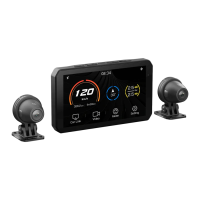
2. During the use of AIO-5 lite, sand and dust may block the lens,
please use water to flush.
3. All components should avoid using oil detergents and other
organic solvents for cleaning, which may cause corrosion, loss
of waterproof performance, and failure of protective coating.
Cleaning and Care Instructions
The AIO-5 Lite Parameters
11
Maintenance and Care
12
Technical Specifications
Host
Video
Size: 137x79x27mm Weight: 320g
Display: 5 inch 1280x720 IPS
RAM: 4Gb
Processor: Dual Core A53
Rated Input Voltage: 12-18V
Internal Storage: 32GB
Low Voltage Protection Voltage: 12V
TF Card Expansion: 256GB MAX
Bluetooth: 5.0
Video Format: MP4
Resolution:
1920*1080P/1280*720P 30FPS
Lens Composition: 2G+4P
Positioning: GPS+Beidou
WLAN: 5G
Image Sensor: SONY IMX307
Sensor:
Light Sensing, Accelerometer, Microphone
Speaker: Supported
Tire Pressure Monitoring: Optional
OBD (On-Board Diagnostics): Optional
Remote Control : Optional
Operating System: CGOS
Compliance Standard: GB4934.1-2022
Waterproof Rating: IP67
Firmware Upgrade
AIO-5 LITE will perform system updates from time to time to add
new product features, please follow the instructions below to
perform the firmware level. (Please insert the SD card and format
it in the device before upgrading)
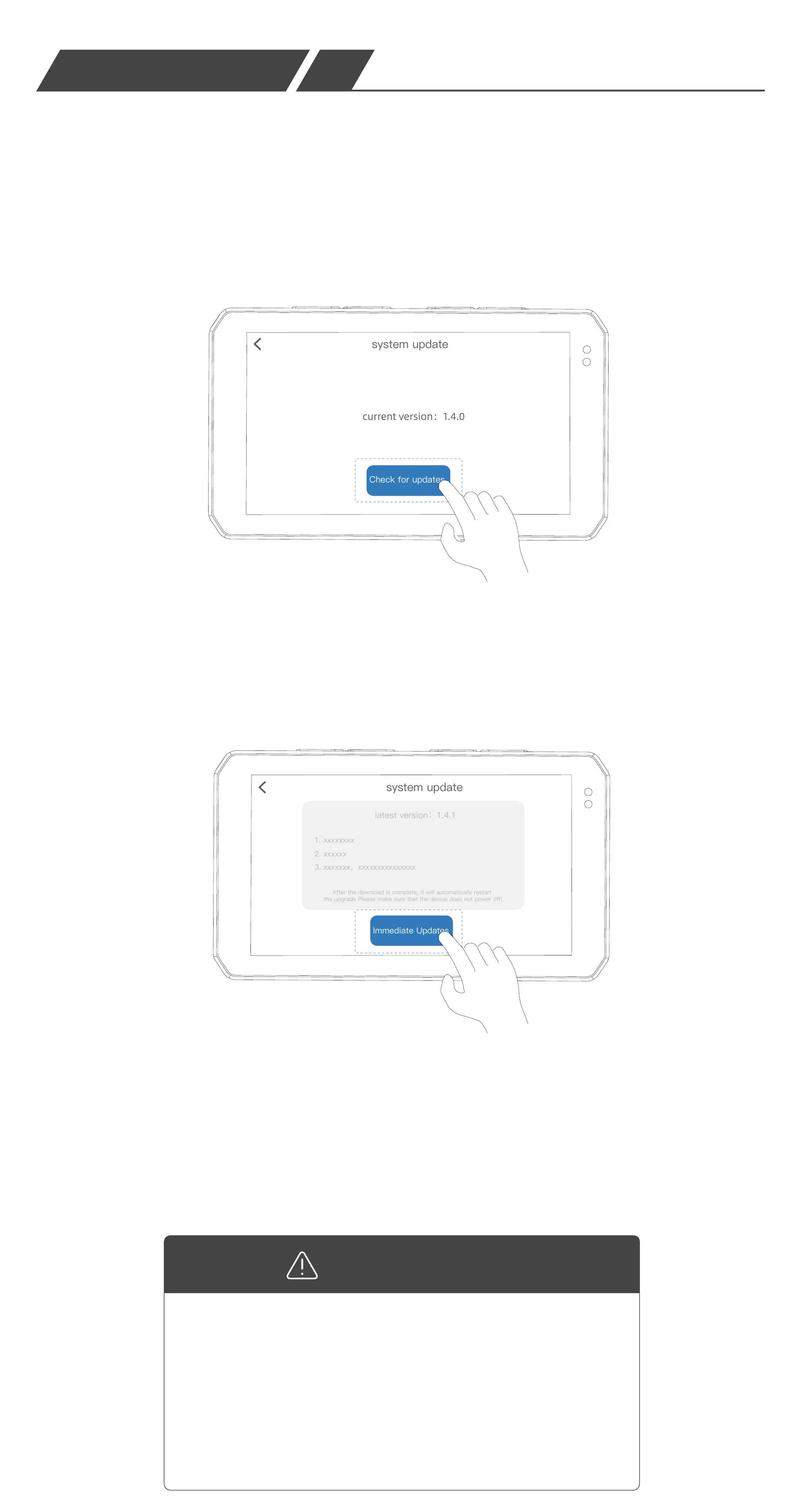
1.Go to AIO-5 lite 【Settings】-【Functions】
-【System Update】and click Check for
updates.
2.Check to the new firmware version,
click "Update Now", AIO-5 lite starts
to download the firmware. Once the
download is complete, the upgrade
will automatically reboot, please make
sure the device is not powered off.
If there is an accidental power failure
etc. that causes the device upgrade to
fail and the device cannot be turned
on again, please Contact customer
service to get the SD card upgrade file.
Firmware upgrade failure:
Reminder


 To Next Page
 Loading...