Need help?
Do you have a question about the CHINON 2500GL and is the answer not in the manual?
Follow basic safety precautions including reading instructions, supervision, avoiding hot parts, and proper cord use.
Position the projector on a table of suitable height opposite the center of the screen.
Insert the cable plug into the socket and then into an electrical outlet.
Raise the film supply arm fully until it stops.
Press lever for Super 8/Single 8 ('S'); lift for Regular 8 ('R') and remove adapter.
The spindle accepts all 8mm formats; use adapter for Super 8 film.
Mount the automatic take-up reel onto the take-up spindle and secure it.
Thread film through the film gate to the take-up reel, locking the supply reel.
Center the light beam and insert the trimmed film end into the film gate.
Use the rotary selector for forward ('F') or reverse ('R') projection.
Adjust projection speed using the variable speed control dial.
Manage film loops automatically; adjust if picture jumps or chattering noise occurs.
Press the STILL LEVER completely down for single frame display (max 60 seconds).
Use the TRI-MOTION LEVER for normal, slow (6 fps), or step (2 fps) motion.
Reverse film direction using the rotary selector for effects or review.
After projection, turn selector to 'OFF', attach film end to supply reel, and rewind.
Turn selector to 'OFF', disconnect power, remove cover fixing screw, and pull off the cover.
Hold the lamp, push down, rotate counterclockwise to remove, then install the new lamp.
Remove film from upper sprocket shoe and pressure plate holder.
Lift auto sensor and lower sprocket shoe to remove film from teeth.
Adjust speed by loosening setscrews on the ring and turning the rheostat shaft.
Clean the film gate occasionally by removing the mechanism cover and dusting.
Remove dust from lens surfaces first, then clean gently with soft lens tissue.
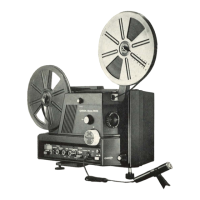
Lists features like 8mm format compatibility, zoom lens, low voltage lamp, and variable speed control.
Details the one-year warranty, repair/replacement, exclusions, and conditions for coverage.
 Optics
| Zoom lens aperture | f/1.5 |
|---|---|
| Zoom lens focal length | 20mm to 32mm |
 Power
Power| Lamp voltage | 8V |
|---|---|
| Lamp power | 50W |
Projection Capabilities| Slow motion speed | 6 fps |
|---|---|
| Step motion speed | 2 fps |
| Automatic take-up reel capacity | 400ft. |

 To Next Page