P:
UNLOADING
THE
CAMERA
When the red figure
"
20"
or
"
36
"
icorrespond.
ing to
20-
and 36-exposure film) appears in the
exposure counter window lined up to the index
mark, the end of the film has been reached.
Take the following steps for rewinding film into
cassette
:
IL
1.
I
1
i
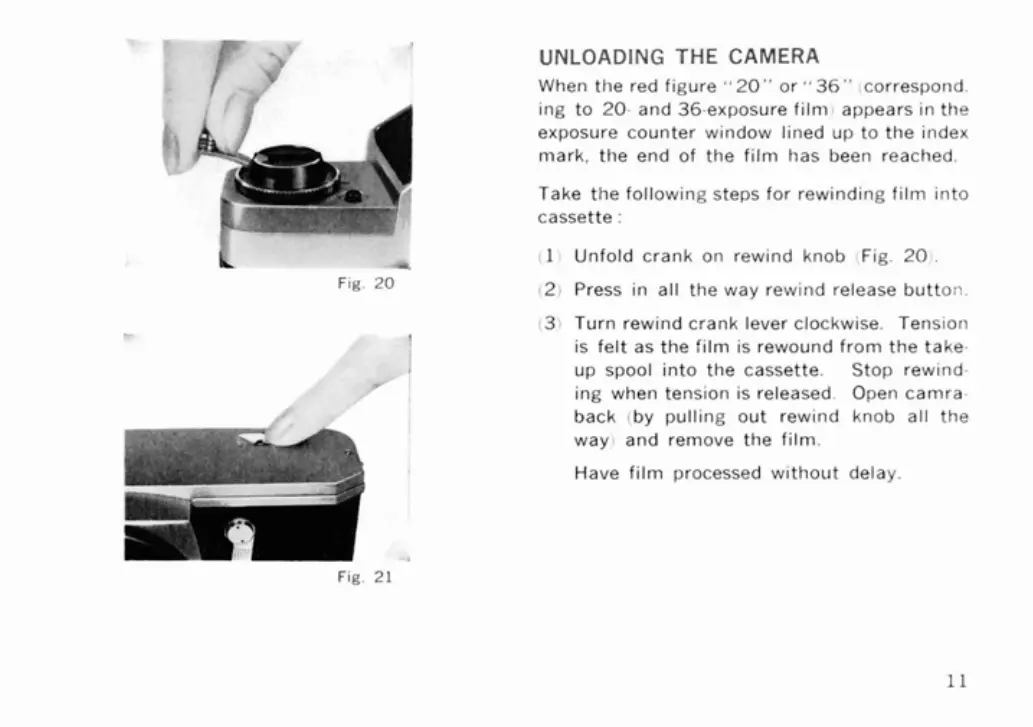
Unfold crank on rewind knob Fig.
20
.
Fig.
20
12i
Press in all the way rewind release button.
(3)
Turn
rewind crank lever clockwise. Tension
!
is felt as the film is rewound from the take-
up
spool into the cassette. Stop rewind-
ing when tension is released. Open
camra-
back (by pulling out rewind knob all the
way) and remove the film.
Have film processed without delay.



 To Next Page