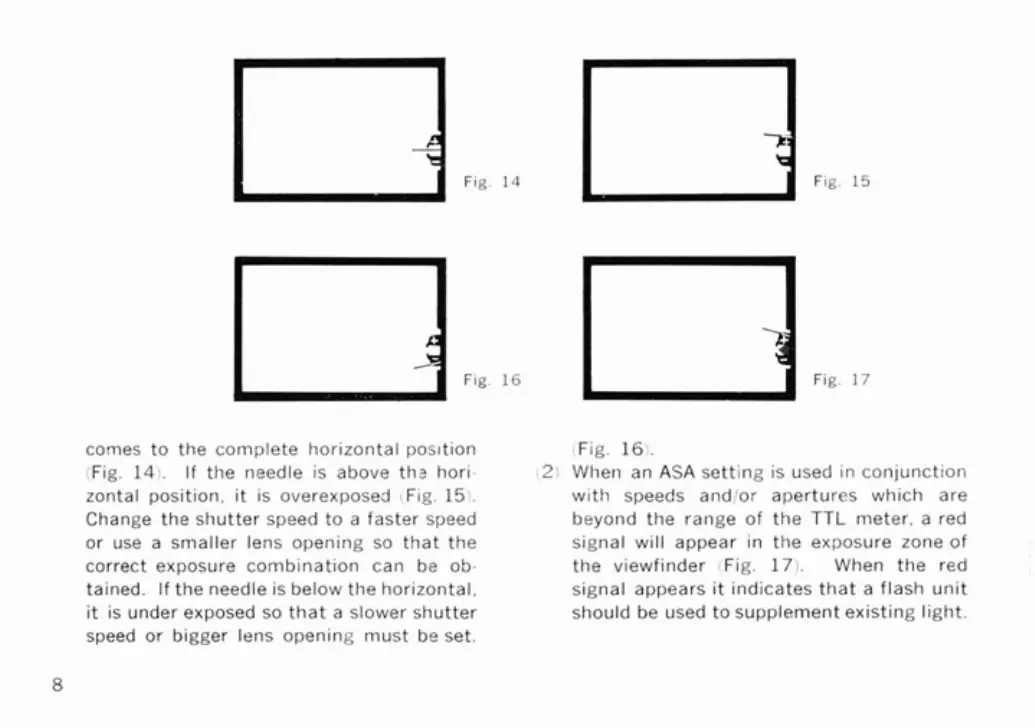
Fig.
15
comes to the complete horizontal pos~tion
(Fig.
14).
If the needle is above ths hori-
zontal position, it is overexposed
I
Fig.
15).
Change the shutter speed to a faster speed
or use a smaller lens opening so that the
correct exposure combination can be ob-
tained. If the needle is below the horizontal,
it is under exposed so that a slower shutter
speed or bigger lens opening must be set.
Fig.
161.
21
When an
ASA
setting is used
in
conjunction
with speeds
and/or apertures which are
beyond the range of the
TTL
meter, a red
signal will appear in the exposure zone of
the viewfinder
(Fig.
17).
When the red
signal appears it indicates that a flash unit
should be used to supplement existing light.



 To Next Page