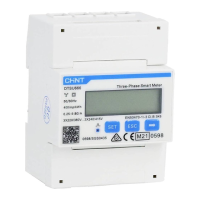
Sampling Voltage ≤ 480Vac
(3P3W)
Wiring Guide 3P3W net Setup Guide
1. Initial interface after power
on
2. Press ‘SET’ for 3s to enter
the password input interface
3. Press ‘SET’ and ‘➡’ to enter
the password (default 701)
4. Press ‘SET’ for 3s to
enter the setting interface
5. Press ‘SET’ to enter nEt set,
the default is n.34,means
3P4W
6. Press ‘➡’ to change into
3P3W
7. Press ‘ESC’ to save value and
quit CT set, press ‘ESC’ again to
back to initial interface
Notes:
1. Sampling voltage ≤ 480Vac (3P3W), please refer to the guide to wire, setup the wiring mode
and CT ratio
2. Please ensure that the CT wiring is correct, and ensure that the voltage sampling and CT
wiring on different phase lines (regardless of phase sequence) meet the corresponding
relationship in the table below.
3. Make sure the direction of the arrow on CT point from grid to load.
4. Power sensor requires circuit breaker for protection, otherwise the voltage sampling wires
need to be connected with a fuse in each phase . Recommended fuse specification:
≥measuring voltage/1A
Voltage sampling and CT port wiring table


 To Next Page
 Loading...