EasyManua.ls Logo

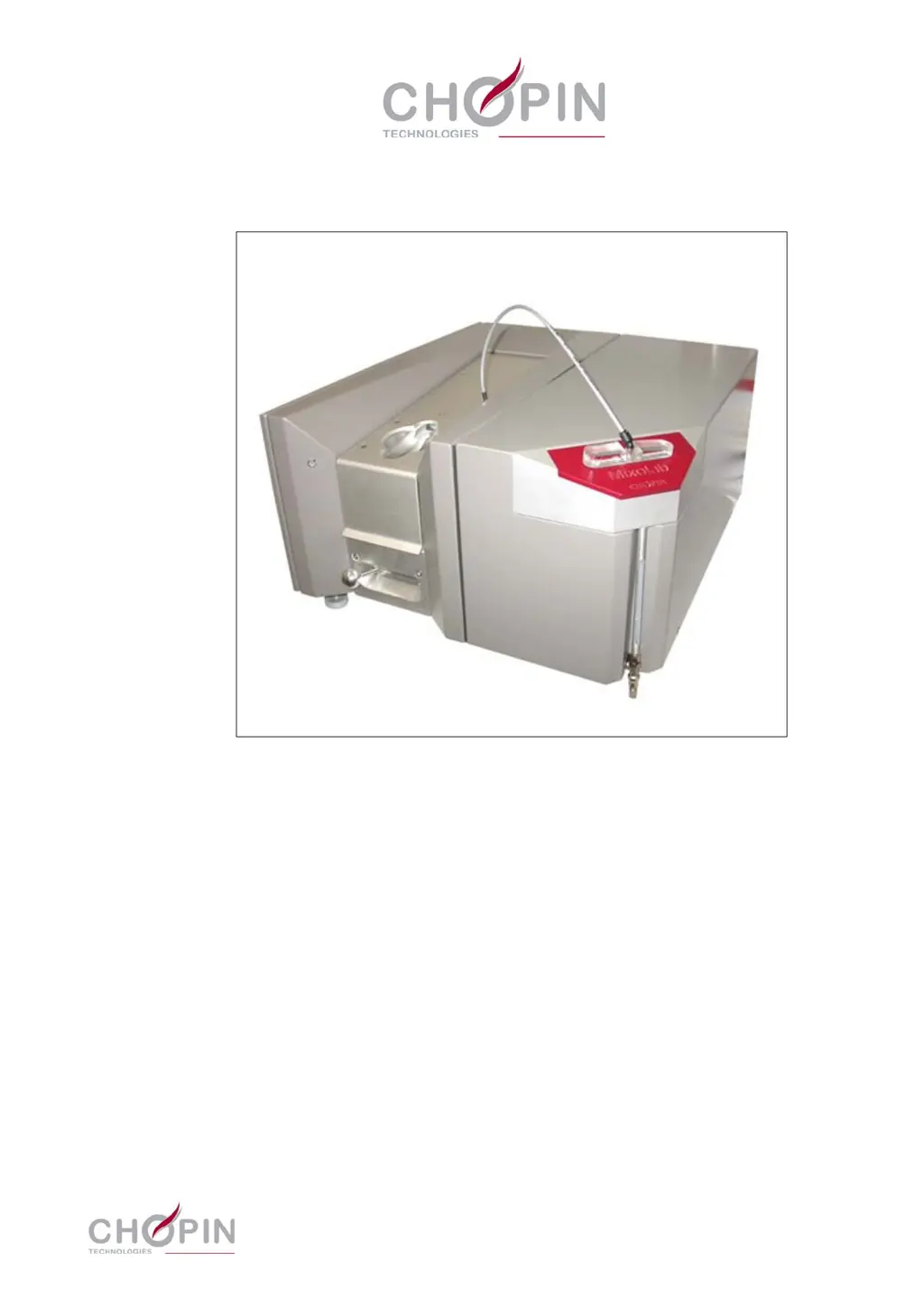
Chopin Mixolab - User Manual

Chopin Mixolab
144 pages
Print Icon
To Next Page IconTo Next Page
Loading...
20, avenue Marcellin Berthelot - Z.I. du Val de Seine
92396 Villeneuve La Garenne cedex - France
Tél. : 33 (0)1 41 47 50 88 - Fax. : 33 (0)1 47 92 28 27
www.chopinservice.com
www.chopin.fr
Mixolab
Maintenance manual
Ref.: MM-MIXO-EN Ind. 0
Date: April 2012

Questions and Answers

  • S
    Shane ThompsonSep 23, 2025
    How to resolve software incompatibility issues on Chopin Laboratory Equipment?
    • X
      xdickersonSep 23, 2025
      If you encounter a software fault due to incompatibility between file formats in your Chopin Laboratory Equipment, it may be because test files obtained with the first versions of the software are not compatible with more recent versions. To update the Mixolab software, install the new version in a new directory and keep the old version.
  • P
    perryjeffreyAug 25, 2025
    Why does my Chopin Laboratory Equipment show ERR 11: 'Bowl block T? too high!'?
    • S
      Steven BautistaAug 25, 2025
      If your Chopin Laboratory Equipment displays 'ERR 11: Bowl block T? too high!', it could stem from several issues. First, there might be a problem with the cooling circuit, such as the input water being too hot; rectify this. Second, there might be no water at the output; check the hydraulic connection, solenoid valve operation (using the maintenance screen), and the flow controller setting. If the circuit is blocked, dismantle it piece by piece to locate the blockage. Additionally, incorrect temperature information could be the cause; in this case, calibrate the bowl temperature measurement. If the problem persists, consider replacing the temperature sensor.
  • V
    virginia88Aug 25, 2025
    What does ERR 13: 'Bowl block still hot!' mean on my Chopin Laboratory Equipment?
    • A
      Antonio MooreAug 26, 2025
      If your Chopin Laboratory Equipment displays 'ERR 13: Bowl block still hot!', there might be a problem with the cooling circuit, such as the input water being too hot; rectify this. Also, check for no output flow by examining the hydraulic connection, solenoid valve operation (using the maintenance screen), and flow controller setting. If the circuit is blocked, find the blockage by dismantling it piece by piece. In case of wrong temperature indication, calibrate the bowl block temperature measurement. If the problem persists, replace the sensor.
  • K
    Kevin CantrellAug 27, 2025
    What causes ERR 12: 'Bowl block T? too low!' on Chopin Laboratory Equipment?
    • V
      veronicasanchezAug 27, 2025
      If your Chopin Laboratory Equipment displays 'ERR 12: Bowl block T? too low!', this could be due to several reasons. First, wrong temperature information might be the cause; calibrate the bowl temperature measurement. Second, the temperature sensor may need replacement if calibration doesn't solve the problem. Also, the cooling might be too important; test the solenoid valve using the maintenance screen and control its efficiency on exhaust. If the solenoid valve is jammed, replace it. Check the water flow and adjust it if necessary using the flow controller. Finally, insufficient heating could be the cause; control the heating circuit, and if necessary, replace the failed resistor(s).
  • Y
    Yvette BrownAug 27, 2025
    What should I do if my Chopin Laboratory Equipment shows ERR 14: 'Bowl block temperature rise in problem!'?
    • B
      Becky FoxAug 27, 2025
      If your Chopin Laboratory Equipment displays 'ERR 14: Bowl block temperature rise in problem!', it could be due to several reasons. First, the cooling might be too important; test the solenoid valve using the maintenance menu and verify its efficiency on exhaust; if the solenoid valve is jammed, replace it. Second, check the water flow and set the flow controller if necessary. Also, insufficient heating could be the cause; check the heating circuit, and if necessary, replace the failed resistor(s).
  • F
    fwallaceSep 14, 2025
    What causes ERR 16: 'Electronic problem on bowl block heating!' on Chopin Laboratory Equipment?
    • J
      Jessica MooreSep 14, 2025
      If your Chopin Laboratory Equipment displays 'ERR 16: Electronic problem on bowl block heating!', it could be due to a problem on the CPU board. Check all connections on the Mixolab CPU board. If the problem is not solved, replace the CPU board.
  • M
    michaelrodriguezSep 12, 2025
    How to resolve ERR 41: 'Torque offset out of limits!' on Chopin Laboratory Equipment?
    • B
      Barbara RiveraSep 12, 2025
      To address the 'ERR 41: Torque offset out of limits!' error on your Chopin Laboratory Equipment, start by readjusting the torque measurement. If the problem persists, replace the torquemeter. Should the issue remain unresolved, proceed to replace the CPU board.
  • T
    Tyler WilliamsonSep 13, 2025
    What does ERR 31: 'Mixolab electronic fault!' indicate on my Chopin Laboratory Equipment?
    • V
      Vanessa JonesSep 13, 2025
      If your Chopin Laboratory Equipment displays 'ERR 31: Mixolab electronic fault!', it could be due to a problem on the CPU board. Check all connections on the Mixolab CPU board. If the problem is not solved, replace the CPU board.
  • J
    joanna35Sep 4, 2025
    What causes ERR 22: 'Tank temperature too low!' on my Chopin Laboratory Equipment?
    • S
      Sarah JonesSep 5, 2025
      If your Chopin Laboratory Equipment displays 'ERR 22: Tank temperature too low!', it could be due to several reasons. First, the temperature indication might be wrong; calibrate the tank temperature measurement. Second, check and replace the sensor if the problem is not solved. Also, insufficient heating could be the cause; check the heating circuit, and if necessary, replace the failed resistor.
  • T
    Tiffany JoyceSep 2, 2025
    Why does my Chopin Laboratory Equipment Mixolab show ERR 7: 'Start-up request while the cover is open!'?
    • E
      Emily SmallSep 2, 2025
      If your Chopin Laboratory Equipment displays 'ERR 7: Start-up request while the cover is open!', it means the cover is open. Close the cover and press OK. Also, test the sensor using the maintenance menu. If the fault is continuous, replace the sensor (magnet or sensor); if the fault is intermittent, check mainly the elements fixing points (magnet and sensor), sensor wiring, and sensor connections.

Summary

Mixolab Operation and Maintenance

Operating Conditions

Specifies installation requirements, environment, and electrical connection details for optimal operation.

Precautions Related to Tests

Details care during tests, handling, and checks to prevent damage and ensure accuracy.

Control and Maintenance

Explains LED status indicators, general recommendations for maintenance, and useful software menus.

Mixolab Troubleshooting Guide

Troubleshooting Method

Outlines the approach to identify and resolve faults, including recording indications and using audit trails.

Fault Handling and Error Messages

Lists specific error codes, their descriptions, and corresponding actions for diagnosis and repair.

Interconnection Diagrams

Provides electrical and hydro-pneumatic circuit diagrams to aid in fault finding and understanding system connections.

Mixolab Repair Procedures

Introduction to Repair Operations

Details warnings, required competence, and lists all corrective maintenance operations covered in the chapter.

Repair Instructions and Operations

Provides step-by-step instructions for dismantling and installing various components and assemblies of the Mixolab.

Mixolab Spare Parts Identification

Warnings for Spare Parts

Outlines necessary information for ordering parts, handling, and limitations on part sourcing.

Notes on Spare Parts

Provides notes on purchasing, part numbers, and material specifications for spare components.

Parts Lists and Figures

Lists all spare parts with corresponding figures and CHOPIN part numbers for easy identification and ordering.

Chopin Mixolab Specifications

General IconGeneral
BrandChopin
ModelMixolab
CategoryLaboratory Equipment
LanguageEnglish

Related product manuals