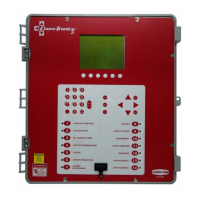
Chore-Tronics
®
2 Programming Update
(Version D1.X)
To install the latest D1.X update read and execute the following steps.
This update will result in a loss of all Control settings.
If you are not already viewing this from the CTB website, go to https://www.choretime.com/
CHORE-TRONICS-2-Controls-1 click on the Downloads tab at bottom of web page.
1. click on the C2SUSD1(X).FAN. Fan link to download the update file to a blank SD card. To that
same SD Card, download the HI Board update by clicking on the HIB12-b11.Han file.
2. Turn the power off to the Control that is to be updated.
3. Remove the six screws to open the metal door to the Chore-Tronics
®
2 Main Box ONLY!
Power must be off to the Control before door is opened!
4. Insert the SD card into the SD card holder on the Chore-Tronics
®
2 Func board. Press the SD
card in until a "click" is felt and/or heard. The SD card should stay in place (See Figure 1, below).
5. Close the metal door.
Installation
CAUTION!
CAUTION!
2
Item Description
1 Func Board
2SD Card
Figure 1. Insert SD Card
Func Board without SD card installed
Func Board with SD card installed
1
Continued on next page.....
MT1895DJUNE 2008

 Need help?
 General

 To Next Page