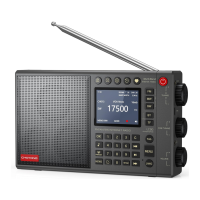
Q: Why is the medium-wave reception performance relatively weak?
A:Due to the interference of LCD, the medium wave reception performance of this
radio
is
indeed a bit weak. You can pull out the telescopic antenna to enhance the reception
performance of MW (we
have designed a circuit to enhance the reception of MW with
telescopic antenna), or try it outdoors to see
if the medium wave reception of this radio is
really defective. Indoors, we still recommend connecting to Wi-Fi to listen to online
radios.
7.How to adjust the meter band and bandwidth:
1.The first
knob of the radio is used to adjust the meter band.
In the SW
playback
interface,
simply
press the middle position of the first knob once. When you see the meter band value
blinking, you can adjust the meter band by turning the
knob.
2.The second
knob of the radio is used to adjust the bandwidth.
In the SW/MW
playback
interface, simply press the middle
position of the second
knob once.
When you see the bandwidth value blinking, you can adjust the
bandwidth
by turning the
knob.
Trouble shooting:
Connect to the
network
successfully,
but
unable to
play particular
stations
The station
is
not
broadcasting at this time of the day, remember it
maybe
located
in a different time zone.
The station has too
many
people trying to attach to. The station server
capacity
is
not large enough.
The
internet connection between the
radio and the radio station server is too
slow or unstable to support the date rate of broadcast.
The link of the
radio
is out of the date, please contact
us to update the station
list.
This radio only supports 2.4G Wi-Fi and does not support 5G Wi-Fi.
Check the encryption protocol of the
router, as this radio only supports
WAP/WAP2 and does not support WAP3.
Currently, The Radio does
not support Wi-Fi extenders
The
radio got
freeze or
no
response
Forced restart the
radio, Press the ( ) and
hold for 5 seconds
until the
radio
restarted (show white screen),then
release the button.
The radio
screen
is
black
and no
response,
regardless of
any button
operation/
charging
Hold down the power button for 30 seconds, release it, then
hold down the
power button again for 5 seconds until the screen
lights
up, and then
release
it.
The
machine should
now be functioning normally.
If it still doesn't work, please check if the battery
need charging
Can
not connect
to Wi-Fi
network
Confirm that the Wi-Fi can access the
internet
(i.e.can
browse the web) using the same
network.
Insufficient
Wi-Fi signal
strength
Check the distance to router, see
if a computer/mobile phone can connect
to
the network in this location, if the signal
is weak, please optimize the distance
of the router’s
location.


 To Next Page
 Loading...