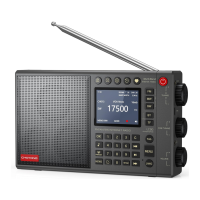
Important function tips:
How to connect Wi-Fi?
Press( )button into the Wi-Fi setting
page. Choose the Wi-Fi that you want to connect, then
input the password. Rotate the Multifunctional knob to select the desired character. Press the
knob to
input the selected character.
U
ntil all
password characters are entered.
Press the OK
button to confirm and enter the
password. Use ( )to shift input
method.(abc/ABC).you
need to
restart the radio to remember the
password.
How to add internet radio website?
Press(
)‘Add
radio’, will come out a QR Code. Use any QR Scan app on your phone, then type
the website you want to listen.
More details and operation tips, please check our instruction videos on Youtube:
https://www.youtube.com/@choyongradio
24 hour service Team
please contact:
choyongradio@gmail.com
Official website URL:
www.choyongradio.com


 To Next Page
 Loading...