to manually access the liftgate area. The liftgate will
re-lock automatically within 10 seconds once the liftgate
is closed.
To Turn Off “Flash Lights On Lock/Unlock”
NOTE: If desired, the “Flash Lights On Lock/Unlock”
feature can be turned on and off by referring to the
Customer Programmable Features of the “Electronic Ve-
hicle Information Center (EVIC)” section or by following
these steps.
1. Press the LOCK button for 4 to 10 seconds.
2. While the LOCK button is pressed, (after 4 seconds)
press the UNLOCK button. Release both buttons.
The “Flash Lights On Lock/Unlock” feature can be
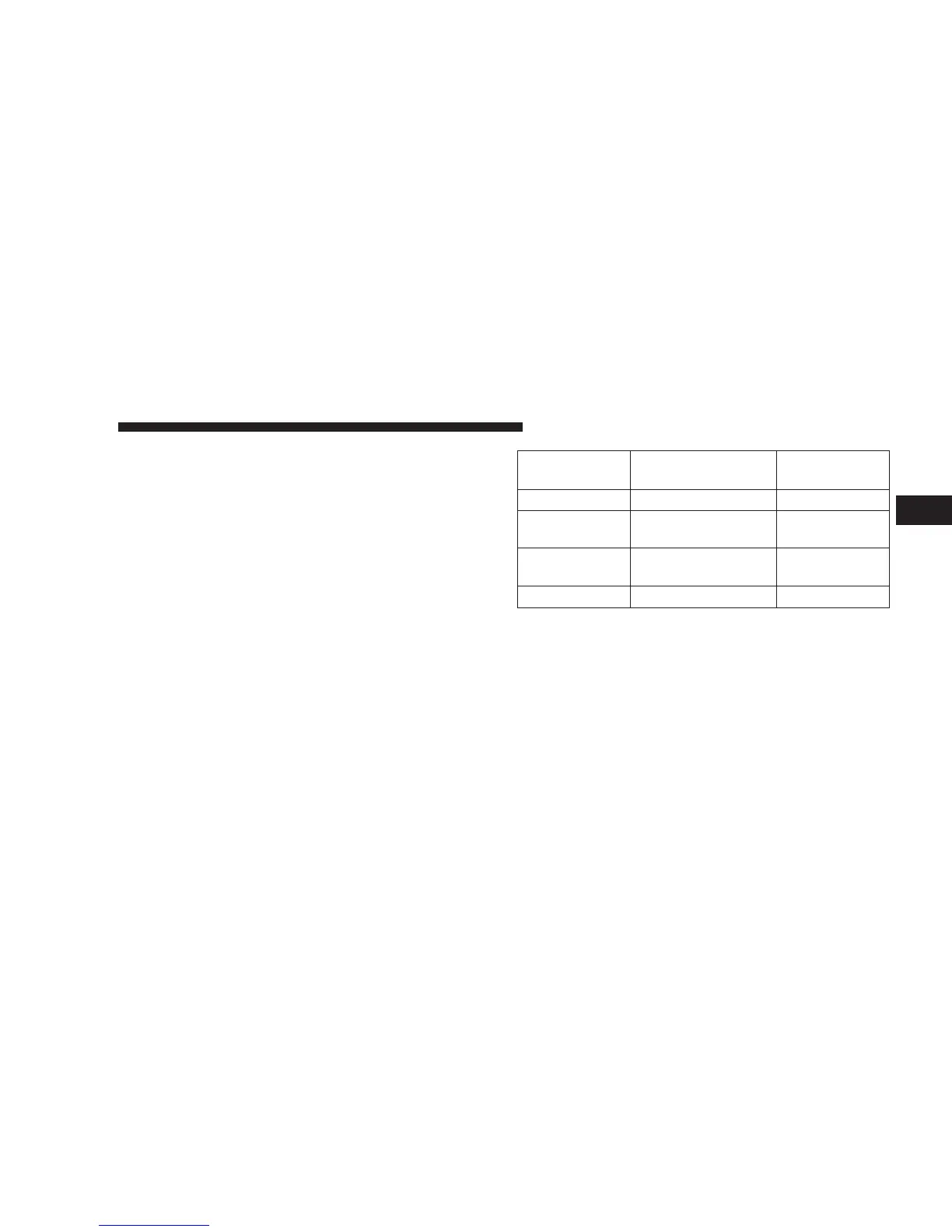
reactivated by repeating this procedure. The table below
explains the Lamp Flash options.
Function Which Turn Signal
Lamps
Number of
Flashes
Lock All 1
Unlock 1st
Press
Driver’s Side 2
Unlock All
Doors
All 2
Liftgate All 2
General Information
This device complies with part 15 of the FCC rules and
RSS 210 of Industry Canada. Operation is subject to the
following conditions:
•
This device may not cause harmful interference.
•
This device must accept any interference received,
including interference that may cause undesired op-
eration.
THINGS TO KNOW BEFORE STARTING YOUR VEHICLE 23
2











 To Next Page