~3t:3t.: ~ut.oselee t.
Radio Operation
Deleting Direct Programming
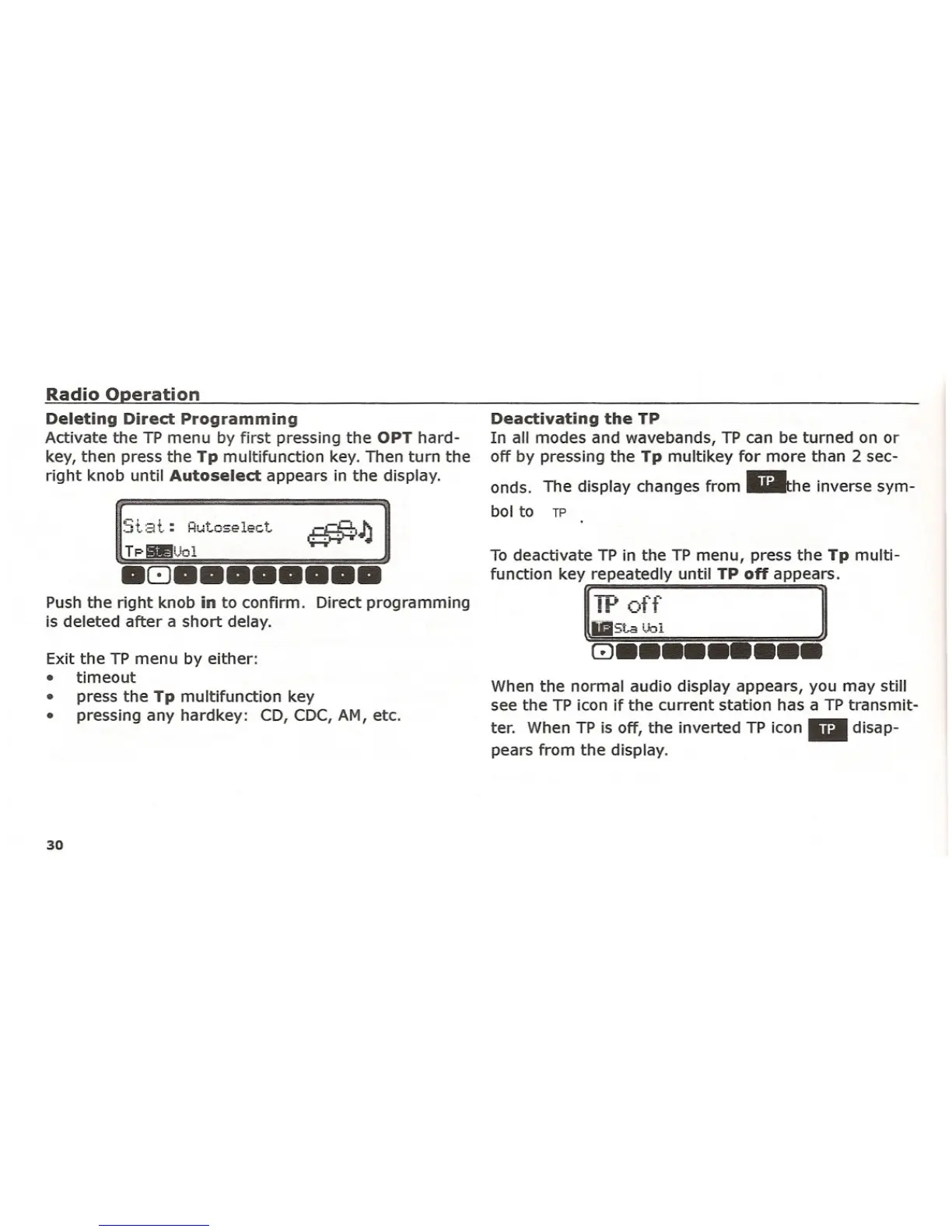
Activate the TP menu by first pressing the OPT hard-
key, then press the Tp multifunction key. Then turn the
right knob until
Autoselect appears in the display.
_-.0. 1\
~I •••..l
.8••••••••
Push the right knob in to confirm. Direct programming
is deleted after a short delay.
Exit the TP menu by either:
• timeout
• press the Tp multifunction key
• pressing any hardkey: CD, CDC, AM, etc.
30
Deactivating the TP
In all modes and wavebands, TP can be turned on or
off by pressing the Tp multikey for more than 2 sec-
onds. The display changes from liilthe inverse sym-
bol to TP
To deactivate TP in the TP menu, press the Tp multi-
function key repeatedly until TP
off appears.
['V ~<f ]
j5t~':';1
8•••••••••
When the normal audio display appears, you may still
see the TP icon if the current station has a TP transmit-
ter. When TP is off, the inverted TP icon. disap-
pears from the display.















 To Next Page