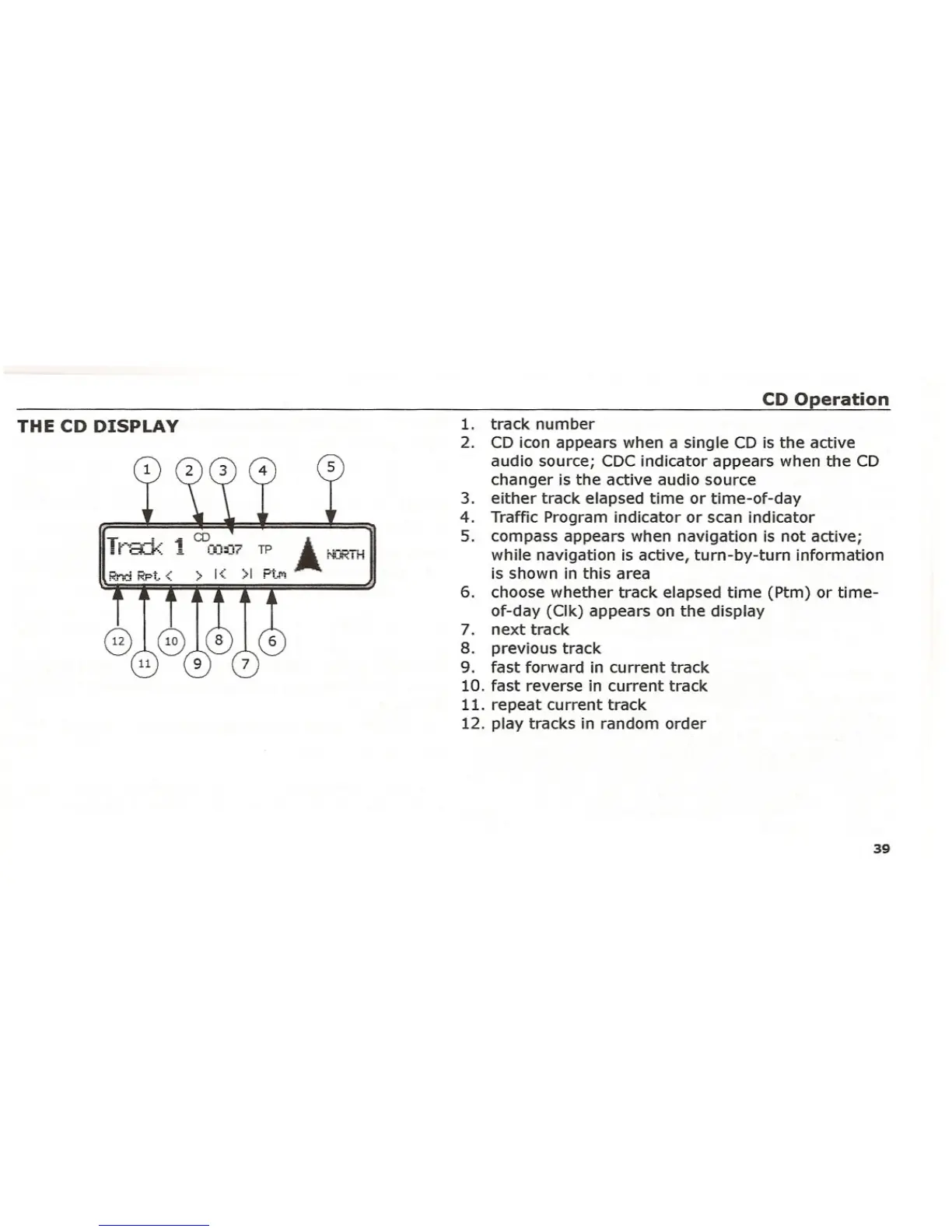
THE CD DISPLAY
TL.-.-~-L·1 CD .i.i I a._"'.... ;:::;:07 TP A ~jClRTH
> 1< >1 Pt."'!
CD Operation
1. track number
2. CD icon appears when a single CD is the active
audio source; CDCindicator appears when the CD
changer is the active audio source
3. either track elapsed time or time-of-day
4. Traffic Program indicator or scan indicator
5. compass appears when navigation is not active;
while navigation is active, turn-by-turn information
is shown in this area
6. choose whether track elapsed time (Ptm) or time-
of-day (Clk) appears on the display
7. next track
8. previous track
9. fast forward in current track
10. fast reverse in current track
11. repeat current track
12. play tracks in random order
39















 To Next Page