Navigation
The unit will then display the street entry menu or the
city center menu. The route menu is displayed if there
are no digitized streets and there is only a single town
center that appears in the map.
The town list includes towns, cities and counties. The
state list includes states and counties if a town name is
used more than once in a state.
Entering a Street for the Destination
NOTE: Enter the street name first before entering a
geographic designator eN, S, etc.). For example, E.
Carson St. would be entered as CARSON ST E.
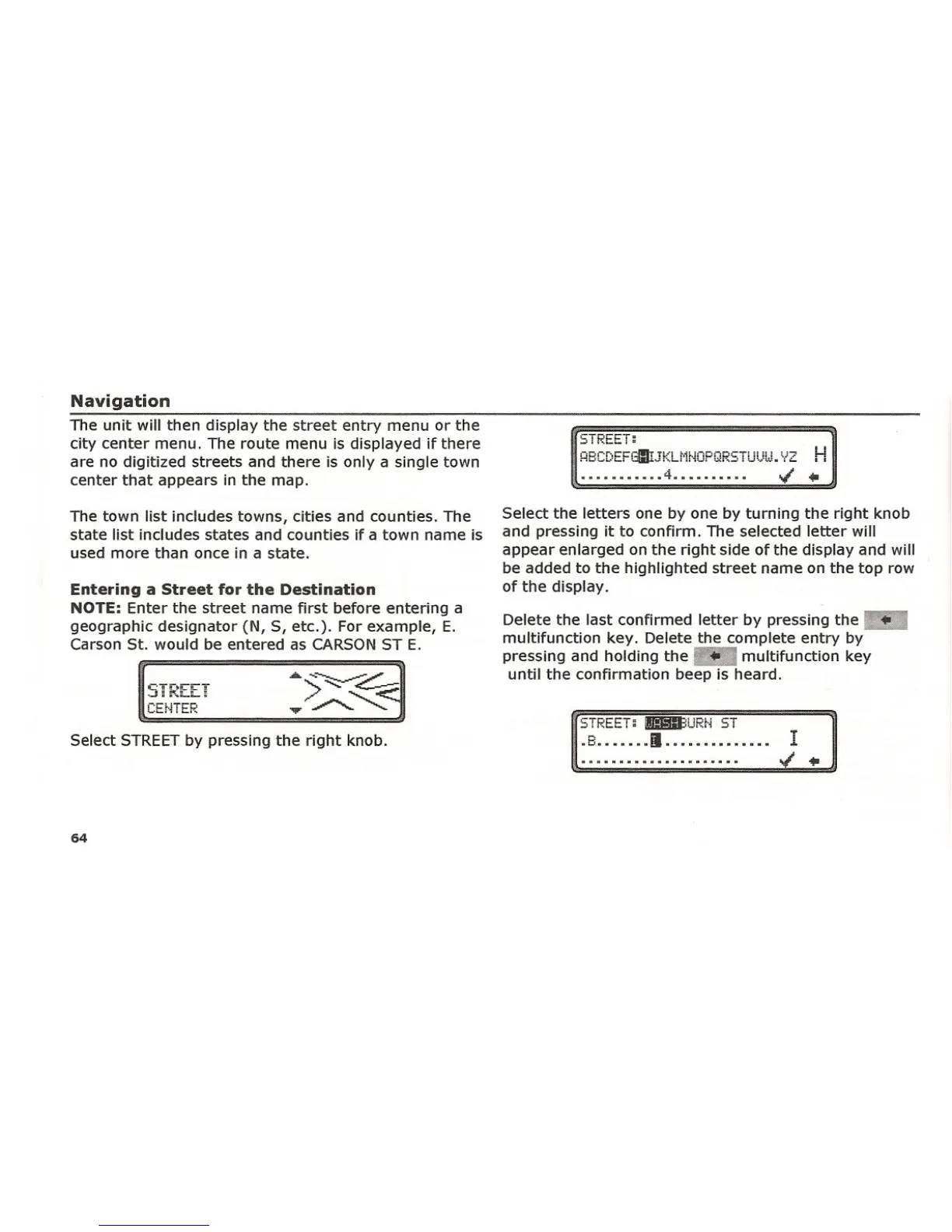
Select STREET by pressing the right knob.
64
..•••••••.• 4••••••••••
Select the letters one by one by turning the right knob
and pressing it to confirm. The selected letter will
appear enlarged on the right side of the display and will
be added to the highlighted street name on the top row
of the display.
Delete the last confirmed letter by pressing the ••
multifunction key. Delete the complete entry by
pressing and holding the ".' multifunction key
until the confirmation beep is heard.
Si ~t:.t:.! ~ Bll3URt·i ST
.8 1.............. I















 To Next Page