EN EN
Introduction
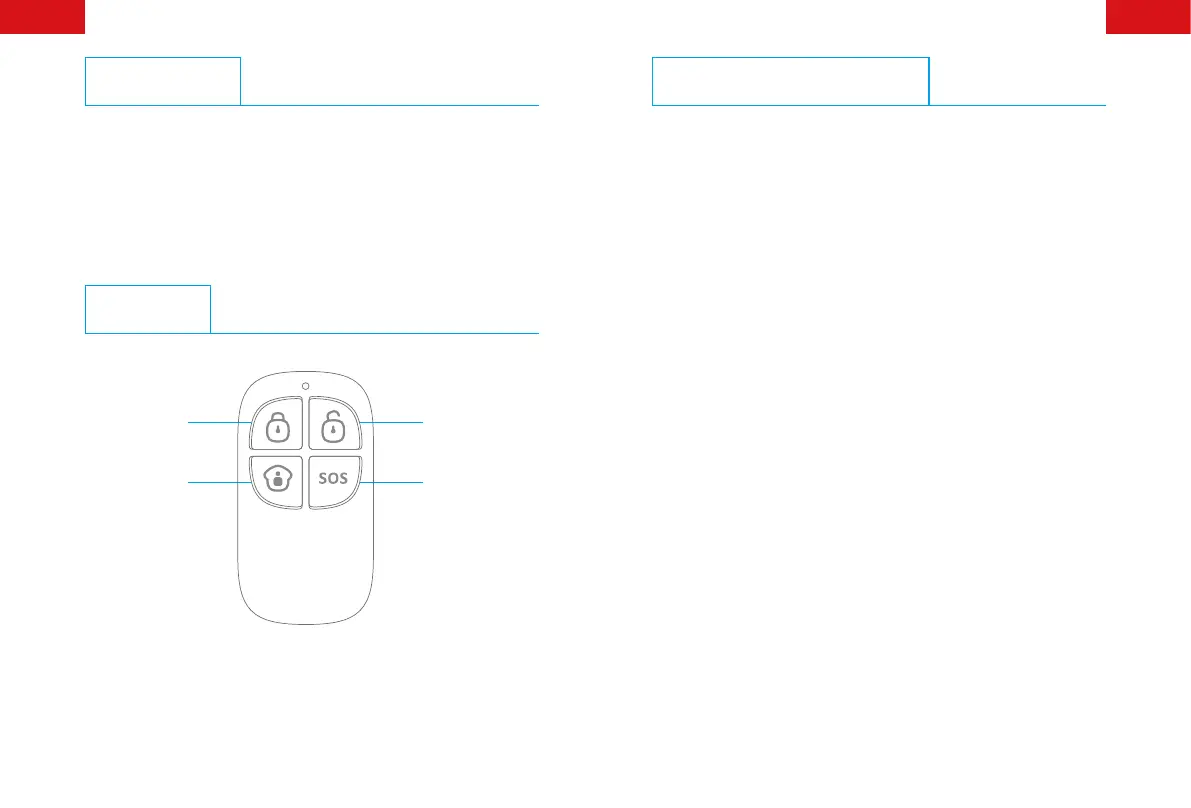
RC-80 remote control is dainty and delicate, easy to carry. It can be
attached to your key rings, or just put into your pockets or purses.
When you are about to exit or entry the house, you can use it to
arm or disarm the system, In case of emergency, press the [SOS]
button, the alarm will be activated immediately.
Overview
Arm
Disarm
Stay
SOS
Connect Remote Control
Connecting the remote control is to build a wireless connection
between the remote control and the control panel.
1. Control panel enters into the connecting state (For details, please
refer to the relative user manual).
2. Press any key on the remote control, and the control panel beeps
once, indicating a successful connection.
Note: If the control panel beeps twice when the above operation is done, it
means the remote control has been connected before.


 To Next Page