EasyManua.ls Logo

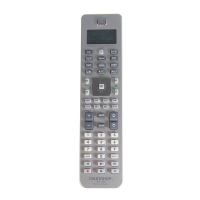
Chunghop RM-L988 - User Manual

Chunghop RM-L988
16 pages
Print Icon
To Next Page IconTo Next Page
Loading...
CHUnGHOP®
RM-L988
TE-MP+
8~l3
MOD~ ,
B
-CI~
8 - (3
T£MP-
[SWAP)
8
G§) ~
IlIdsCH)
§ ~
(MOYE)
FovCH
OJ
CD
CD
w
m
CD
ITJ
W
CD
8
m
ImV-CH}
0
~
0
II
CHunGHOP
RM-L988
Universal
-
EI
LEARN FUNC,110~ R~MOTE
SET
RM-L988
--1
11N 1 Universal Remote Controller
Question and Answer IconNeed help?

Do you have a question about the Chunghop RM-L988 and is the answer not in the manual?

Summary

Operating Instructions Overview

Remote Control Panel Explanation

Product Profile

Key Functions and Correspondences

Maps remote keys to functions for various appliances.

Battery Installation and Safety

Install Batteries

Step-by-step guide for inserting batteries into the remote control.

Battery Precautions

Important warnings regarding battery use, handling, and storage.

Operational Interface Modes

Remote Control Setup Methods

Code Entry Method

Manually inputting specific codes for device compatibility.

Manual Code Search Method

Automatically searching for compatible device codes.

Sub-Menu Navigation Guide

Automated Code Search

Learning Functionality

Canceling Learned Functions

Additional Remote Functions

Time Clock and Factory Reset

Setting the clock and restoring default remote settings.

Key Sound On;Off Settings

Enabling or disabling button press sound feedback.

Sound Sharing Functionality

Using one device's volume to control others.

Backlight Control Feature

Macro Instruction Programming

Macro Settings Examples

Step-by-step examples for creating macro commands.

Kids Channel and Favorite Channel Setup

Temperature Unit Switching

Key Transfer and Cancellation

Low Battery Indicator

Chunghop RM-L988 Specifications

General IconGeneral
TypeUniversal Remote
Power Supply2 x AAA batteries
Learning FunctionYes
Number of Devices ControlledUp to 8
Infrared RangeUp to 8 meters
CompatibilityTV, DVD, SAT

Related product manuals