PERCENT MODE:
TARGET WEIGHT:
+
o . o o
%
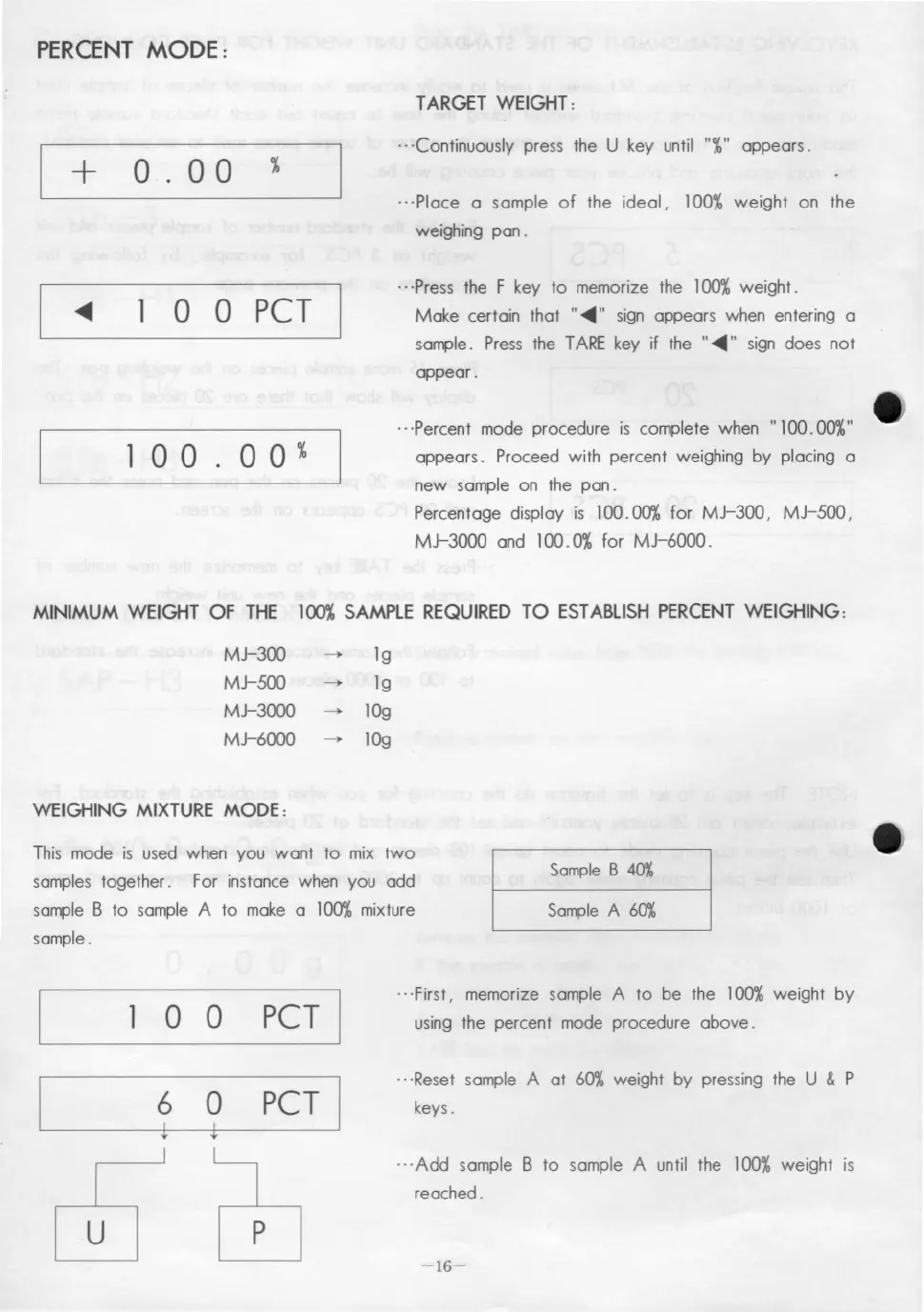
.. 'Continuously press the U key until "%" appears.
.. ·Place a sample of the ideal, 100% weight on the
weighing pan .
1 O O PCT
100.00%
.. ·Press the F key to memorize the 100%weight.
Make certain that "~" sign appears when entering a
sar11Jle.Press the TARE key if the "~" sign does not
appear .
.. ·Percent mode procedure is complete when "100.00%"
appears. Proceed with percent weighing by placing a
new sample on the pan.
Percentage display is 100.00% for MJ-300,
MJ-SOO,
MJ-3000 and 100.0% for MJ-6000.
MINIMUM WEIGHT OF THE 100%SAMPLE REQUIRED TO ESTABLlSH PERCENT WEIGHING:
MJ-300
MJ-SOO
MJ-3000
MJ-6000
WEIGHING MIXTURE MODE:
~ 19
~ 19
~ lOg
~ lOg
This mode is used when you want to mix two
samples together. For instance when you add
sample B to sample A to make a 100%mixture
sample.
SompleB 40%
SompleA 60%
o O PCT
.. ·First, memorize sample A to be the 100%weight by
using the percent mode procedure above .
6 O PCT
i i
c620
..·Reset sample A at 60% weight by pressing the U & P
keys.
... Add sample B to sample A until the 100%weight is
reached.
-16-



 To Next Page