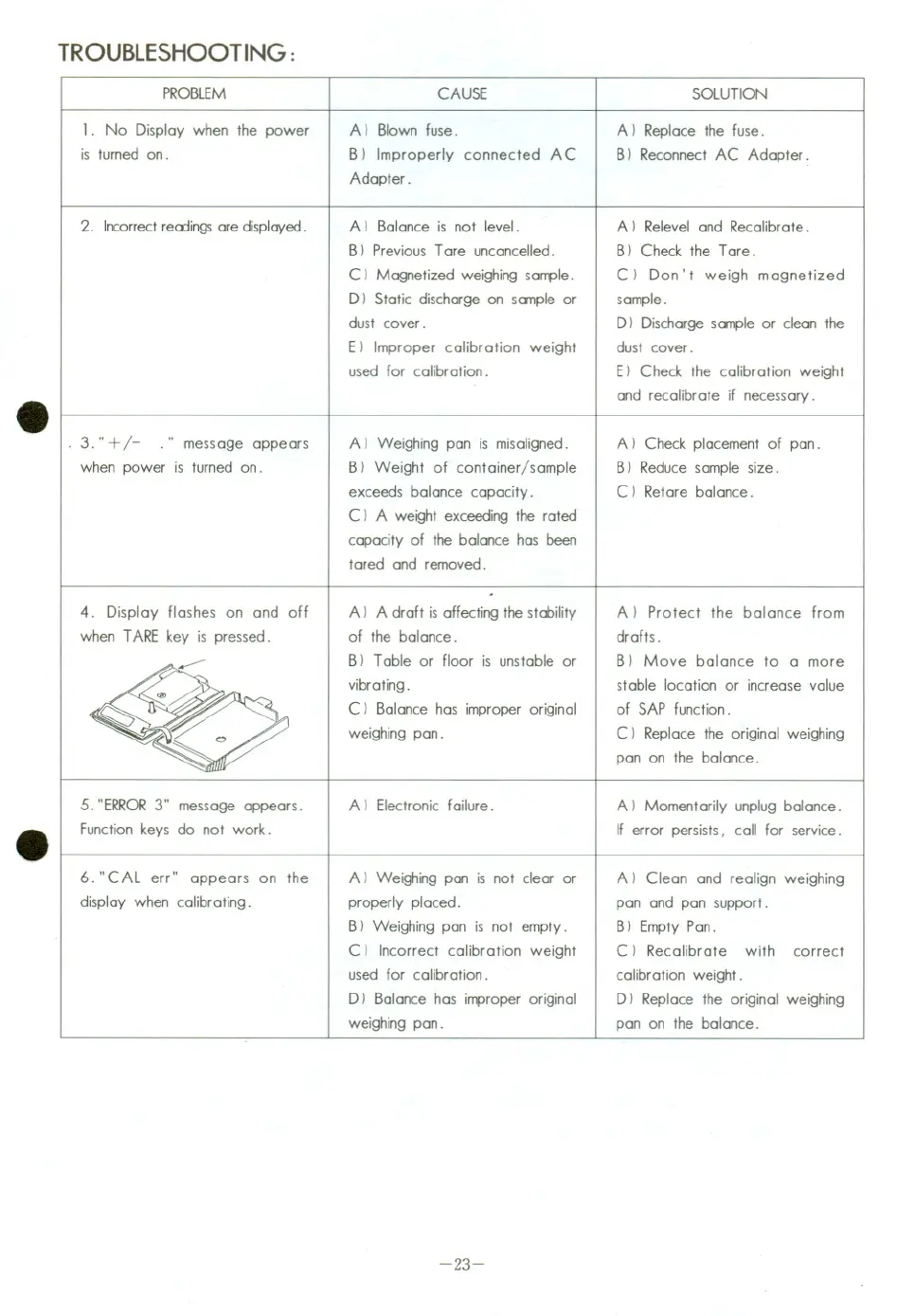
TROUBLESHOOTING:
PROBLEM
1. No Display when the power
is turned on.
2. Incorrect readings are displayed.
3. "
+/- ." message appears
when power is turned on.
4. Display flashes on and off
when TARE key is pressed.
5. "ERROR 3" message appears.
Function keys da not work.
6. "CAL err" appears on the
display when calibrating.
CAUSE
A) Blown fuse.
B) Improperly connected A C
Adapter.
A I Balance is not level.
B I Previaus Tare uncancelled.
C) Magnetized weighing sample.
D) Static discharge on sample or
dust cover.
E) Improper calibration weight
used for calibration.
A I Weighing pan is misaligned.
B) Weight of container/sample
exceeds balance capacity.
C I A weight exceeding the rated
capacity of the balance has been
tared and removed.
A) A draft is affecting the stability
of the balance.
BIT able or floor is unstable or
vibrating.
C) Balance has improper original
weighing pan.
Al Electronic failure.
A) Weighing pan is not c1ear or
properly placed.
BI Weighing pan is not empty.
C I Incorrect calibration weight
used for calibration.
D) Balance has improper original
weighing pan.
-23-
SOLUTION
A) Replace the fuse.
B) Reconnect AC Adapter.
A) Relevel and Recalibrate.
B) Check the Tare.
C) Don' t weigh magnetized
sample.
D) Discharge sample or c1ean the
dust cover.
E) Check the calibration weight
and recalibrate if necessary.
A) Check placement of pan.
B) Reduce sample size.
C) Retare balance.
A) Protect the balance from
drafts.
B) Move balance to a more
stable location or increase value
of SAP function.
C) Replace the original weighing
pan on the balance.
Al Momentarily unplug balance.
If error persists, call for service.
A) C1ean and realign weighing
pan and pan support.
B I Empty Pan.
C) Recalibrate with correct
calibration weight.
D) Replace the original weighing
pan on the balance.


 To Next Page
 Loading...