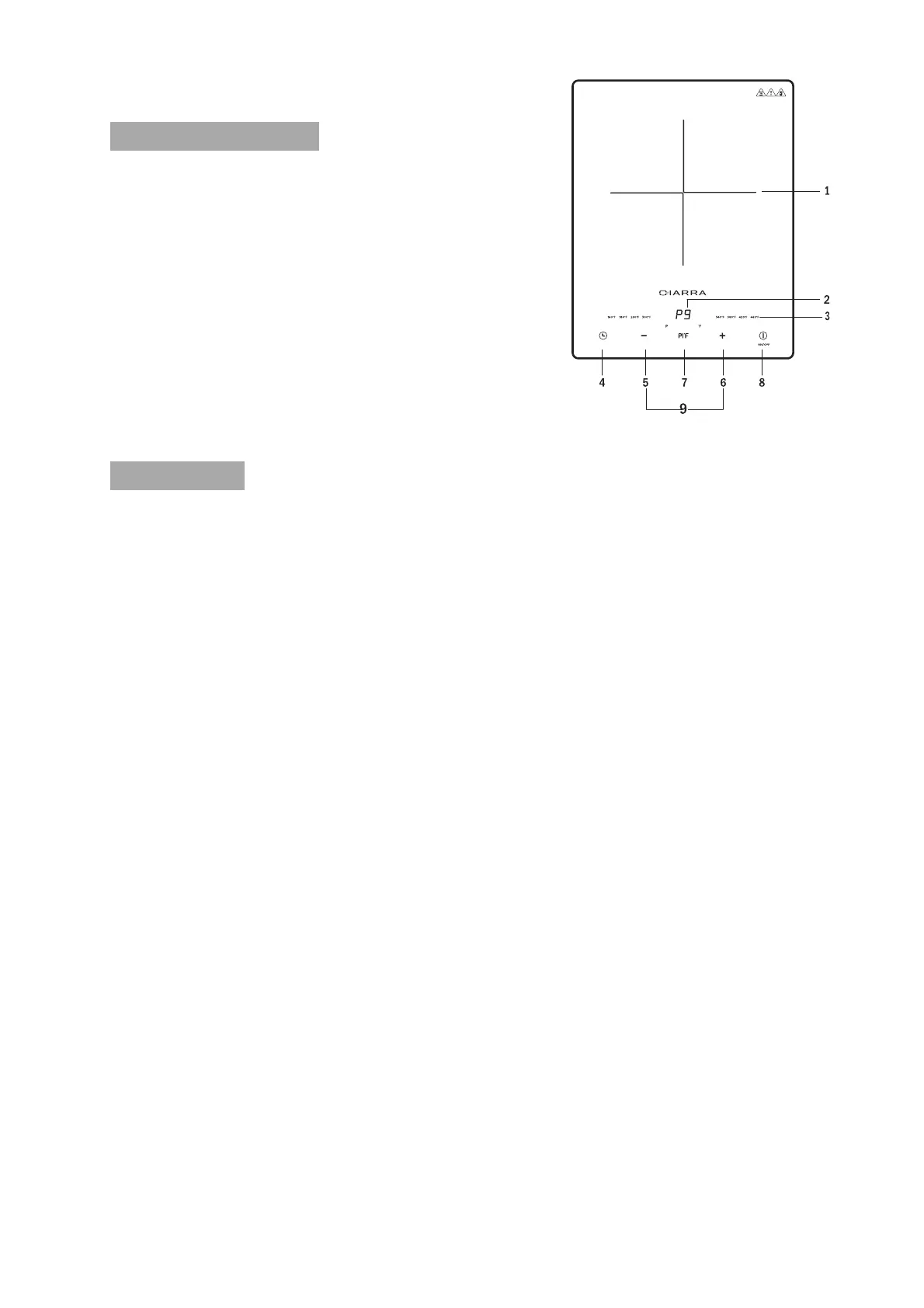
Part Description:
1. Cook zone
2. Power setting display
3. Temperature Indicator
4. Timer button
5. "-" button
6. "+" button
7. Power/Temperature Mode Selection
8. On/Off
9. Child lock
How to use
1. Place the induction cooker on a dry surface.
2. Place the compatible cookware in the cook zone (1) indicated on the
induction hob.
Note: Make sure the bottom of the cookware is clean.
3. Insert the plug into a 120volt outlet. The product will beep and the light
above the on/off button will flash.
4. Press the ON/OFF (8) button to turn the product on. the ON/OFF indicator
will light up.
5. Press the power/temperature mode selection button (7), the indicator P
will light up and the display window will show the default power setting
"P6". Press the "+/-" button (5/6) to select the desired power level: the "+"
button (6) increases and the "-" button (5) decreases the power.
There are 9 power levels (P1:100W, P2:300W, P3:600W, P4:800W,
P5:1000W, P6:1200W, P7:1400W, P8:1600W, P9:1800W).
6. Press the power/temperature mode selection button (7) again to switch to
temperature mode, the indicator F will light up and the display window
will show the default temperature of 380˚F. The temperature indicator will
flash and the desired temperature level will be selected by pressing the
"+/-" button (5/6): the "+" button (6) increases and the "-" button (5)
decreases the temperature.
There are 8 temperature levels in total
(140˚F,180˚F,260˚F,300˚F,340˚F,380˚F,420˚F,460 ˚F)


 To Next Page