How to calibrate temperature and humidity on Cielo Smart
Thermostat?
Calibrating Temperature & Humidity on Cielo Smart Thermostat
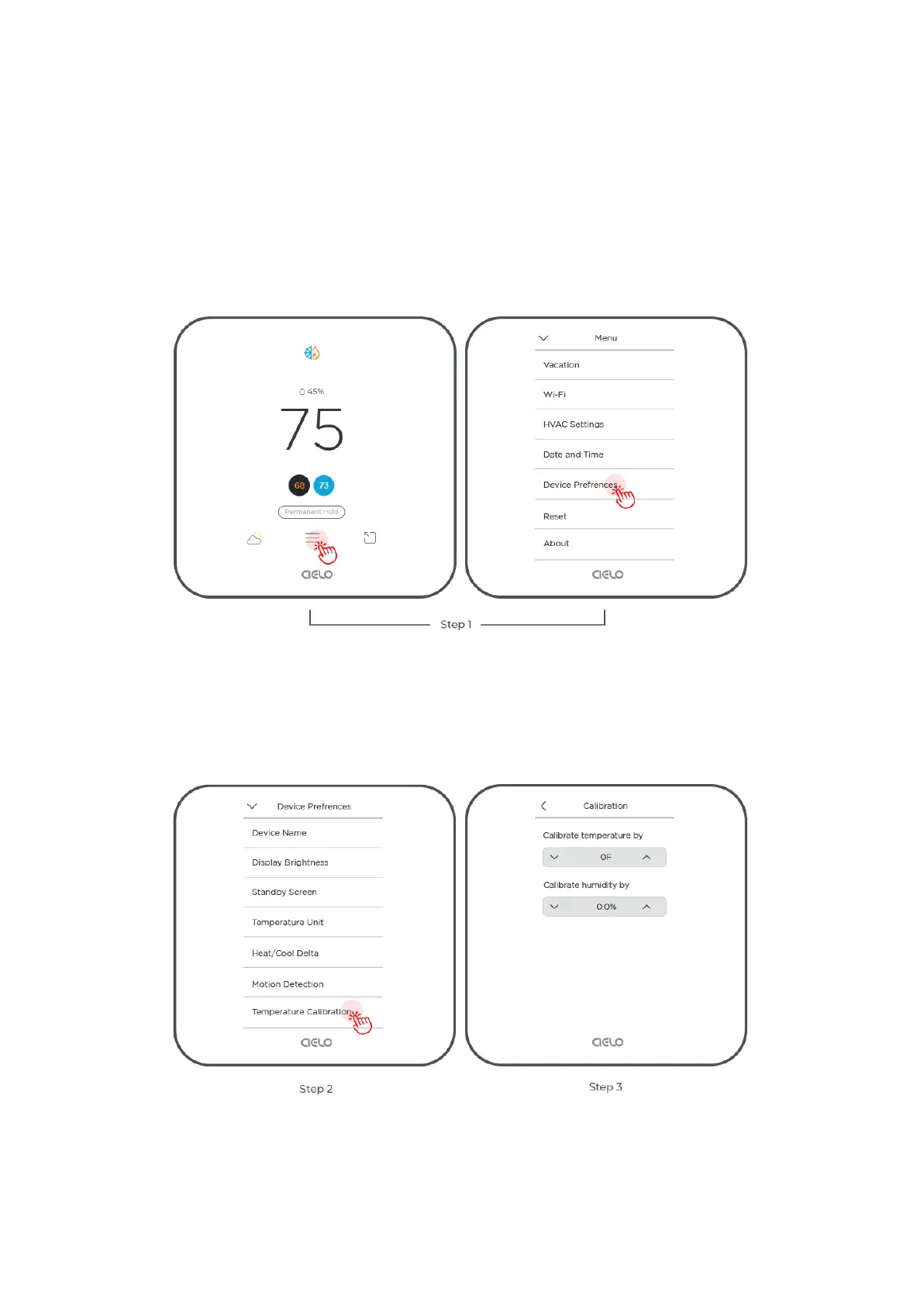
Step 1: Go to 'Menu' and select 'Device Preferences'.
Step 2: Select ‘Temperature Calibration’.
Step 3: Use the up/down arrows to adjust the temperature or humidity as required.
Calibrating Temperature & Humidity Using Cielo Smart Home App



 To Next Page