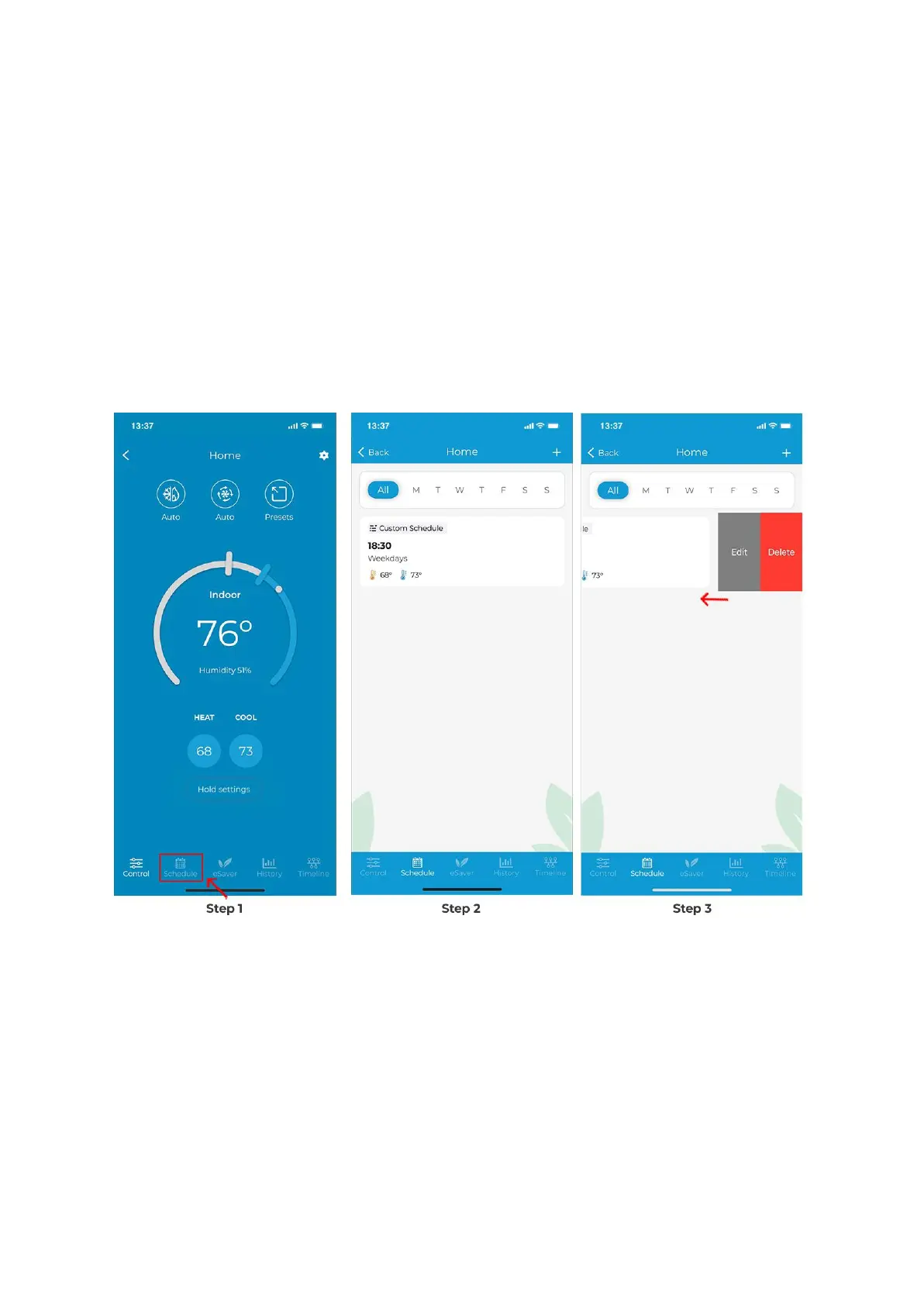
Deleting/Editing a schedule
Step 1: On the Control screen, tap on 'Schedules' in the navigation bar.
Step 2: In the 'Schedule' tab, you will see all your set schedules.
Step 3: Swipe left on the schedule you want to edit or delete until both options appear.
Choose your desired option and proceed. You can also swipe left to right till the edge of the
screen to delete the schedule.
How Can I Add/Edit a Preset on Cielo Smart Thermostat?
You can enjoy a truly tailored experience with predefined comfort settings, including Home,
Away, Sleep, and Pets.
Setting a Preset
Step 1: Go to 'Menu' and select 'Presets'.



 To Next Page