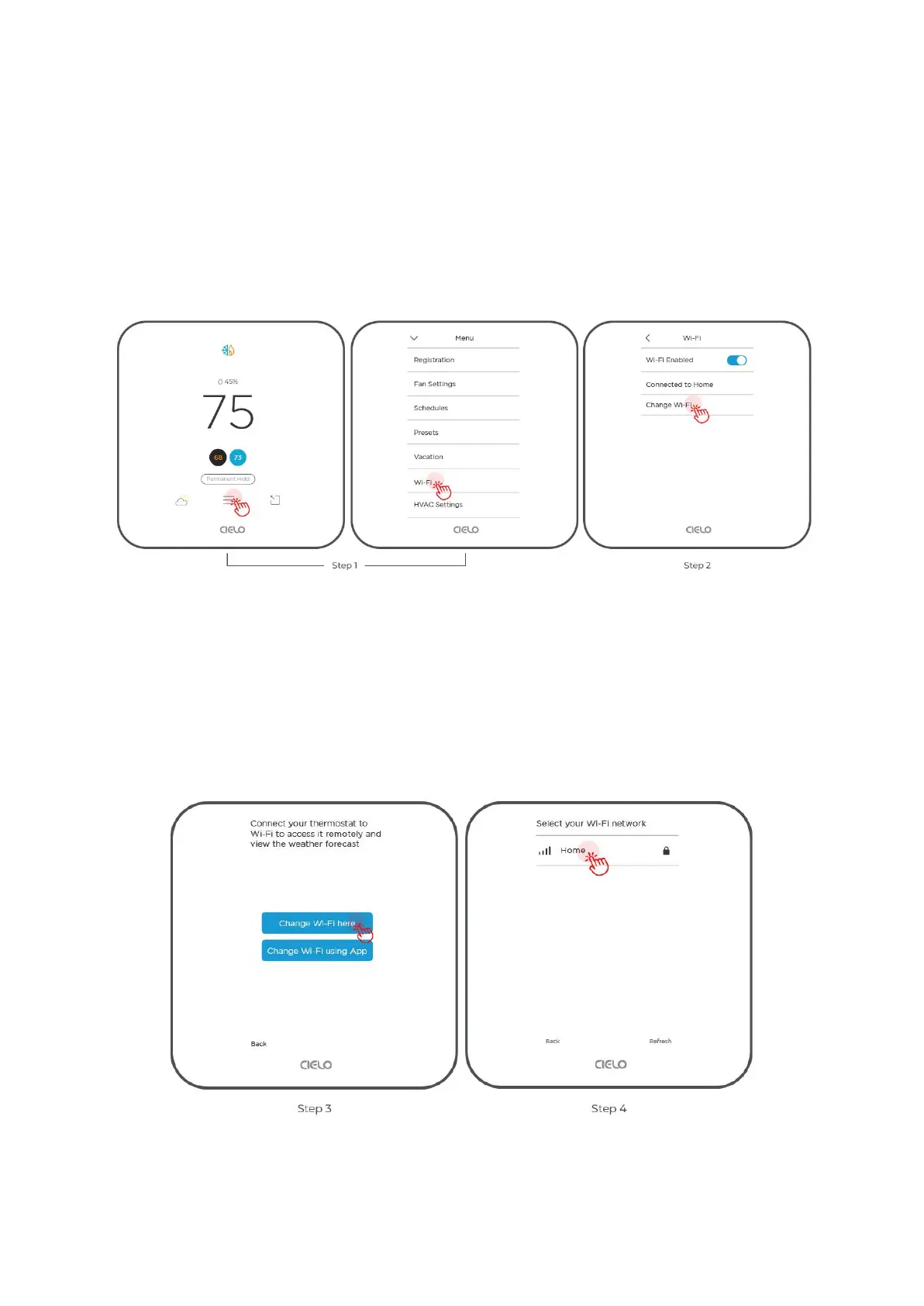
How to Change Wi-Fi Settings on Your Cielo Smart
Thermostat?
Step 1: Go to 'Menu' and select 'Wi-Fi'.
Step 2: Select 'Change Wi-Fi'.
Step 3: You can either change Wi-Fi on the device or use the Cielo Home app.
In this case, tap on ‘Change Wi-Fi’ here. It will start scanning, and a list of available Wi-Fi
networks will appear.
Step 4: Select your desired Wi-Fi network.
Step 5: Enter the password and tap 'Connect'.



 To Next Page