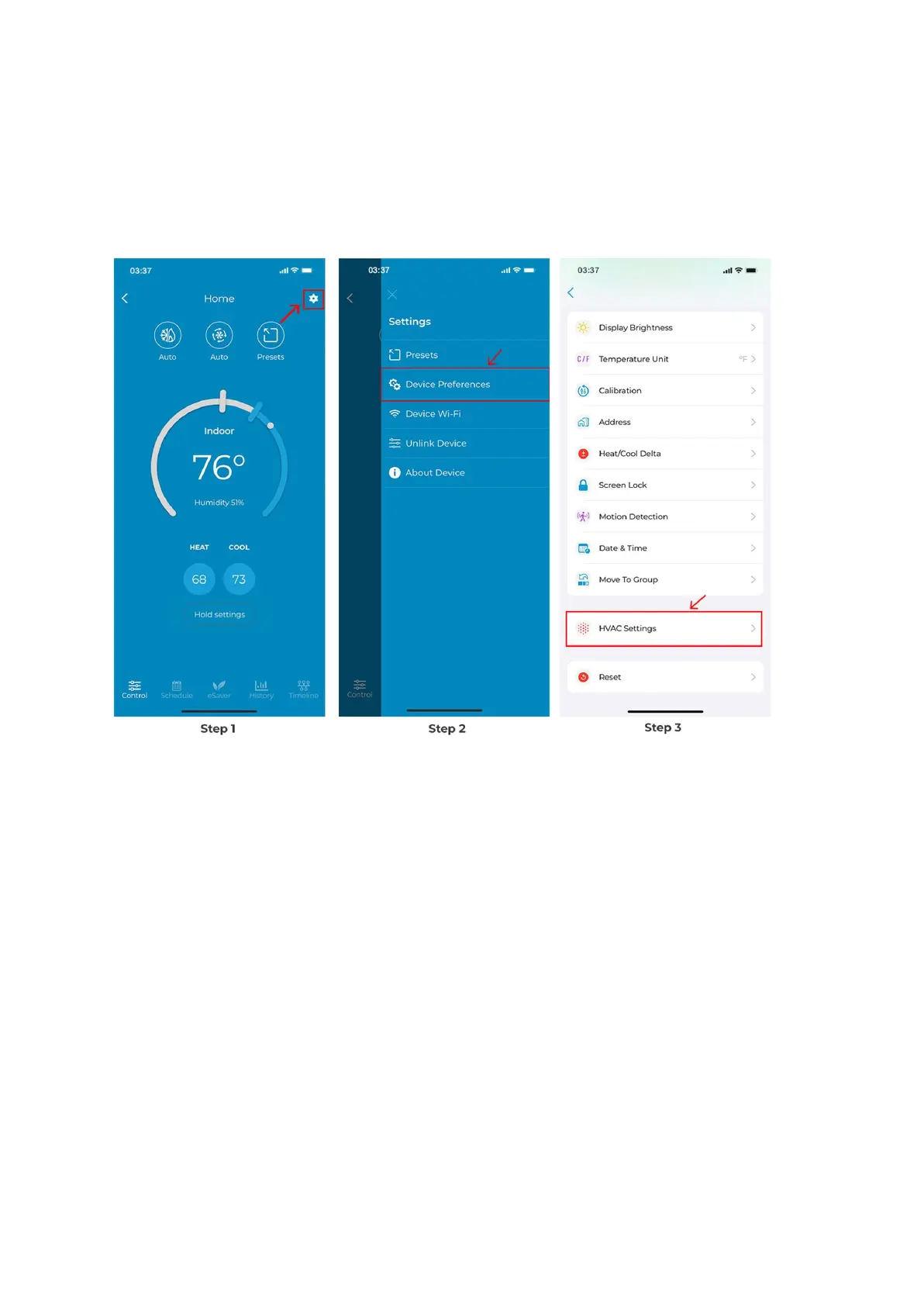
Step 1: On the Control Screen, tap on the ‘Settings’ icon at the top right corner.
Step 2: Tap on ‘Device Preferences’.
Step 3: Tap on 'HVAC Settings'.
Step 4: Tap on ‘HVAC system’, then ‘Heat Pump Preferences.’
Step 5: You can choose whether the O/B reversing valve in the idle state should remain
‘Same’ or ‘Off’. This depends on whether you want the O/B valve to stay energized until the
opposite of heating or cooling is called or to be left unenergized whenever there is no
heating or cooling. (Tap on the tooltip to learn about these settings.)
Tap on ‘Apply.’



 To Next Page