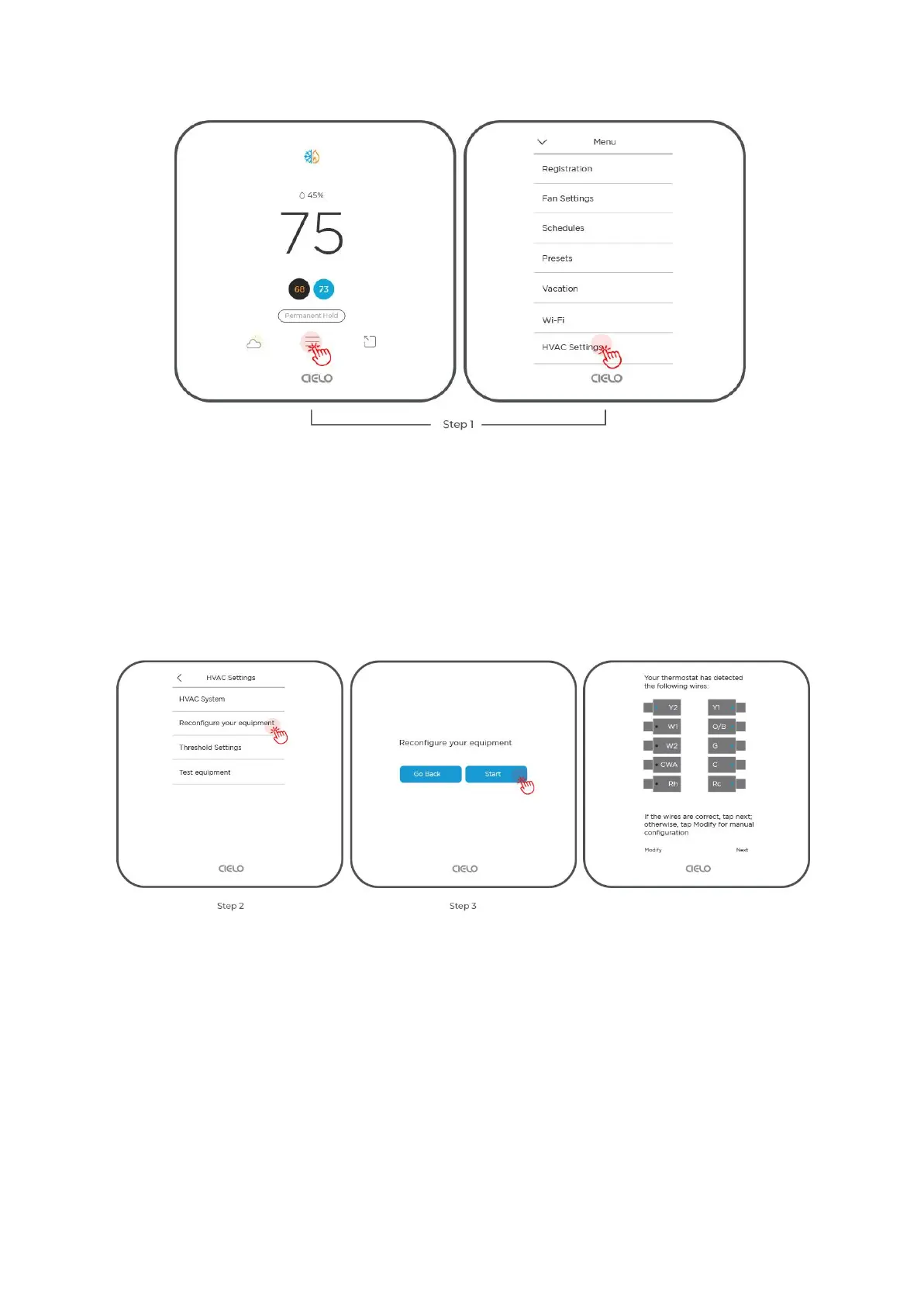
Step 2: Select 'Reconfigure your equipment'.
Step 3: Tap 'Start'.
The thermostat will auto-detect the connected wires. If the wires are correct, tap 'Next'.
Otherwise, tap 'Modify' to configure manually.
Using Cielo Home App
Step 1: On the Control Screen, tap on the ‘Settings’ icon at the top right corner.
Step 2: Tap on ‘Device Preferences’.
Step 3: Tap on 'HVAC Settings'.
Step 4: Tap on 'Reconfigure Equipment'



 To Next Page