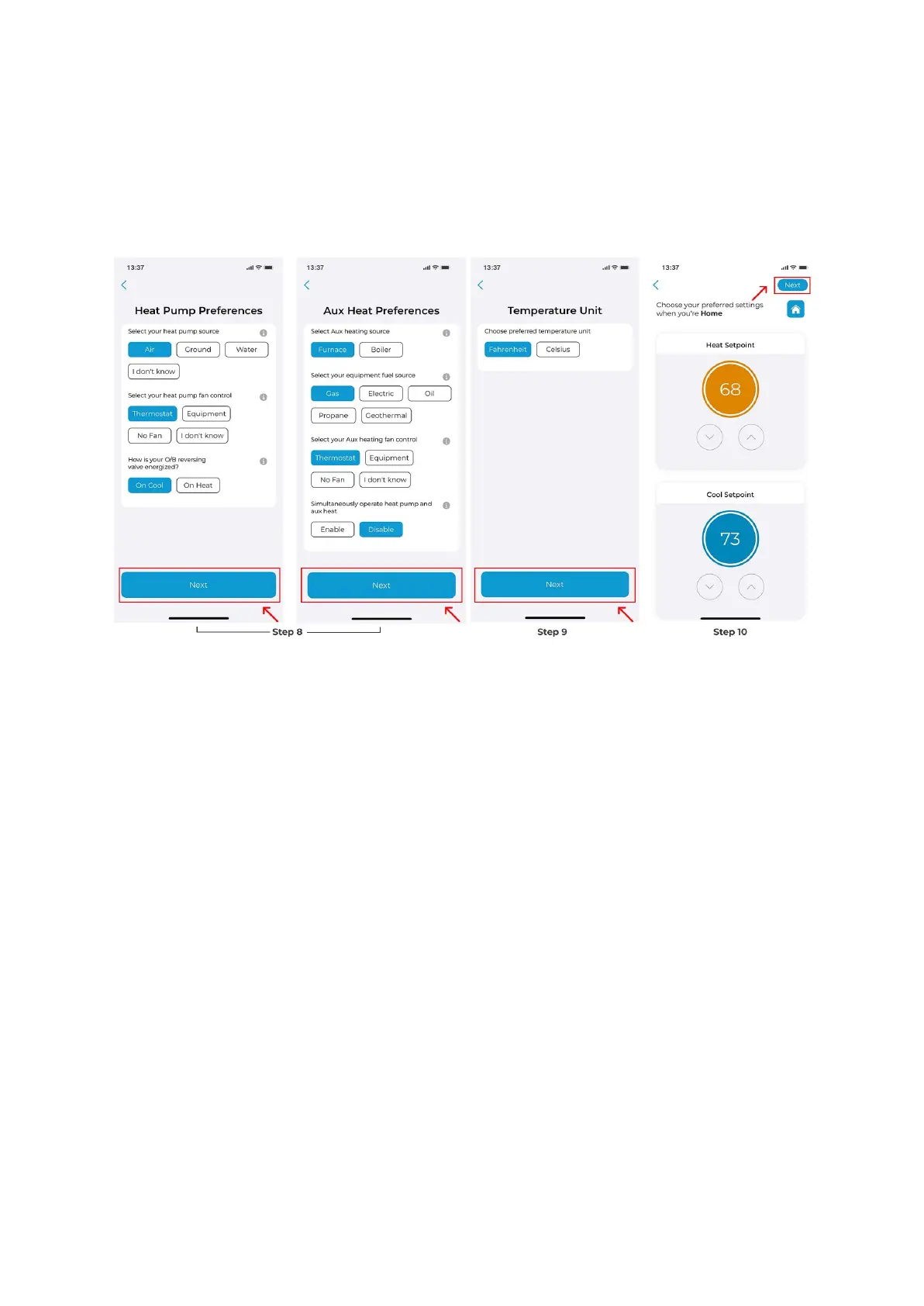
Step 9: Choose your preferred temperature unit and tap 'Next'.
Step 10: Personalize your desired comfort settings for Home, Away, or Sleep.
Your new HVAC equipment is now configured.
How can I create a Zone (group), add & delete a Cielo Smart
Thermostat to or from a zone and edit a created zone using
Cielo Home App
A group will allow you to control all your registered devices together with a simple tap.
1. Creating a group
To create a Group in Cielo Home app, follow these steps:
Step 1: On the Home screen, tap on your Cielo Smart Thermostat.
Step 2: Tap on the ‘Settings’ icon on the top right.
Step 3: Tap on ‘Device Preferences’.
Step 4: Tap on ‘Move to Group.


 To Next Page
 Loading...