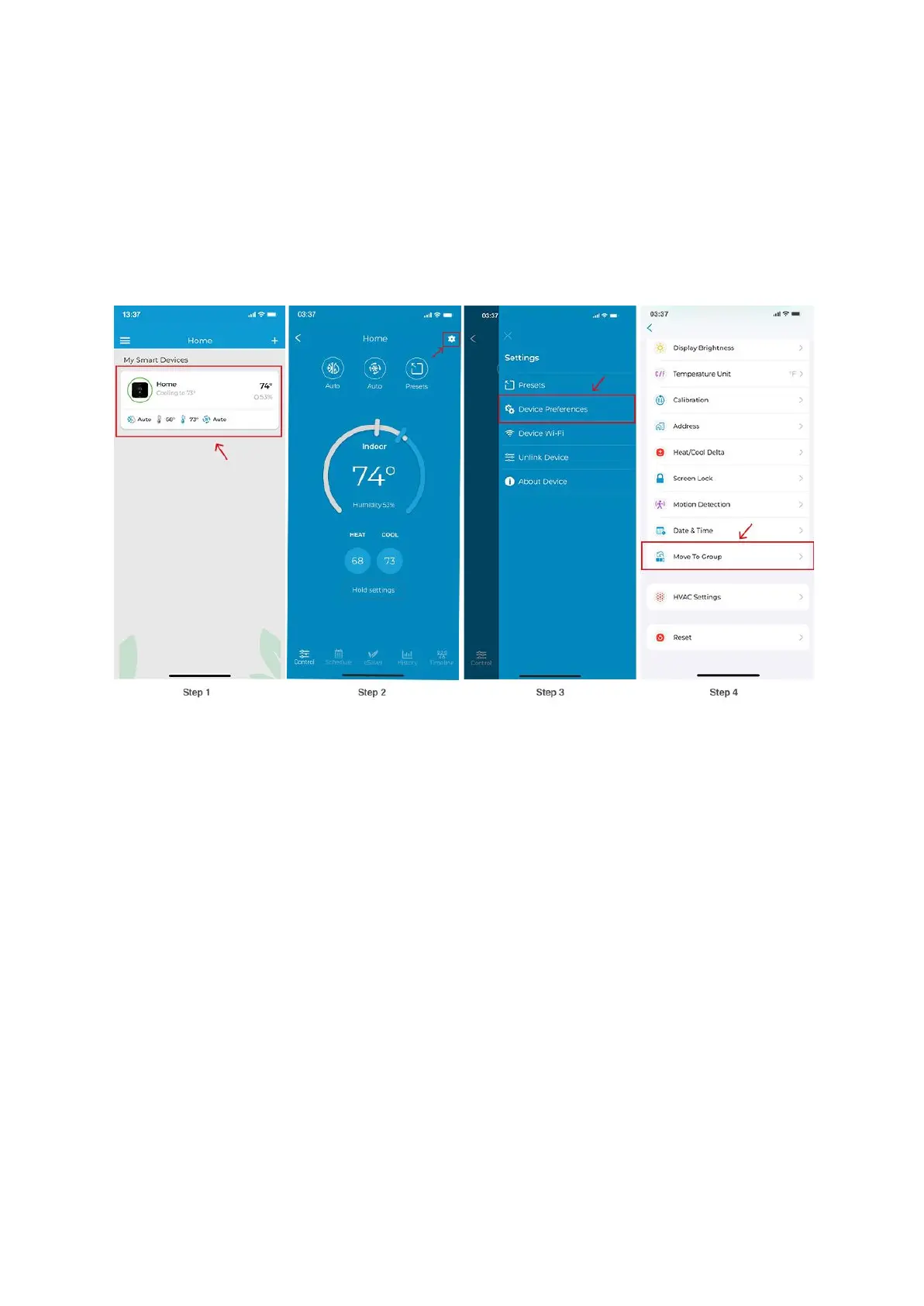
Step 1: On the Home screen, tap on your Cielo Smart Thermostat.
Step 2: Tap on the ‘Settings’ icon on the top right.
Step 3: Tap on ‘Device Preferences’.
Step 4: Tap on ‘Move to Group’.
Step 5: On the Group screen, you will see a list of all of your active groups. Tap on the group
you wish to move the device to.
Step 6: You will see a checkmark next to the group name.
Step 7: Tap on ‘Done’.
Step 8: On the Home screen, you will see a separate ‘Groups’ tab where you can see your
groups along with their devices.



 To Next Page