Room humidity drops below
Vacation start activation
Vacation ended on thermostat
How can I change the minimum gap between Heat and Cool
setpoints of my Cielo Smart Thermostat?
Using the Thermostat
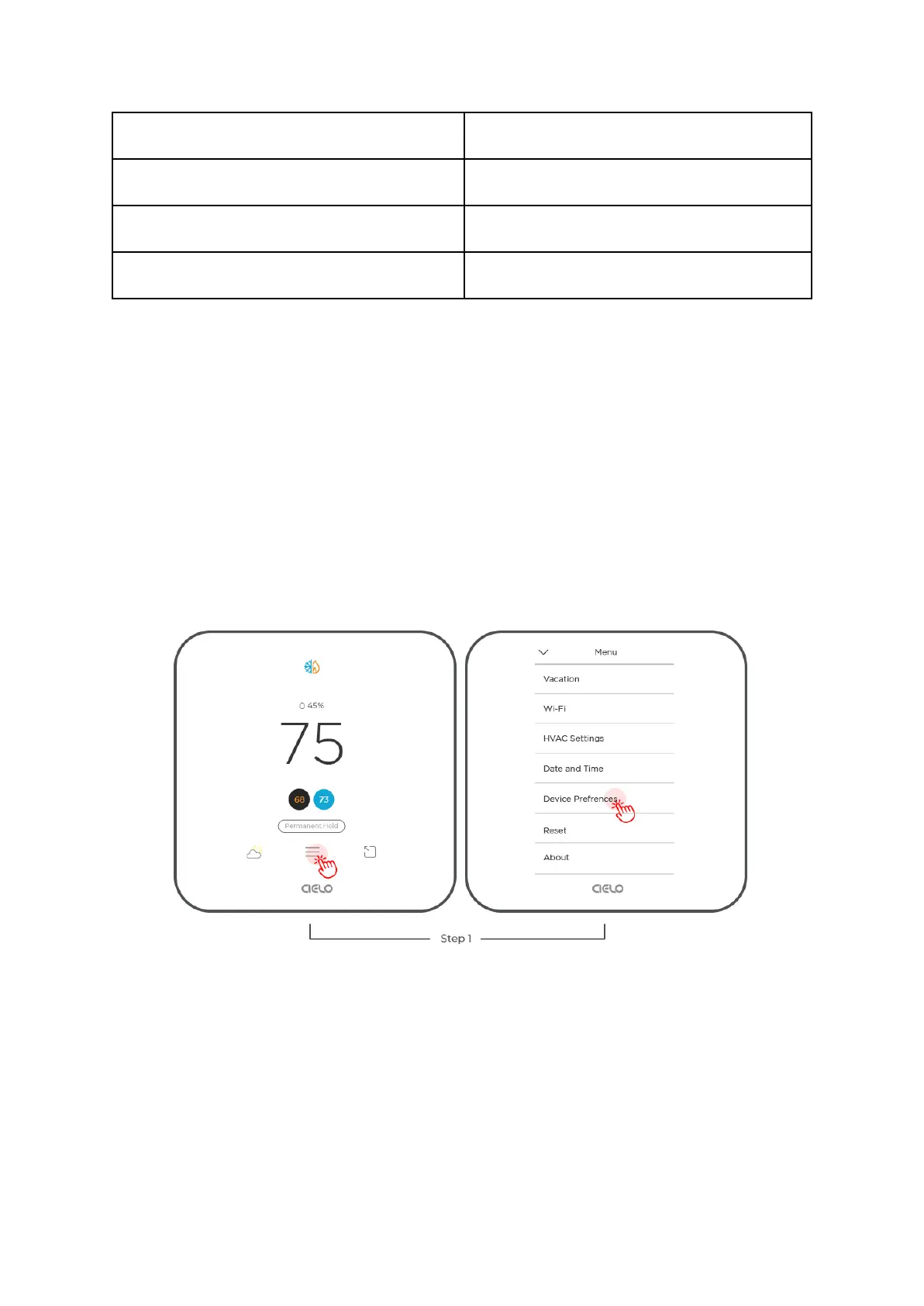
You can change the minimum gap between Heat and Cool setpoints on your Cielo Smart
Thermostat by following the steps below:
Step 1: Go to 'Menu' and select 'Device Preferences'.
Step 2: Select ‘Heat/Cool Delta’.
Step 3: Use up or down arrows to set the minimum gap between Heat and Cool setpoints.



 To Next Page