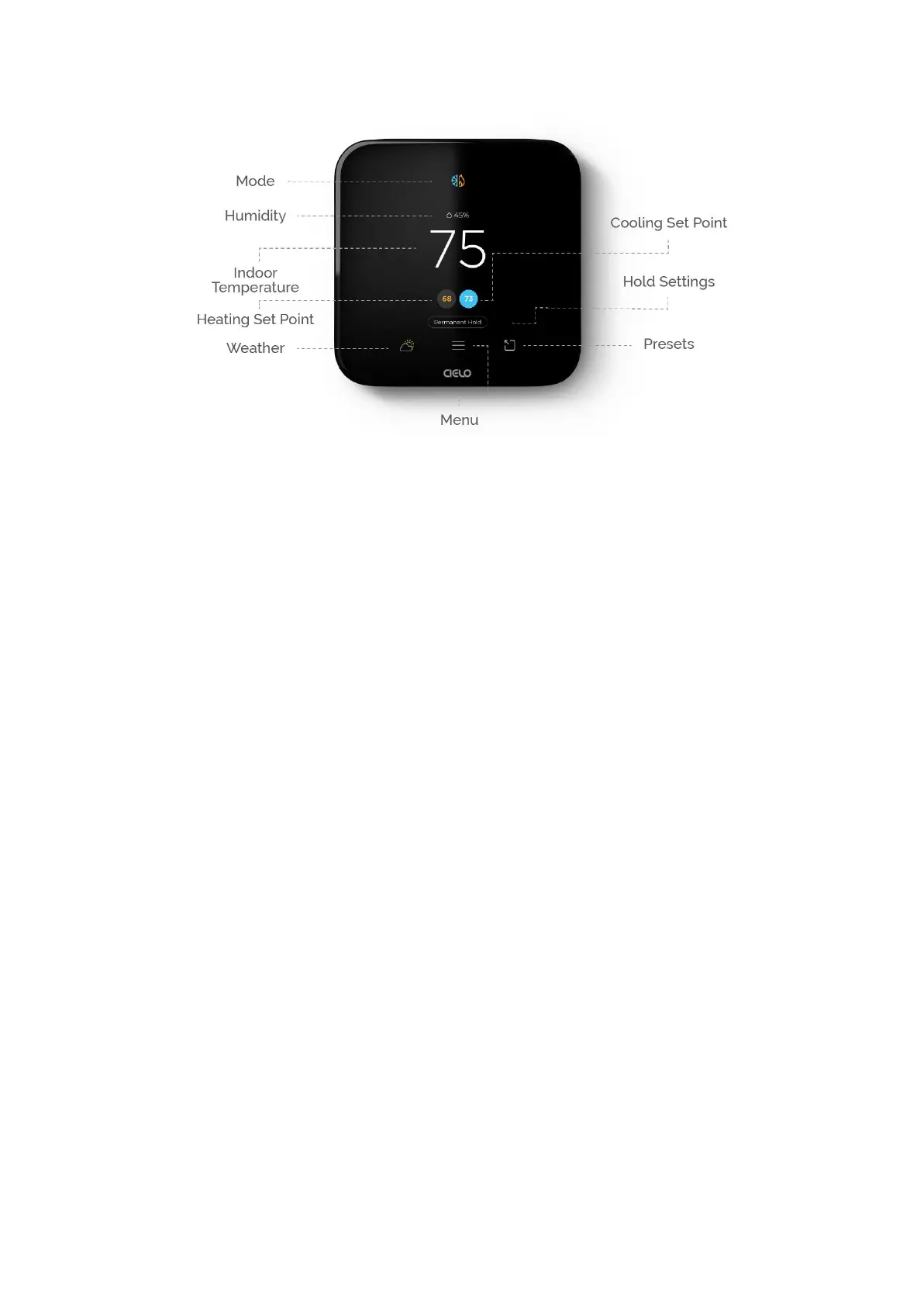
Mode
Indicates your current thermostat settings (Heat/Cool/Auto/AUX/Off). Tap on the mode icon
and select your preferred mode.
Humidity
Displays humidity levels in your home.
Indoor Temperature
Displays your current home temperature.
Set Point
Shows temperature set point. Set your preferred temperature by tapping on it and then use
the up & down arrows to adjust.
Hold Settings
These settings let you hold the current Mode & temperature for a desired period of time.
A. 'Hold till next schedule' lets you hold the current settings until the next schedule begins
(if any).
B. 'Hold till a specific time' lets you hold the current settings for a specific time from 1 hour
until 24 hours.
C. 'Permanent Hold' lets you hold the current settings until you manually change them.


 To Next Page
 Loading...