EasyManua.ls Logo

Cincinnati 60 CB II - User Manual

Cincinnati 60 CB II
73 pages
Print Icon
To Next Page IconTo Next Page
Loading...
C I N C I N N A T I I N C O R P O R A T E D
C I N C I N N A T I , O H I O 4 5 2 1 1
OPERATION, SAFETY AND MAINTENANCE MANUAL
60
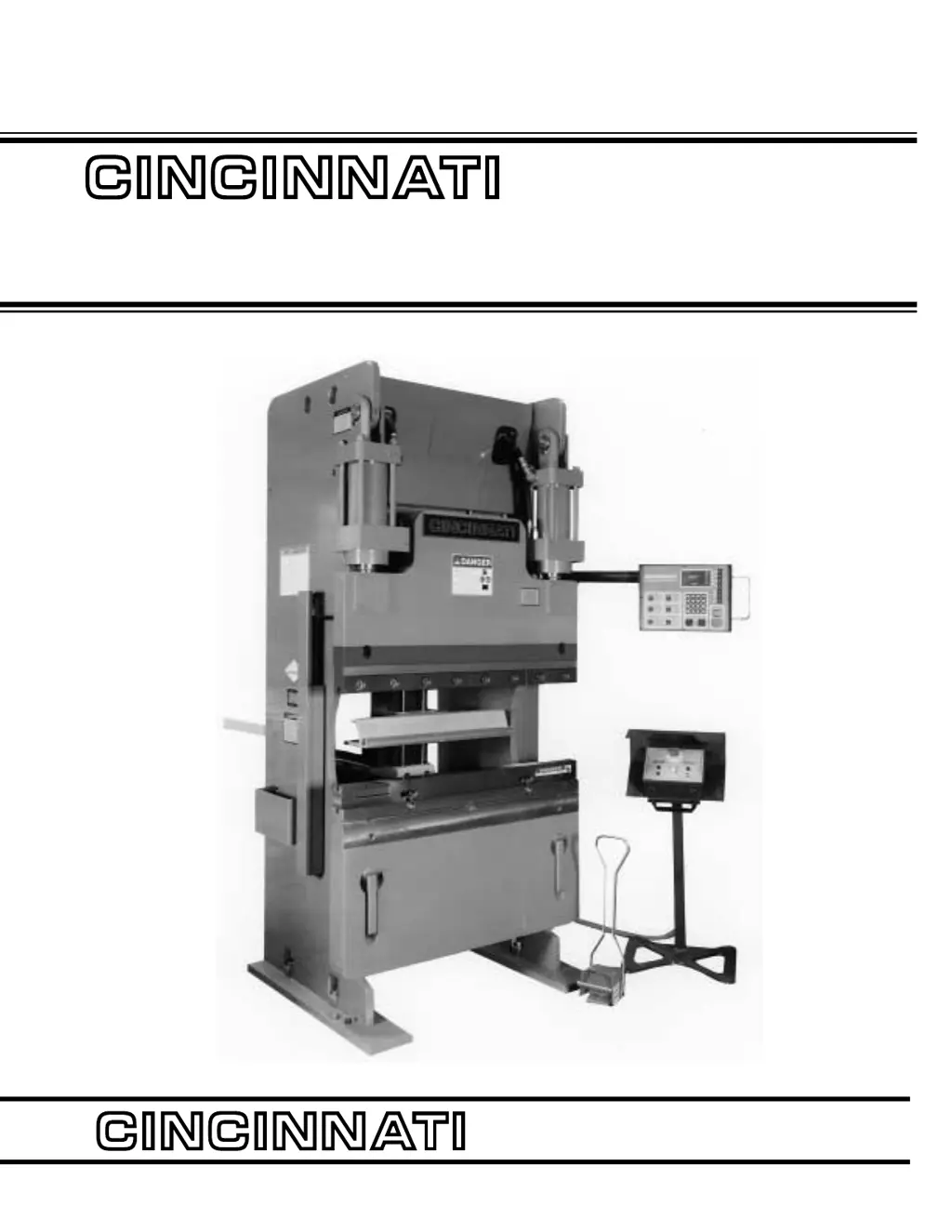
CB II HYDRAULIC
PRESS BRAKE
EM-442 (N-03/98)
COPYRIGHT 1998
CINCINNATI INCORPORATED

Table of Contents

Questions and Answers

Summary

Cincinnati 60 CB II Hydraulic Press Brake Manual

Overview of Press Brake Manual

Comprehensive guide covering operation, safety, and maintenance procedures for the press brake.

Introduction to Cincinnati CB II Press Brake

Cincinnati CB II System Overview

Introduction to the CB II hydraulic press brake and its control system.

Factors Affecting Part Quality

Discusses factors affecting part quality, including machine condition, operator skill, and tooling.

Section 1: Identification of Press Brake Components

Front View Component Identification

Identifies key components of the press brake from the front view using numbered labels.

Section 2: Installation Procedures

Unloading and Lifting Guidance

Instructions for safely receiving and moving the press brake after delivery.

Foundation and Installation Requirements

Details the necessity of a rigid foundation for proper press brake alignment and stability.

Section 2: Installation (Continued)

Erection, Leveling, and Cleaning

Steps for positioning, anchoring, leveling the press brake, and post-installation cleaning.

Section 2: Installation (Continued)

Hydraulic Reservoir, Lubrication, and Electrical Connections

Guidance on reservoir checks, lubrication, fluid types, and electrical hookup requirements.

Section 3: Safety Recommendations

General Safety and Operation Guidelines

Compliance with standards and critical rules for safe operation, emphasizing clear point-of-operation.

Section 3: Safety (Continued)

Safe Operating Practices and Tooling

Rules for safe operation including tools, clothing, machine condition, and general safety.

Section 3: Safety (Continued)

Tooling Safety and Warning Signs

Guidelines for safely handling tooling and understanding the purpose of safety signs.

Section 3: Safety (Continued)

Specific Hazard Area Warnings

Details specific danger signs for hazardous areas like the die area and machine operation.

Section 3: Safety (Continued)

Tipping Prevention and Operator Safety

Cautions against tipping and provides operator safety guidelines for press brake use.

Safety Maintenance Checklist

Checklist for essential safety checks and maintenance tasks to ensure safe operation.

Section 4: Specifications

Performance and Capacity Ratings

Detailed specifications including bending capacity, tonnage, and physical dimensions.

Principle of Operation and Definitions

Explains how the press brake works and defines key operational terms and components.

Section 4: Specifications (Continued)

Ram Stroke and Tonnage Details

Information on ram stroke adjustability and tonnage capacity limits.

Die Space, Throat, and Penetration

Defines die space, throat depth, and die penetration for setup and operation.

Section 4: Specifications (Continued)

Punching, Stripping, and Eccentric Load Capacities

Specifies capacities for punching, stripping, and handling off-center loads.

Off-Center Load Capacity Explained

Details how load capacity is affected by off-center positioning of the workpiece.

Section 5: Set Up and Use

Press Brake Tooling Types and Usage

Introduces different types of dies used for bending operations, like air bend and bottoming dies.

Section 5: Set Up and Use (Continued)

Tool Installation Procedure

Step-by-step instructions for safely installing upper and lower dies and filler blocks.

Section 5: Set Up and Use (Continued)

Backgage Installation and Capacity

Information on the optional CNC SX Backgage, its installation, and capacity limits.

Section 5: Set Up and Use (Continued)

Gage Assembly and Finger Setup

Details the components of the gage assembly and how to set up the gage fingers.

Section 5: Set Up and Use (Continued)

Adjusting Gage Finger Position

Instructions for adjusting the vertical and horizontal positions of gage fingers for accurate gaging.

Section 5: Set Up and Use (Continued)

Programming Gage Positions

How to program the backgage position using program inputs for flange dimension and bend allowance.

Section 5: Set Up and Use (Continued)

Operating Techniques and Work Supports

Guidelines for operating the press brake and using optional work supports for light materials.

Tooling Setup and Safe Running Practices

Best practices for tooling setup, part forming, and safe running procedures.

Section 5: Set Up and Use (Continued)

Safe Tooling Removal Procedures

Procedures and safety precautions for removing dies from the press brake.

Section 6: Machine Controls

Control Station Overview

Description of the standard and multi-axis control stations and their functions.

Standard vs. Multi-Axis Controls

Differentiates between the standard LED and optional Multi-Axis LCD control systems.

Section 6: Machine Controls (Continued)

Operator Control Interfaces

Explains the operator controls like palmbuttons, keyswitches, and operator station selectors.

Operator Station Selection

How to select and activate the operator station for controlling ram movement.

Section 6: Machine Controls (Continued)

Footswitch and Mode Selection

Operation of the footswitch and different machine modes like SETUP and SINGLE STROKE.

Single Stroke and Hand;Foot Sequence Modes

Details on single stroke operation and the combined hand/foot control sequence.

Section 6: Machine Controls (Continued)

Data Entry and Front Panel Functions

How to use data entry keys, calculator mode, and front panel programming functions.

Forming Speed and Stroke Stop Settings

Configuration of forming speed and stroke stop parameters for controlling ram movement.

Section 6: Machine Controls (Continued)

Palmbutton and Footswitch Operation

Detailed operation of palmbuttons, emergency stop, and footswitch controls.

Section 6: Machine Controls (Continued)

Electrical Enclosure and Grounding

Information regarding the electrical enclosure, ground connection, and power supply indicators.

Section 7: Operation

Standard Control Programming Basics

Introduction to programming the standard control using front panel selections and data entry.

Top Stop Position Programming

Setting the programmed position for the ram to stop at the top of its stroke.

Section 7: Operation (Continued)

Tilt, Speed Change, and Tonnage Settings

Programming parameters for ram tilt, speed change position, and tonnage limits.

Reversal, Stroke Count, and Stop Settings

Configuring bottom reversal position, stroke counter, and stroke stop functions.

Section 7: Operation (Continued)

Guard Mute, Mode Select, and Error Handling

Using guard mute, selecting operational modes, and understanding reported errors.

Configuration and Diagnostics

Accessing configuration settings and running diagnostic tests on the control system.

Multi-Axis Control Programming

Introduction to Multi-Axis Features

Overview of multi-axis features like angle mode, backgage control, and memory.

Job Data Entry and Management

Setting up job data, entering new programs, and managing existing job information.

Multi-Axis Control Programming (Continued)

Angle Mode Programming and Guidelines

Using angle mode for automatic reversal calculation and associated programming guidelines.

Multi-Axis Control Programming (Continued)

Vee Opening and Material Specifications

Specifying Vee opening and material thickness for angle mode calculations.

Die Angle and Top of Material Setup

Setting lower die angle and top of material position for accurate bending.

Multi-Axis Control Programming (Continued)

Clamp Position and Mute Settings

Configuring clamp position for workpiece holding and mute position for safety devices.

Program Data Screen Overview

Understanding the program data screen, including step-by-step programming and softkey functions.

Multi-Axis Control Programming (Continued)

Part Count, Batch Count, and Top Stop

Managing part count, batch count, and setting the top stop position for each program step.

Desired Angle and Reversal Calculation

Entering desired bend angles and how the control calculates reversal positions.

Multi-Axis Control Programming (Continued)

Ram Tilt and Tonnage Programming

Setting ram tilt for angled bends and programming maximum tonnage per stroke.

Step Repeat and Flange Dimension Programming

Utilizing step repeat for multiple identical bends and programming flange dimensions for backgage.

Multi-Axis Control Programming (Continued)

Bend Allowance and Gage Pause Settings

Defining bend allowance and setting gage pause times for controlled movement.

Retract Distance for Clearance

Configuring retract distance for the backgage to provide clearance during bends.

Multi-Axis Control Programming (Continued)

Clamp Function and Stroke Stop Control

Activating clamp function and configuring stroke stop settings for precise bends.

End Program and Softkey Functions

Finalizing program entry and understanding the functions of various softkeys.

Multi-Axis Control Programming (Continued)

Program Storage and Communication

Saving, loading, and transferring programs using internal memory and communication interfaces.

Multi-Axis Control Programming (Continued)

Program Management Options

Procedures for managing programs: loading, storing, and deleting from internal memory.

Communication Menu Options

Options for sending, receiving, and managing programs via serial communication.

Multi-Axis Control Programming (Continued)

RS-232;422 Communication Setup

Physical connections, protocols, and cable assembly for PC communication.

Troubleshooting Communication Issues

Steps to diagnose and resolve problems with PC communication and file transfers.

Multi-Axis Control Programming (Continued)

System Test and PC Startup Procedure

Performing system tests and daily startup procedures for PC communication.

Multi-Axis Control Programming (Continued)

Axis;Valve Position Diagnostics

Viewing axis positions and valve status for diagnostic purposes.

Section 8: Options

Additional Controls and Gage Installation

Options for extra operator stations and installation of the CNC SX Backgage.

Backgage and Front Gage Systems

Description of the CNC SX backgage and manual front gaging systems.

Section 8: Options (Continued)

Ram Noses and Tooling Adapters

Details on different ram nose styles and optional tooling adapters.

Section 8: Options (Continued)

Oil Heater and Presence Sensing Interface

Optional oil heater for cold conditions and presence sensing safeguarding interface.

Section 9: Maintenance and Adjustments

Lubrication Points and Schedule

Identifying lubrication points and recommended schedule for greasing and oiling.

CNC SX Backgage Lubrication

Specific lubrication instructions for the optional CNC SX Backgage.

Section 9: Maintenance and Adjustments (Continued)

Hydraulic Oil and Filter Maintenance

Procedures for checking hydraulic oil level, type, and replacing the high-pressure oil filter.

Section 9: Maintenance and Adjustments (Continued)

Hydraulic Pressure Checks

Guidance on checking critical hydraulic system pressures using test ports.

Main Relief Pressure Check

Information on checking the main relief pressure, which is not user-adjustable.

Section 9: Maintenance and Adjustments (Continued)

Counterbalance Pressure Adjustment

Procedure for checking and adjusting counterbalance pressure for safe operation.

Section 9: Maintenance and Adjustments (Continued)

Air Filter, Oil Cooler, and Level Switch

Maintenance for air filter, oil cooler, and oil level/temperature switch.

Cylinder Service and Valve Maintenance

Information on cylinder service and maintenance of hydraulic control valves.

Section 9: Maintenance and Adjustments (Continued)

Swivel End-Guide Bearing Adjustment

Adjusting swivel end-guide bearings to compensate for wear.

Ram Linear Transducer Adjustment

Procedure for adjusting the ram linear transducers (potentiometers) for accurate position feedback.

Section 9: Maintenance and Adjustments (Continued)

Machine Level and Electrical Checks

Checking machine levelness and electrical enclosure components.

Backgage Adjustments (CNC SX)

Instructions for installing and adjusting the CNC SX Backgage components.

Section 9: Maintenance and Adjustments (Continued)

Carriage Adjustment and Preload

Checking and adjusting carriage ball bushings and preload screws for looseness.

Section 9: Maintenance and Adjustments (Continued)

Error Message Interpretation

Explains various error messages displayed by the control system and their potential causes.

Section 9: Maintenance and Adjustments (Continued)

System Errors and Troubleshooting

Steps for diagnosing system errors and troubleshooting common issues on Multi-Axis Control.

Section 9: Maintenance and Adjustments (Continued)

Backgage Error Messages

Specific error messages related to the backgage operation and potential causes.

Section 9: Maintenance and Adjustments (Continued)

CPU Board Power-Up Tests

Describes power-up self-tests and user-initiated diagnostics for the CPU board.

Section 9: Maintenance and Adjustments (Continued)

RS-232;422 Communication Setup

Physical connections, protocols, and cable assembly for PC communication.

Communication Protocol and Cable Details

Information on Kermit protocol and specific cable configurations for PC connectivity.

Section 9: Maintenance and Adjustments (Continued)

Troubleshooting Communication System Tests

Detailed steps for troubleshooting PC communication issues using system tests.

Section 9: Maintenance and Adjustments (Continued)

Troubleshooting Configuration and Ports

Isolating PC and control issues, and troubleshooting cable and port configurations.

Maintenance Checklist for 60 CB II

Lubrication Schedule

A table outlining daily, weekly, and monthly lubrication tasks for the press brake.

Check or Adjustment Schedule

A schedule for regular checks and adjustments of machine components and safety features.

Section 10: Service and Parts

Ordering Repair Parts

Information required for ordering replacement parts, including serial and part numbers.

Returning Parts for Credit

Procedure for returning parts for credit, requiring prior authorization and an RGA number.

Service and Technical Training

Overview of available field service, planned maintenance, and operator training programs.

Cincinnati 60 CB II Specifications

General IconGeneral
BrandCincinnati
Model60 CB II
CategoryPower Tool
LanguageEnglish

Related product manuals