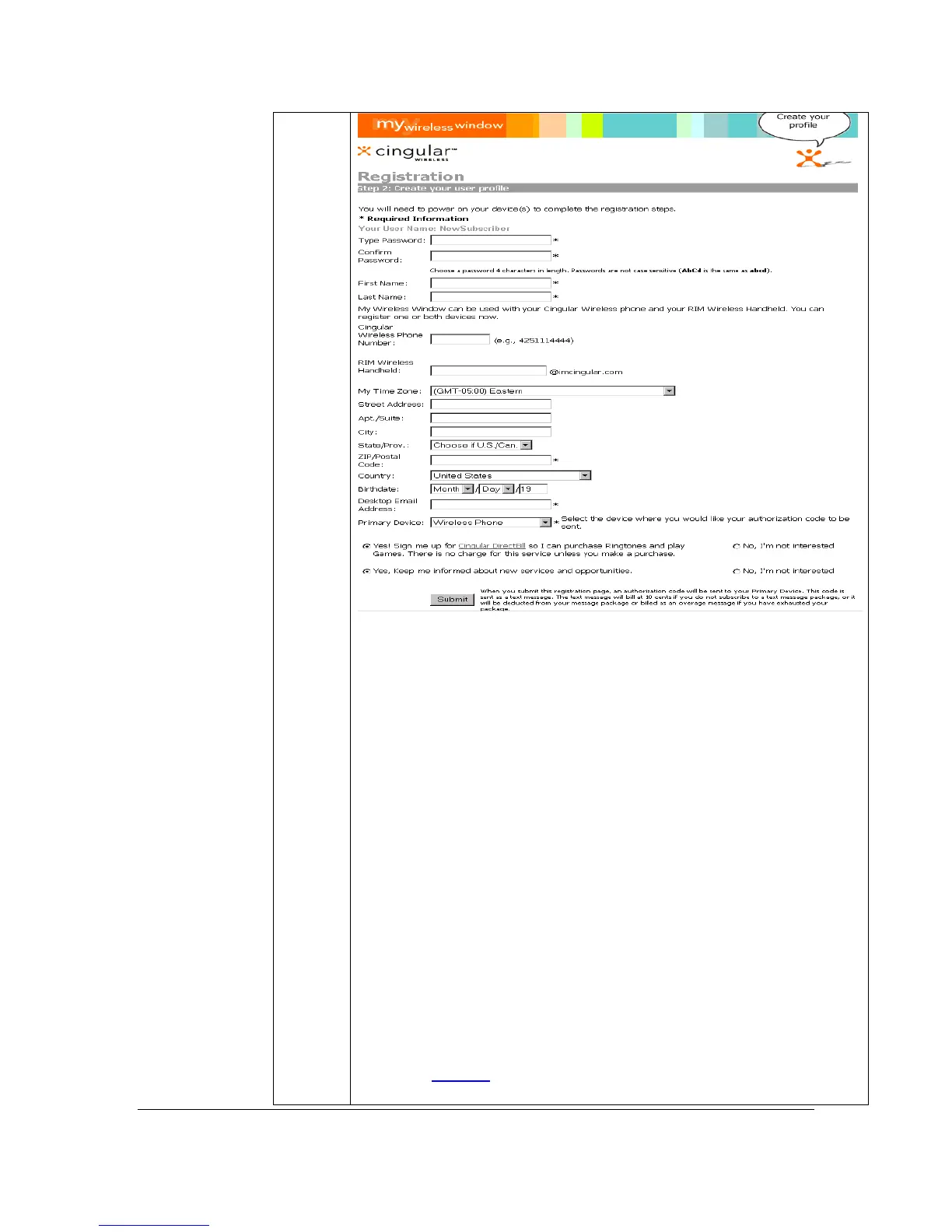
§ Type Password* Enter the 4-digits/characters Password
that you choose at time of activation or choose a password 4-
digits/characters in length. Passwords are not case sensitive –
AbCd is the same as abcd.
§ Confirm Password*
§ First Name*
§ Last Name*
§ Cingular Wireless Phone Number*
§ Rim Wireless Handheld email address
§ Time Zone*
§ Street Address
§ Apt./Suite
§ City
§ State/Prov.
§ ZIP/Postal Code*
§ Country
§ Birthdate
§ Desktop Email Address*
* Required Fields to Enter
Click Submit
when finished.
Note: The Autho
ization Code is sent to
our handset as a
Getting Started Guide 7
For Motorola V60t



 To Next Page