EasyManua.ls Logo

Cino FuzzyScan F780BT - User Manual

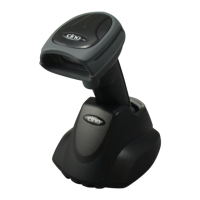
Cino FuzzyScan F780BT
16 pages
Print Icon
To Next Page IconTo Next Page
Loading...
FUZZYSCAN FAMILY
Quick Start Guide
Bluetooth Version
CORDLESS SCANNER

Other manuals for Cino FuzzyScan F780BT

Question and Answer IconNeed help?

Do you have a question about the Cino FuzzyScan F780BT and is the answer not in the manual?

Summary

Getting Familiar with Your Imager

800 Series Wireless Charging

Identifies parts of the 800 Series Wireless Charging imagers.

HB8133 Smart Cradle

Identifies components of the HB8133 Smart Cradle.

600 & 700 Series Wireless Charging

A798 BT, A788 BT, A778 BT

Identifies parts of specific 600 & 700 Series imagers.

F798 BT, F788 BT, L788 BT

Identifies parts of specific 600 & 700 Series imagers.

A698 BT, A688 BT

Identifies parts of specific 600 & 700 Series imagers.

A678 BT, F688 BT, L688 BT

Identifies parts of specific 600 & 700 Series imagers.

HB4132 Wireless Charging Smart Cradle

Identifies components of the HB4132 Wireless Charging Smart Cradle.

Preparations before Use

Install the Battery or UltraCap

Instructions on how to install the battery or UltraCap into imagers.

Charge Your Imager

Guidelines for charging the imager battery or UltraCap.

Work with Smart Cradle

Pair Your Imager with Smart Cradle

Step-by-step guide for pairing the imager with a smart cradle.

Work with Bluetooth Direct Link

Bluetooth Direct Link Pairing

Instructions for pairing the imager directly with a Bluetooth host.

Work as a USB Corded Imager

USB Corded Mode Setup

Steps to configure the imager to work as a USB corded device.

Use Your Imager

Status & Indications

Cino FuzzyScan F780BT Specifications

General IconGeneral
BrandCino
ModelFuzzyScan F780BT
CategoryScanner
LanguageEnglish

Related product manuals