
 Need help?
Do you have a question about the CIONIC Neural Sleeve NS-100 and is the answer not in the manual?
Overview of the Neural Sleeve's capabilities and components.
Guidance on how to properly use the Neural Sleeve system.
Specifies the intended uses and patient population for the Neural Sleeve.
Details the settings where the Neural Sleeve is approved for use.
Lists conditions or situations where the Neural Sleeve should not be used.
Important safety alerts, precautions, and measures to ensure safe and effective use.
Potential side effects or negative responses from using the Neural Sleeve.
Guidelines for correct operation and handling to ensure safety and efficacy.
Information on the device's RF communication and compliance with regulations.
Details the device's compliance with relevant certification standards.
Advice for traveling with the Neural Sleeve, including airport security procedures.
Description of the portable electronic Control Unit and its functions.
Explanation of the multiple functions and operations of the Control Unit button.
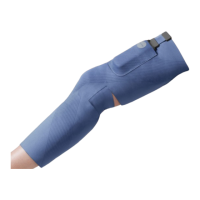
Details the fabric sleeve, its configurations, sizes, and how it fits the leg.
Information on the 24 electrodes, electrode pads, and their function.
Description of the USB charging cable and power adapter for the Control Unit.
Instructions for downloading and accessing the required CIONIC mobile application.
Illustration and labeling of the primary leg muscles targeted by the Neural Sleeve.
Step-by-step guide on how to attach electrode pads to the Neural Sleeve.
Detailed instructions on how to correctly wear the Neural Sleeve on the leg.
Guidance for positioning the Neural Sleeve on the quadriceps muscle group.
Instructions for fitting the Neural Sleeve over the hamstring muscle group.
Steps for applying the Neural Sleeve to the shin area of the leg.
Guidance on how to properly position the Neural Sleeve on the calf muscle.
Procedure for physically connecting the Control Unit to the Neural Sleeve.
Configuration options and required permissions for the CIONIC mobile application.
Details on the remote consultation process for setting up the Neural Sleeve system.
Overview of the CIONIC App's primary sections and the main program display screen.
Detailed explanation of various settings within the CIONIC App for customization.
Information on viewing past activities and accessing instructional videos.
Step-by-step guide for establishing a Bluetooth connection between the app and Control Unit.
Steps and instructions for calibrating the Neural Sleeve sensors for accurate readings.
Description of the different modes available, including Assist and Exercise modes.
Procedure for customizing FES stimulation parameters for programs.
Explanation of Frequency, Pulse Width, and Intensity parameters for FES.
Guide to setting up stimulation parameters using the basic configuration mode.
Instructions for customizing stimulation parameters using the advanced configuration mode.
How to adjust stimulation levels for different muscle groups and movements.
Guidance on using the Gait Assist mode for functional mobility improvement.
Instructions for selecting and performing various exercise programs with the Neural Sleeve.
Routine care, cleaning, and storage recommendations for the Neural Sleeve system.
Instructions on how to properly charge the Control Unit for optimal performance.
Procedure and frequency for replacing worn or expired electrode pads.
Detailed steps for cleaning the Neural Sleeve fabric and components.
Step-by-step guide to updating the firmware for the Neural Sleeve and Control Unit.
Information on what to do if firmware does not need upgrading or if errors occur.
Instructions on how to check the current firmware version installed on the device.
Solutions for common problems like failed adherence checks or visibility in the app.
Addressing discomfort during stimulation and troubleshooting pain.
Steps to perform a factory reset on the Control Unit.
Guidance on battery care, longevity, and proper disposal of the Control Unit.
Symbols indicating safety precautions, warnings, and important information.
Symbols related to product compliance, usage instructions, and environmental handling.
Information on the system's response rate and latency.
Details on how the system is designed to avoid interference from other RF devices.
Data on the system's electromagnetic emissions and compliance with EMC standards.
Guidance on how the system performs under various electromagnetic immunity tests.
Guidelines for maintaining safe distances from portable and mobile RF equipment.
 General
| Brand | CIONIC |
|---|---|
| Model | Neural Sleeve NS-100 |
| Category | Medical Equipment |
| Language | English |

 To Next Page