| 3
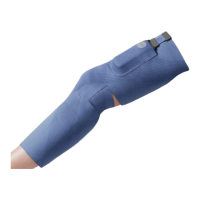
Neural Sleeve
Chapter 1
Introduction to Your Neural Sleeve........................4
System Features
Neural Sleeve Instructions for Use
Chapter 2
Safety Information........................................................5
Indications for Use
Contraindications
Warnings
Precautions
Adverse Reactions
Proper Use
Chapter 3
Environmental Conditions that
Affect Use........................................................................7
Radio Frequency (RF) Communication Info.
Conformity Certification
Travel and Airport Security
Chapter 4
Neural Sleeve Device Description..........................8
Control Unit
Control Unit Button
Neural Sleeve
Neural Sleeve Electrodes & Electrode Pads
Control Unit Charger
Chapter 5
Neural Sleeve.................................................................11
Downloading the CIONIC App
Applying Electrode Pads to the Neural Sleeve
Putting on the Neural Sleeve
Apply Sleeve to the Quadriceps
Apply Sleeve to the Hamstrings
Apply Sleeve to the Shin
Apply Sleeve to the Calf
Connecting the Neural Sleeve to the Control Unit
Chapter 6
CIONIC App.....................................20
CIONIC App Settings
Video Onboarding to Set Up Your Neural Sleeve
Navigation
Home Screen
Settings
History Screen
Help Screen
Connecting the CIONIC App to the Control Unit
Symbols
Chapter 7
Using Programs and Exercises.......................................26
Calibration
Operating Modes
Configuring Stimulation
Basic FES Configuration Mode
Advanced FES Configuration Mode
Adjusting Stimulation
Using Gait Assist for Mobility
Using Exercise Programs
Chapter 8
Maintenance and Cleaning..............................................32
Daily Maintenance and Storage
Charging
Replacing the Neural Sleeve Electrode pads
Cleaning the Neural Sleeve
Chapter 9
Firmware Upgrade...............................................................36
Control Unit Firmware Upgrade
Chapter 10
Troubleshooting...................................................................40
Control Unit Fails Calibration
Control Unit is Not Visible in Your CIONIC App
Control Unit is Unable to Pair with Your CIONIC App
If You Feel Sharp, Uncomfortable Pain
Control Unit is Malfunctioning
Stimulation Feels Uncomfortable
Factory Reset
Control Unit Battery Maintenance
Disposal
Chapter 11
Technical Specifications...................................................41
Chapter 12
List of Symbols.....................................................................42
Chapter 13
Wireless Information..........................................................43


 To Next Page