EasyManua.ls Logo

Circuitron Tortoise - User Manual

Circuitron Tortoise
2 pages
Print Icon
To Next Page IconTo Next Page
Loading...
CONGRATULATIONS !
THE
TORTOISE
SLOW MOTION SWITCH MACHINE REPRESENTS THE
VERY LATEST IN HIGH TECHNOLOGY DESIGN. UTILIZING A
PRECISION GEAR-DRIVE MECHANISM COUPLED TO A MICRO-
CURRENT DRAW MOTOR WHICH SAFELY STALLS OUT, CUTOFF
CONTACTS AND COIL BURNOUTS ARE A THING OF THE PAST. THE
FULLY ENCLOSED CONSTRUCTION WITH OUR ULTRA-SIMPLE
MOUNTING AND LINKAGE (INCLUDED) AND THE SIMPLIFIED WIRING
WITH AUXILIARY CONTACTS STANDARD COMBINE TO MAKE THE
VERY FINEST SWITCH MACHINE AVAILABLE AT ANY COST.
CONTENTS OF BOX:
(1) TORTOISE
(1) Molded Fulcrum
(1) 3.5” Spring Wire
(1) 3/8” x #4 Phillips
Retaining Screw
LAYOUT PREPARATION
The TORTOISE is designed to mount under the layout with the spring wire transmitting the linear motion
through the layout board and roadbed to the turnout throwbar. Turnouts should be checked for free
movement of the points and a clear area under the layout for mounting the machine. Although the
TORTOISE is extremely forgiving in mounting, a turnout that binds will still not switch smoothly. It will be
necessary to provide a hole or slot directly under the throwbar. This hole is typically located between the
rails, but may be outside the rails, if desired. The size of this hole should equal twice the the total turnout
throw (1/4” works well for HO and S). In addition, a small hole will have to be drilled in the throwbar for
the spring wire to pass through. Some turnouts have a rivet in the throwbar which can be used for this
purpose. If the turnout is already mounted, we suggest drilling a small (.032” - .040”) pilot hole through
the center of the throwbar and down through the roadbed and baseboard. Next determine the total
thickness of the roadbed and board and mark the 1/4” bit with tape or use a drill stop. Then, using the
pilot hole as a guide, drill up through the base and roadbed, being extremely careful not to break through
and destroy the throwbar. It may be possible to flex the throwbar away from the roadbed slightly to help
prevent this. Finally, use a hobby knife to remove any remaining roadbed and to clean up the hole.
TORTOISE PREPARATION
The 3.5” x .025” spring wire provided with the TORTOISE is suitable for layouts having a total roadbed/baseboard thickness of
one inch or less. If your layout thickness is greater than 1”, you will have to substitute a suitable length of .025” spring wire for
the one provided. If greater tension on the points is desired (for O Scale and larger), you may substitute a heavier gauge wire.
The output arm will have to be drilled out with a suitable diameter bit held in a pin vise.
CAUTION: DO NOT USE A POWER DRILL!
1. Prepare the spring wire by gripping it with pliers 1/8” from one end and make a sharp 75-80 degree (nearly right angle) bend.
At a point 3/4” away from the initial bend, make an additional 15 degree bend in line with the first. Figure 1 is full size and
may be used as a guide.
2. Using a #1 Phillips screwdriver, carefully thread the small phillips head retaining screw into the large hole in the throwarm.
DO NOT PUSH ANY HARDER THAN NECESSARY ON THE ARM! After the screw bottoms out, remove it. It will be
reinstalled after the TORTOISE is mounted.
3. Slide the fulcrum into the fulcrum rails on the front face of the TORTOISE so that the larger openings of the tapered pivot
holes face the bottom.
MOUNTING
Cut out the template and use a punch or hobby knife to make a hole in the center of the large black dot. The TORTOISE can be
mounted off centerline if necessary for special clearance applications, in which case one of the two dotted alternate circles
should be used. (This changes the geometry of the spring wire, though. Request Application Note AN-6000-01.) Tape the
template to the underside of the layout with the hole you just made centered over the 1/4” hole previously bored through the
layout. NOTE: The large arrow should be parallel to the rails. Drill pilot holes for #4 wood or sheet metal screws at the four
points indicated (3/32” or #42 drill bit). Remove the template and fasten the TORTOISE to the layout with #4 x 1/2” wood or
sheet metal screws. The hole in the fulcrum should be centered directly under the hole in the layout.
A
LTERNATE
M
ETHOD
:
Use the template as above, but instead of drilling pilot holes, merely mark their location with a punch or
nail. Remove the template and sand the wood lightly to provide a clean surface. Spray the area with lacquer to seal the wood.
Let dry overnight. Apply double faced foam tape (available at hardware stores) to the entire top surface of the TORTOISE.
Remove the backing from the tape, and using the punch marks as locating guides, press the TORTOISE into position. Rock the
TORTOISE in all directions to ensure a good bond. Finally, run a bead of silicone RTV (bathtub caulk) around the two mounting
flanges against the layout. Allow to cure overnight before proceeding.
CAUTION: ALTHOUGH THIS METHOD PROVIDES
ADDITIONAL SOUND DEADENING, THE LONGEVITY OF THE TAPE/SILICONE BOND IS LARGELY UNTESTED, AND LONG-TERM
SATISFACTORY RESULTS CAN NOT BE GUARANTEED.
TM
WIRING
Connections to the TORTOISE can be made by inserting light gauge wires through the holes in the printed circuit board. Solder the wires to
the pads using rosin core 60% tin, 40% lead solder (available from Radio Shack) and a small 25 - 35 watt pencil type soldering iron.
WARNING: DO NOT USE A HIGH WATTAGE SOLDERING GUN. DAMAGE TO THE PRINTED CIRCUIT BOARD IS NOT COVERED UNDER WARRANTY.
We recommend locating an 8 position terminal block near the TORTOISE and running the wires from the TORTOISE to it. In this way, any
changes in wiring can be made at the terminal block without having to desolder connections on the board. A more costly option is to utilize a
10 position printed circuit board edge connector (available from electronics’ distributors - request Application Note AN-6000-04 for
specifications and ordering information from one mail-order distributor) which will simply plug onto the TORTOISE circuit board.
The connections on the circuit board are numbered 1 - 8 from left to right. Connections 1 and 8 go to the motor. 2, 3 and 4 connect to one
of the internal SPDT auxiliary switches which can be used to power the frog, signals, etc. In similar fashion, 5, 6 and 7 make up the other
SPDT switch. These auxiliary switches can
switch
a maximum of one (1) amp of current (they can safely carry 4 amps on each contact set)
and can switch either AC or DC loads. If you need to switch heavier currents, parallel both sets of contacts or you may connect a relay to the
output. Figure 2 shows the internal connections and switch configuration of the TORTOISE. (Request Application Note AN-6000-02 for
detailed wiring diagrams of turnout frog, relay and signal wiring.)
F
IGURE
1.

Question and Answer IconNeed help?

Do you have a question about the Circuitron Tortoise and is the answer not in the manual?

Summary

Layout Preparation

Tortoise Preparation

Prepare Spring Wire

Prepare the spring wire by gripping it with pliers. Be sure to make a good bend.

Power Drill Warning

Warning: Do not use a power drill!

Mounting

Mount the cutout and use a clamp or hobby knife to make a hole in the center.

Wiring Methods

DC With Cross Wired DPDT Switches

Uses a simple DC supply of not more than 12 volts with DPDT switches to switch polarity.

Bi-Polar DC With SPDT Switches

Requires two DC supplies wired in series, using SPDT switches for control.

AC With Steering Diodes

Uses an AC transformer with two diodes for half-wave rectified DC.

Panel Lights; Signals

LED Wiring

Wire Light Emitting Diodes (LEDs) directly in series with the motor for turnout indication.

Final Assembly and Adjustment

Spring Wire Installation

Slide the spring wire through the fulcrum and into the throwarm hole. Do not overtighten.

Operation Test

Test operation under power. Adjust fulcrum for desired tension and throw. Fix with RTV.

Limited Warranty

Overview

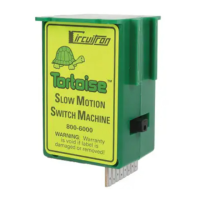
The Tortoise Slow Motion Switch Machine is a sophisticated device designed for model railroad layouts, providing precise and reliable control over turnouts. It utilizes a high-technology design with a gear-drive mechanism and a micro-current draw motor that safely stalls out at the end of its throw, eliminating the need for cutoff contacts and preventing coil burnouts. This fully enclosed unit features ultra-simple mounting and linkage, along with simplified wiring and standard auxiliary contacts, making it a top-tier switch machine.

Function Description

The primary function of the Tortoise is to move turnout throwbars on a model railroad layout. It operates by transmitting linear motion from its spring wire through the layout board and roadbed to the turnout. The motor is designed to stall continuously at the end of its throw, ensuring consistent and gentle movement without damage, even with continuous application of 12 volts DC or less. The device provides changeable polarity DC to operate in both directions, allowing for full control of turnout positions. It also includes two internal SPDT auxiliary switches, which can be used to power various accessories like frogs, signals, or other layout elements. These switches are capable of handling up to 1 amp of current (or 4 amps per contact set) and can switch both AC and DC loads.

Usage Features

  • Mounting and Installation: The Tortoise is designed for under-layout mounting. Before installation, turnouts should be checked for free movement and a clear area under the layout for the machine. A hole or slot, typically located between the rails, needs to be drilled under the throwbar. This hole should be twice the total turnout throw (e.g., 1/4" for HO and S scales). A small pilot hole (0.032" - 0.040") is drilled through the throwbar, roadbed, and baseboard, then enlarged to accommodate the spring wire. The device comes with a template for precise pilot hole drilling for #4 screws. It can be mounted off-center for clearance, though this alters the spring wire geometry. An alternative mounting method involves using double-faced foam tape and silicone RTV for sound deadening, though its long-term reliability is less tested.
  • Spring Wire Preparation: The included 3.5" x 0.025" spring wire is suitable for layouts with a total roadbed/baseboard thickness of one inch or less. For thicker layouts, a longer 0.025" spring wire is required. For greater tension, especially in O Scale or larger, a heavier gauge wire can be substituted, requiring the output arm to be drilled out with a suitable bit in a pin vise (not a power drill). The spring wire needs to be bent at specific angles (75-80 degrees and an additional 15 degrees) to ensure proper operation.
  • Wiring Options: Connections are made by inserting light gauge wires through holes in the printed circuit board and soldering them. It's recommended to use rosin core 60% tin, 40% lead solder and a low-wattage soldering iron (25-35 watts) to prevent damage to the board. An 8-position terminal block near the Tortoise is suggested for easier wiring changes. Alternatively, a 10-position printed circuit board edge connector can be used for a plug-and-play solution.
    • Motor Connections: Connections 1 and 8 on the circuit board are for the motor. The motor is designed to stall without harm, even with continuous 12V DC power.
    • Auxiliary Switches: Connections 2, 3, and 4 form one SPDT auxiliary switch, and 5, 6, and 7 form another. These can power frogs, signals, or other accessories.
    • Powering Methods:
      1. DC with Cross-Wired DPDT Switches: Uses a simple DC supply (up to 12 volts, unfiltered) and DPDT switches to reverse polarity. Each Tortoise draws 15-16 mA at stall, allowing many units to be powered by a single wall plug adapter.
      2. Bi-Polar DC with SPDT Switches: Requires two similar DC supplies (up to 12 volts each) wired in series. A common bus wire runs around the layout, connecting to one motor terminal of each Tortoise. SPDT switches connect the other motor terminal to either the positive or negative supply. This simplifies wiring and uses lower-cost SPDT switches.
      3. AC with Steering Diodes: Utilizes a standard AC transformer with two diodes for half-wave rectified DC. One side of the transformer output feeds a layout bus wire, while the other lead connects to two diodes that power panel bus wires connected to SPDT switches. Due to half-wave rectification, a 14-16 volt transformer is recommended.
  • Panel Lights/Signals: LEDs can be wired directly in series with the motor for turnout position indication without running wires back to the panel. Red and green (or bi-color) LEDs wired in reverse parallel will indicate throw direction. LEDs will light dimly during throw and brighten at lock-up. Each LED reduces the voltage to the Tortoise by 2 volts, so supply voltage may need to be increased.

Maintenance Features

  • Final Assembly and Adjustment: After wiring, the straight end of the spring wire is inserted through the fulcrum and throwbar, and the bent end into the Tortoise throwarm. The phillips retaining screw is re-installed and tightened until it lightly contacts the wire – do not overtighten.
  • Testing and Troubleshooting: Test the operation under power. Do not try to move the throwarm by hand except with extreme care, as damage to the gears may result. Check tension on the points and adjust the fulcrum if necessary. The fulcrum's position can be fixed with a small spot of RTV (silicone caulk). If the Tortoise moves in the wrong direction, interchange the motor connections (1 and 8).
  • Warranty: Circuitron provides a nine-year warranty against defects in materials and workmanship for the Tortoise, covering normal use. It does not cover damage from abuse, mishandling, accidents, failure to follow instructions, exceeding current load ratings for auxiliary contacts, damaged/altered labels, or commercial/club use. Warranty service requires dated proof of purchase, a written problem description, and a shipping/handling fee.

Circuitron Tortoise Specifications

General IconGeneral
TypeSlow Motion Switch Machine
Operating Voltage12V DC
ContactsSPDT
WeightUnknown
ConnectorScrew terminals
MountingUnder table