© 2012 Cisco and/or its affiliates. All rights reserved. This document is Cisco Public Information. Page 7 of 8
Table 7 shows the optional DTLS license for Cisco 5500 Series Wireless Controllers.
Datagram Transport Layer Security (DTLS) is required for all OfficeExtend deployments to encrypt the Data Plane
traffic. Customers planning to install this device physically in Russia must order the controller with DTLS
disabled and then obtain a physical PAK in order to enable a DTLS license and should not download the
license from Cisco.com. Please consult your local government regulations to ensure that Data DTLS encryption
is permitted.
If a customer chooses SWC5500K9-60, SWC5500K9-70 or SWC5500K9-72, DTLS Data Encryption is enabled by
default. When a customer orders the 5500 and chooses either SWC5500LPE-K9-70 or SWC5500LPE-K9-72 in the
Optional Licenses TAB, data DTLS Encryption is disabled.
The DTLS Paper PAK license is designated for customers who purchase a controller with DTLS disabled due to
import restrictions but get permission to add DTLS support after initial purchase. This optional DTLS license is
required for Cisco OfficeExtend deployment.
Table 7. Optional Licensing for Cisco 5500 Series Wireless Controllers (PAKs)
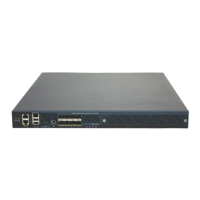
5508 Wireless Controller DTLS License (Paper PAK)
Cisco 5508 Controller DTLS License (electronic Certificate – must not be ordered by Russian Customers)
Other customers can simply use the procedure outlined below in order to download the DTLS license from CCO.
To Obtain a Data DTLS License:
Step 1. Browse to http://cisco.com/go/license
Step 2. On the Product License Registration page, choose Licenses Not Requiring a PAK.
Step 3. Choose Cisco Wireless Controllers DTLS License under Wireless.
Step 4. Complete the remaining steps to generate the license file. The license will be provided online or via email.
Step 5. Copy the license file to your TFTP server.
Step 6. Install the license by browsing to the WLC Web Administration Page:
Management --> Software Activation --> Commands --> Action: Install License
Step 7. Browse to : Cisco 5508 Wireless Controller Software Download Page
http://www.cisco.com/cisco/software/release.html?mdfid=282600534&release=7.0.230.0&relind=AVAILAB
LE&softwareid=280926587&rellifecycle=ED&reltype=latest
Step 8. Choose the release that corresponds to the SW running on your WLC
Step 9. Choose the NON LDPE software release: AIR-CT5500-K9-X-X-XX.aes
Step 10. Complete the remaining steps to download the software


 To Next Page
 Loading...