
 Need help?
Do you have a question about the Cisco M20 and is the answer not in the manual?
 General
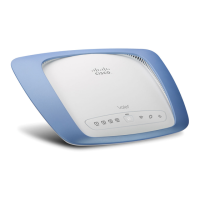
| Brand | Cisco |
|---|---|
| Model | M20 |
| Category | Wireless Router |
| Language | English |
Details the physical layout, ports, and status LEDs on the Valet device.
Details on how to wall-mount the Valet using its integrated slots and screws.
Guides users through installing the Cisco Connect software on Windows and Mac.
Outlines the process of connecting the Valet to a computer and power source.
Provides instructions on connecting more computers using the Easy Setup Key.
Step-by-step guide to connect a computer using the Easy Setup Key.
Instructions for creating or updating the Easy Setup Key on a USB drive.
Guides on creating a password, secret question, and answer for parental controls.
Guides on changing the Valet's network name and administrator password.











 To Next Page